

Deskripsyon
Use the Site Settings plugin to create admin fields for storing short text snippets for use in your theme templates. For example, an email or phone number that is displayed via your header.php template.
It can also be used for storing data which you may need to reference such as the ID of a page or a post category which you use to feature posts on your home page.
Storing these settings in the admin is preferable to hardcoding them into your templates so they can be updated easily.
Read the documentation to find out how to add admin fields and sections.
Mga Screenshot

Initial site settings admin screen. 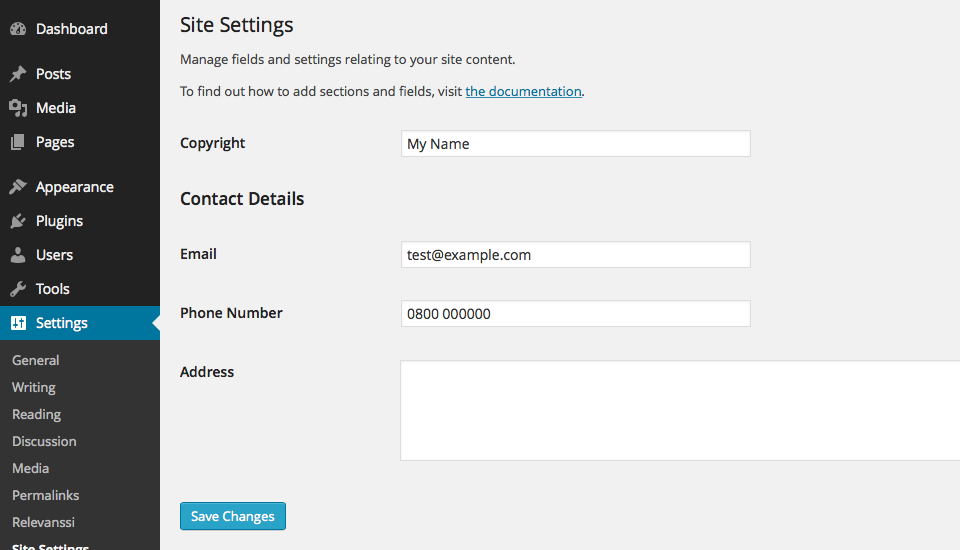
Site settings admin screen with section and fields.
Pag-install
- Download the archive file and uncompress it.
- Put the “site-settings” folder in “wp-content/plugins”
- Enable in WordPress by visiting the “Plugins” menu and activating it.
- Read the documentation to find out how to add admin fields and sections.
FAQ
None at the moment.
Mga Review
Wala pang reviews para sa plugin na ito.
Mga Contributor at Developer
Ang “Site Settings” ay open source software. Ang mga sumusunod na tao ay nag-ambag sa plugin na ito.
Mga Contributor
Isalin ang “Site Settings” sa iyong wika.
Interesado sa development?
Tingnan ang code, i-check ang SVN repository, o mag-subscribe sa development log sa pamamagitan ng RSS.
Changelog
0.2
- Add support for post type select menus, checkboxes and radio buttons.
- Fix custom select menus selected states.
- Fix
sprintfmis-spelling causing fatal error in select menus. - Textdomain must be a string, not constant, to work with parsers.
0.1
- Initial development.