
Deskripsyon
Shows the git branch you are currently on in the Toolbar. Checks theme then root.
Mga Screenshot
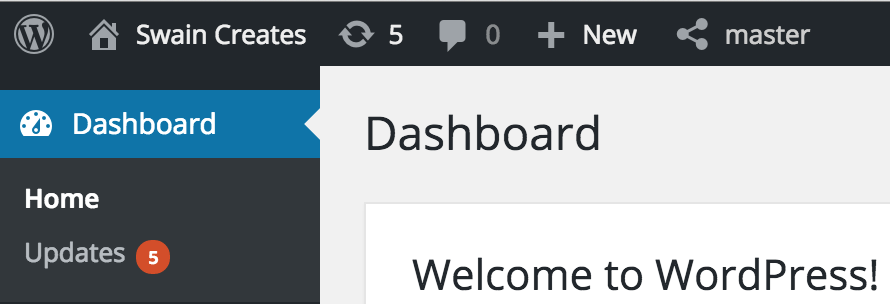
A screenshot of the Toolbar.
Pag-install
- Upload show-git-branch to the
/wp-content/plugins/directory - Activate the plugin through the ‘Plugins’ menu in WordPress
FAQ
- Does it work if WP is in another directory?
-
I don’t know – let me know.
Mga Review
Wala pang reviews para sa plugin na ito.
Mga Contributor at Developer
Ang “Show Git Branch” ay open source software. Ang mga sumusunod na tao ay nag-ambag sa plugin na ito.
Mga Contributor
Isalin ang “Show Git Branch” sa iyong wika.
Interesado sa development?
Tingnan ang code, i-check ang SVN repository, o mag-subscribe sa development log sa pamamagitan ng RSS.