

Deskripsyon
MyQtip for WordPress is a plugin that uses qTip2 to display nice looking, user friendly tooltips. You can choose from 12 color style. Position easily changeable. For use – paste shortcode [myqtip title=’my text tips’ ] any content [/myqtip] or add .myqtip class for link or other tag. Text tips is taken from the title attribute
Online Demo :
https://myqtip.monothemes.com/
The plugin was created in 2013 year
MyQtip this is plugin for WordPress, based qTip2 jQuery plugin
Mga Screenshot
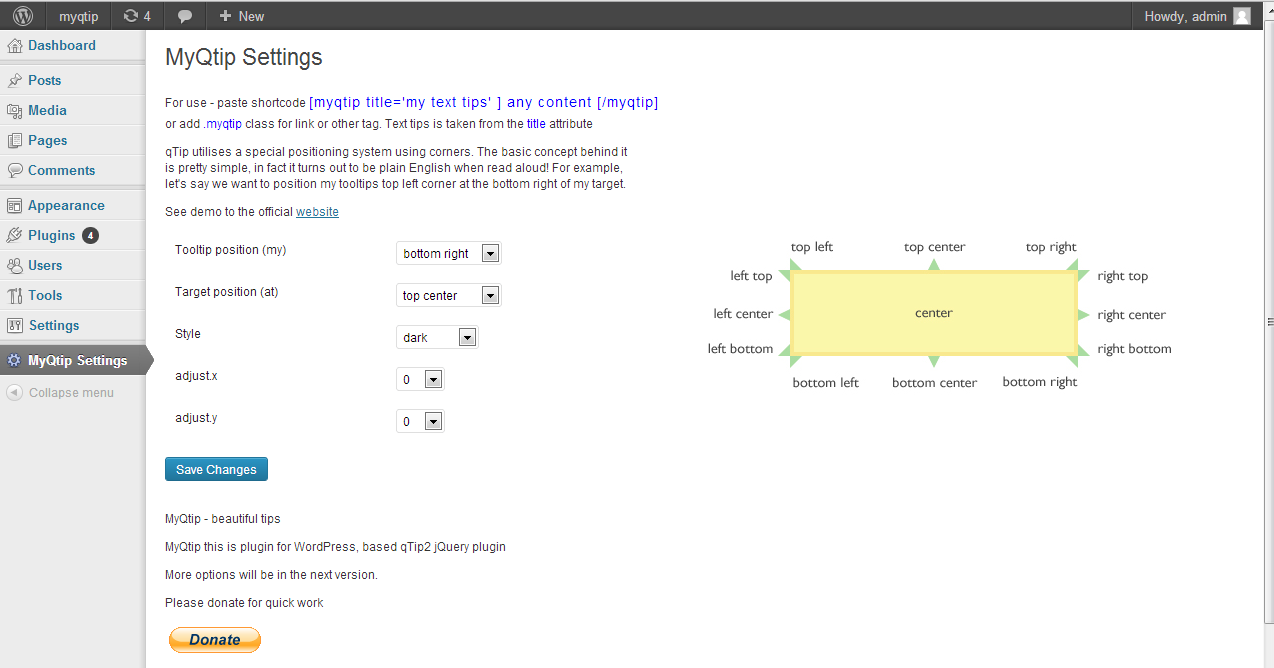
screenshot-1 
screenshot-2 
screenshot-3
Pag-install
- Upload
plugin-name.phpto the/wp-content/plugins/directory - Activate the plugin through the ‘MyQtip’ menu in WordPress
-
And you can config if in the ‘MyQtip Settings’ page.
-
Click the button to save.
-
For use – paste shortcode [myqtip title=’my text tips’ ] any content [/myqtip] or add .myqtip class for link or other tag. Text tips is taken from the title attribute
Online Demo :
https://myqtip.monothemes.com/
FAQ
If you have any question and need help, please ask me [email protected]

Mga Contributor at Developer
Ang “MyQtip – easy qTip2” ay open source software. Ang mga sumusunod na tao ay nag-ambag sa plugin na ito.
Mga Contributor
Isalin ang “MyQtip – easy qTip2” sa iyong wika.
Interesado sa development?
Tingnan ang code, i-check ang SVN repository, o mag-subscribe sa development log sa pamamagitan ng RSS.
Changelog
1.0.0
- First version
1.0.1
- update description
2.0.0
- update qtip2 js to latest ver v3.0.3
2.0.5
- security bug fix