

Deskripsyon
In today’s fast-paced world, customers expect fast, reliable service. With so much competition out there, failing to do so can result in decreased brand loyalty.
In the online world, live chat is often the most effective channel of communication. According to eConsultancy:
Live chat has the highest satisfaction levels for any customer service channel, with 73%, compared with 61% for email and 44% for phone.
Missive Chat is the perfect way to interact with visitors and users from your website without creating additional silos of communication.
Key Features
- Backed by Twilio Chat – Pay as you go Missive Chat works on top of Twilio’s Programmable Chat. To use Missive Chat, you first need to sign up for a Twilio account. The significant advantage of using your own Twilio account is you only pay for your metered usage. With less than 200 active chats per month, it is free. For each additional one, you pay a low fee.
- One-to-many One chat can be handled by one or many support employees, either simultaneously or at different times. Let’s say, for example, a customer wants to know why she hasn’t received a product she ordered through your website. A support employee takes the chat, but things turn sideways, and now the customer wants a refund. Instead of telling the customer that he will pass the request to the appropriate team, he @mentions the Finance team, they immediately get access to the chat and refund the customer. The customer leaves happy with the swift response.
- Fits your branding The chat widget is highly customizable. The chat’s floating button will live in harmony with your website’s look and feel.
- Se habla español, or any other language Is your website not in English? No problem, you can change (or translate) the text of the widget to anything you want.
- Schedules With Missive Chat, you can have an online / offline status based on your team’s presence in Missive or via a pre-defined schedule. You will never let a customer guessing whether you’re there to respond or not.
- File exchange Both you and the user can easily attach images, PDFs, and other files in the chat. A screenshot is worth a thousand words 😉
Privacy Policy
Users privacy is very important to us and we make extra effort to not collect data about the users to the maximum extend possible.
Privacy Policy
Mga Screenshot

Missive live chat 
Customize the look of the chat 
Translate in your language 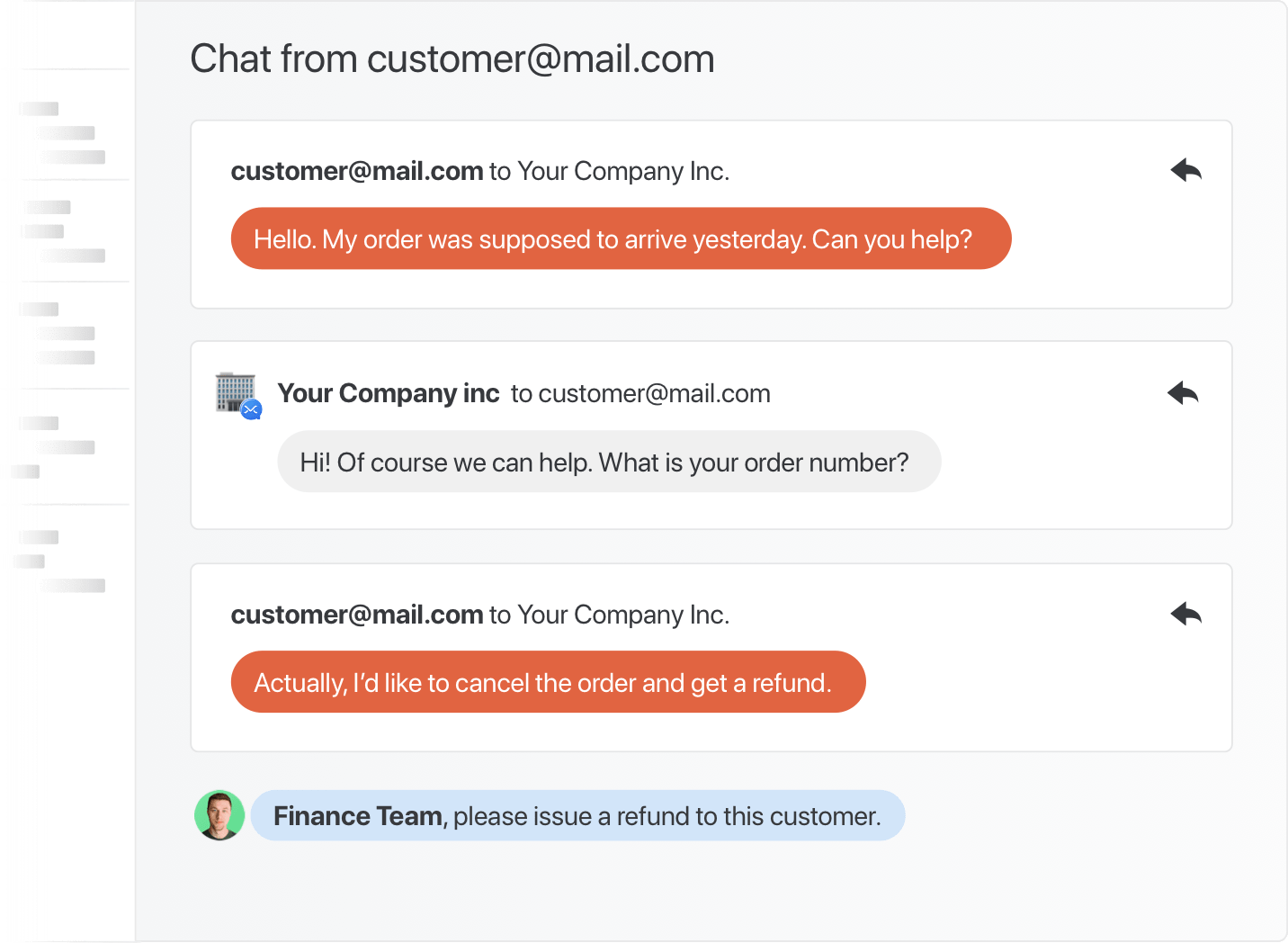
Share the support load with your team 
Pag-install
Missive Chat works on top of Twilio’s Programmable Chat. Before creating your chat account, you first need to sign up for a Twilio account to get your Twilio credentials.
Once it’s done, head over to your Accounts settings on Missive and add a Missive Chat account.
Install plugin from WordPress directory and activate it.
Under Missive section, fill the information.
Customize the chat widget to your preference.
Mga Review
Wala pang reviews para sa plugin na ito.
Mga Contributor at Developer
Ang “Missive Live Chat for WordPress” ay open source software. Ang mga sumusunod na tao ay nag-ambag sa plugin na ito.
Mga Contributor
Isalin ang “Missive Live Chat for WordPress” sa iyong wika.
Interesado sa development?
Tingnan ang code, i-check ang SVN repository, o mag-subscribe sa development log sa pamamagitan ng RSS.
Changelog
1.0.2
- Update tested version to 5.8
- Fix updating ‘Thanks’ message
1.0.1
- Update tested version to 5.7
- Fix single quote escaping
1.0
- Initial release.