
Deskripsyon
Allows admins to add Google Analytics code to <head> and use it only when site is switched to “Search Engine Visibility”.
Use Settings->Reading: check/uncheck “Search Engine Visibility” and add code to “GA code fields”.
Mga Screenshot
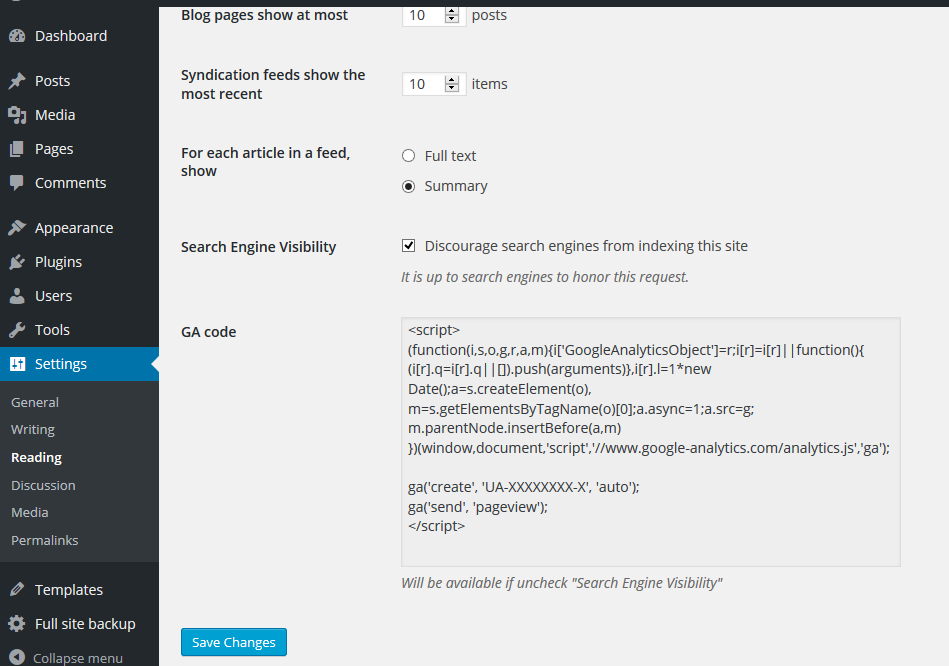
Simply paste Google Analytics code into GA code fields
Pag-install
- Upload entire
/ga-addfolder to/wp-content/plugins/directory - Activate plugin through Plugins menu in WordPress
- Add code Google Analytics in Settings>Reading “GA code fields”
Mga Review
Wala pang reviews para sa plugin na ito.
Mga Contributor at Developer
Ang “GA Code Visibility” ay open source software. Ang mga sumusunod na tao ay nag-ambag sa plugin na ito.
Mga Contributor
Isalin ang “GA Code Visibility” sa iyong wika.
Interesado sa development?
Tingnan ang code, i-check ang SVN repository, o mag-subscribe sa development log sa pamamagitan ng RSS.
Changelog
0.4
- Tested with WP 5.7
0.3
- Tested with WP 5.0.3
0.2
- Tested with WP 4.9.4