

Deskripsyon
Decision Tree Navigator is a powerful, lightweight plugin that allows you to create interactive, step-by-step guidance for your website visitors. Whether you are helping employees find the right HR form or guiding customers through technical troubleshooting, this plugin provides a premium, responsive interface that feels like a modern application.
Features
- Intuitive Editor: Build complex trees with a drag-and-drop interface.
- “Other Options” Shortcut: Ensure users find help even if they are on the wrong path with smart cross-links.
- Mobile Friendly: Fully responsive design that works beautifully on all devices.
- Developer Friendly: Clean CSS architecture and PHP filters for deep customization.
- Flexible Layouts: Toggle Breadcrumbs, Sidebar, or “Other Options” shelf per tree from the dashboard.
- Lightweight: Zero external dependencies; uses native WordPress patterns.
Mga Screenshot

The interactive frontend interface. 
The powerful Decision Tree Editor. 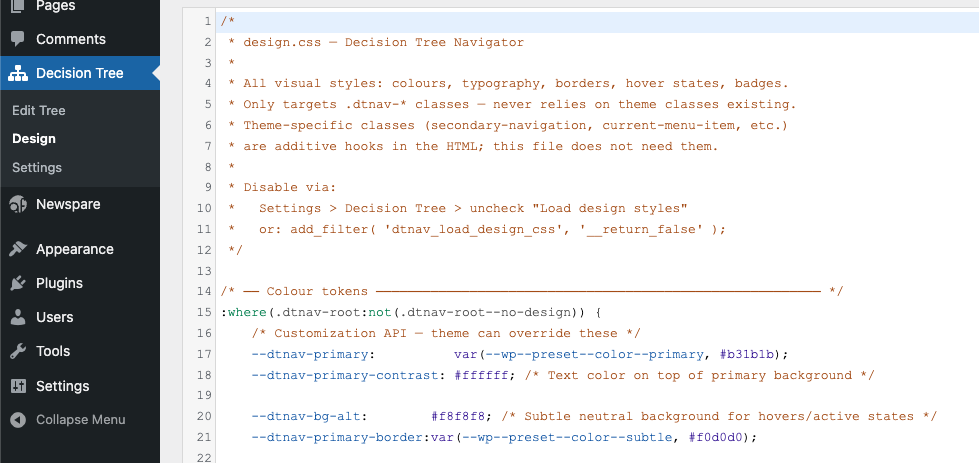
Admin settings and tree management. 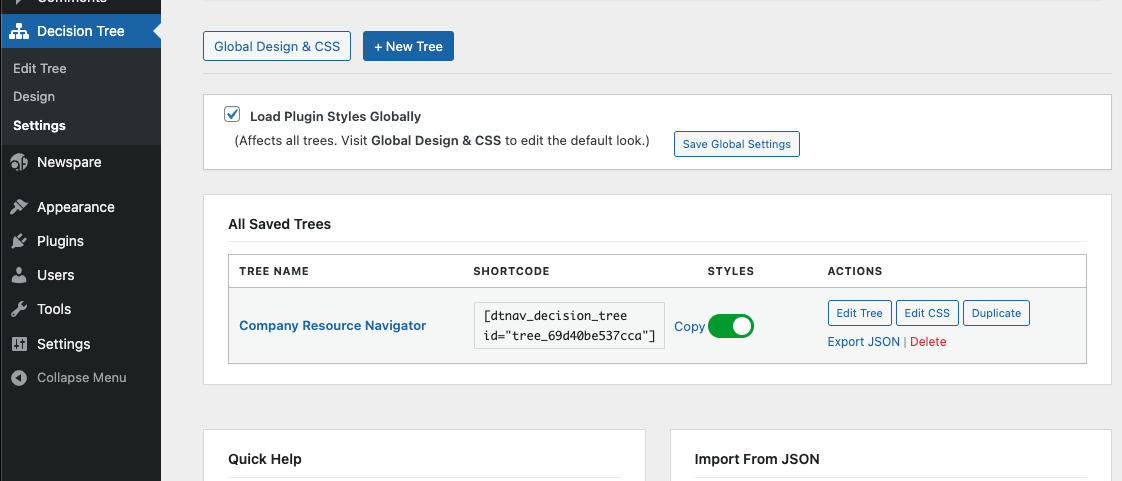
Pag-install
- Upload the
decision-treefolder to the/wp-content/plugins/directory. - Activate the plugin through the ‘Plugins’ menu in WordPress.
- Go to the Decision Tree menu to create your first tree.
- Use the shortcode
[dtnav_decision_tree id="your-tree-id"]to embed it in any page.
FAQ
-
Can I customize the colors?
-
Yes! You can use the built-in Design editor or disable the default styles and use your theme’s CSS.
-
How many trees can I create?
-
There is no limit. You can create as many independent trees as you need.
Mga Review
Wala pang reviews para sa plugin na ito.
Mga Contributor at Developer
Ang “Decision Tree Navigator” ay open source software. Ang mga sumusunod na tao ay nag-ambag sa plugin na ito.
Mga Contributor
Ang “Decision Tree Navigator” ay naisalin na sa 1 (na) locale. Salamat sa mga tagasalin para sa kanilang mga kontribusyon.
Isalin ang “Decision Tree Navigator” sa iyong wika.
Interesado sa development?
Tingnan ang code, i-check ang SVN repository, o mag-subscribe sa development log sa pamamagitan ng RSS.
Changelog
2.5.0
- Resource Card Linking: Added a “Link URL” field to resource cards, allowing Organization names to become clickable.
- Smart Contact Details: The details field now automatically detects and linkifies email addresses and URLs.
- UX Polish: Improved URL detection to automatically repair missing protocols (e.g. www.cornell.edu -> https://www.cornell.edu).
- Accessibility: Ensured all resource links are underlined for full WCAG compliance.
2.4.0
- Dashboard Controls: Added per-tree toggles for Breadcrumbs, Sidebar, and “Other Options” shelf.
- Simplified UI: Replaced clunky toggles with clean, professional checkboxes in the management table.
- Performance: Improved logic for conditional assets loading.
2.3.0
- Prefix Compliance: Renamed all internal PHP functions, hooks, options, and CSS handles from
cdt_todtnav_(5-character prefix) per WordPress.org guidelines. - Security: Applied
wp_strip_all_tags()when outputting custom CSS viawp_add_inline_style()to prevent injection. - Readme: Added plugin owner to Contributors list.
2.2.0
- Theme-First Architecture: Lowered CSS specificity for better theme integration.
- WCAG Gold Standard: Improved focus management — focus now shifts specifically to the main heading (
h2) upon navigation. - Robust Focus Indicators: Forceful focus rings and 100ms timing ensure visibility across all WordPress themes.
- Enhanced Grid Layout: Unified grid-based alignment for all row-based UI components (Choices, “Other options”).
- Result Polish: Badges are now optional (tag-based); added “Purple” badge color option.
- ARIA Cleanup: Removed redundant labels and ensured all icons are
aria-hidden="true".
2.1.0
- Multi-tree support finalized.
- CSS Variable support for primary and hover colors.
- Improved database persistence.
2.0.0
- Official public release.
- New multi-tree support.
- New “Other Options” visual shelf.
- Improved security and database persistence.