

Deskripsyon
The Count CWP WordPress Plugin enables real-time tracking of character, space, word, and paragraph counts while writing in posts, pages, or custom textarea fields. Ideal for authors, editors, and content managers who require precise text measurements.
Video Description
Basic Features
- Enable or disable character, space, word, or paragraph counts via
Settings > Count CWP. - Display counters directly below the WordPress editor or any custom textarea field.
Mga Screenshot

Displays character, word, and paragraph counts below the editor or custom text fields. 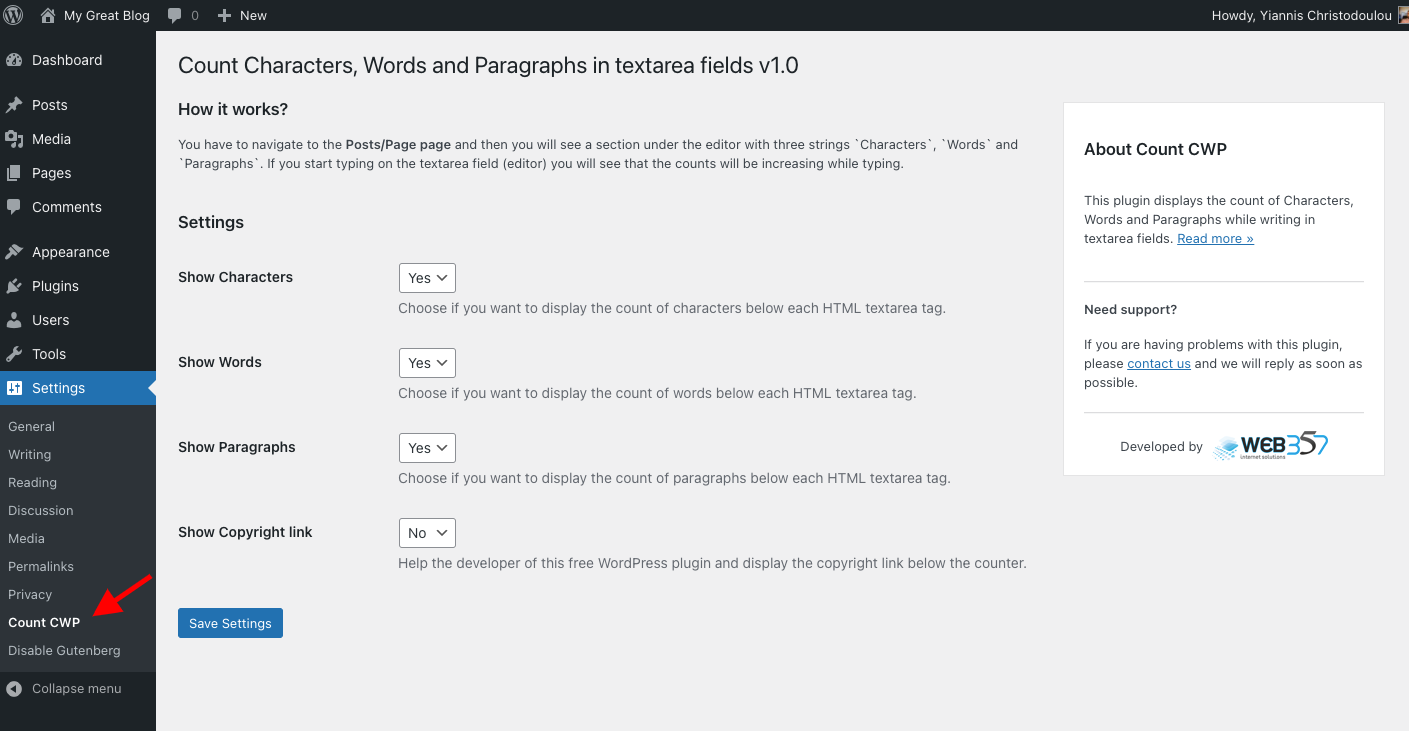
Plugin settings panel.
Pag-install
This plugin is simple to install:
- Download the zip file
count-cwp.zip. - Extract the contents.
- Upload the
count-cwpdirectory to/wp-content/plugins/. - Navigate to the Plugins page and activate the plugin.
- Configure the settings via
Settings > Count CWP.
FAQ
-
Why should I use this plugin?
-
This plugin is useful for writers, marketers, and editors who need to keep track of text limits for SEO, content planning, or ad copy creation.
Mga Review

Disyembre 3, 2022
Produce Error on Media with folowing message in the console
tinymce-keyup.min.js?wp-mce-49110-20201110:1 Uncaught ReferenceError: counter is not defined
Disturb other Plugins in function
Nice looking but it hooks in to many places not realy needet
Would be nice if hook only on Posts/Page pages and there only on the content Form!!

Setyembre 14, 2022
Very usefull!
Thnx

Setyembre 11, 2021
Useful

Setyembre 10, 2021
Works as expected, it counts words, paragraphs, and characters. A useful tool for copywriters, editors, or anybody who writes directly on WP.

Setyembre 8, 2021
1 na reply
Love it! You just install it and it’s ready, no further configuration is needed. Displays words, characters, and even paragraphs. It’s light and haven’t spotted any bugs. Must have already!

Setyembre 7, 2021
1 na reply
Useful for taking a quick glance on what you have in text (especially if you care for search engine optimization)
Mga Contributor at Developer
Ang “Count Characters, Words and Paragraphs while typing” ay open source software. Ang mga sumusunod na tao ay nag-ambag sa plugin na ito.
Mga Contributor
Isalin ang “Count Characters, Words and Paragraphs while typing” sa iyong wika.
Interesado sa development?
Tingnan ang code, i-check ang SVN repository, o mag-subscribe sa development log sa pamamagitan ng RSS.
Changelog
31-Jan-2025 : v1.0.7
- New Feature: Added a column in the admin posts list displaying word, character, paragraph, and space counts for each post.
- New Feature: Automatic batch processing to calculate and store word, character, paragraph, and space counts upon activation.
- Bug Fix: Resolved deprecated property warning in
class-admin.php. - Full compatibility with WordPress 6.7.x.
- Minor fixes and improvements.
18-Apr-2024 : v1.0.6
- Full compatibility with WordPress 6.5.x.
- Minor fixes and improvements.
23-Oct-2023 : v1.0.5
- Full compatibility with WordPress 6.3.x.
- Minor fixes and improvements.
07-Jun-2023 : v1.0.4
- Compatibility: Fully compatible with WordPress 6.2.
- Minor fixes and improvements.
05-Sep-2022 : v1.0.3
- New Feature: Display space count below HTML textarea fields (Enable via settings).
- Minor fixes and improvements.
14-Jun-2022 : v1.0.2
- Compatibility: Fully compatible with WordPress 6.0.
- Minor fixes and improvements.
11-Feb-2022 : v1.0.1
- Compatibility: Fully compatible with WordPress 5.9.
- Minor fixes and improvements.
03-Sep-2021 : v1.0.0
- Initial beta release.