

Deskripsyon
Who sees what? You decide.
All-in-One Content Restriction is the ultimate WordPress plugin for managing who can access which parts of your site – posts, pages, taxonomies, custom post types, you name it.
Whether you’re building a members-only area, hiding content from guests, or creating a personalized experience for logged-in users — this plugin lets you define visibility rules in a few clicks.
🏆 Perfect for:
– Membership sites
– Online courses
– Premium content gating
– Multi-role intranets
– Custom user journeys
Want even more power? Unlock premium features with Content Restriction Pro.
🚀 Features at a Glance
🔐 Restriction Logic
– Show/hide content based on:
– Logged-in status
– User roles
– Specific usernames
– Guest visitors
🧱 Content Coverage
– Posts (individual or category/tag-based)
– Pages (including homepage)
– Custom post types
– Any taxonomy
🛑 Restriction Methods
Choose what happens when access is denied:
– Replace: Swap content with a custom message
– Hide: Make it vanish completely
– Login & Return: Prompt login, then redirect back
– Redirect: Send users to another page (custom or predefined)
– Blur: Apply visual blur to titles, excerpts, or content
– Obfuscate: Garble text to hide meaning
🎯 Built for Everyone
Non-techies can restrict content in seconds — no coding, no confusion.
Developers get hooks, filters, and tight integration with popular plugins. Scale it however you like.
📦 Integrations (Native Support)
✅ WooCommerce
✅ Easy Digital Downloads
✅ FluentCRM
✅ Directorist
✅ Login Me Now
🛠 Coming soon:
– ACF (Advanced Custom Fields)
– Elementor
– BuddyPress
– BuddyBoss
– Tutor LMS
– LearnDash
🧩 Other Plugins by Us
🔥 Login Me Now — Passwordless login, user switching, email magic links, and more.
📥 Installation
- Upload the plugin files to
/wp-content/plugins/content-restriction, or install via the WordPress Plugin Directory. - Activate the plugin through the “Plugins” screen in WordPress.
- Start setting rules under the “Content Restriction” menu.
🛠 Need Help?
We monitor the support forum actively — drop your questions there. Please search before creating a new topic to avoid duplicates.
🧾 Changelog
1.4.0 – May 16, 2024
- New: Shortcode Module
1.3.2 – Nov 29, 2024
- Fix: Translation Warning Issue
1.3.1 – Nov 26, 2024
- Add: Hook –
content_restriction_module_condition_check_before
1.3.0 – Nov 4, 2024
- New: Integrations Page
- Improve: User Consent UI
- Improve: Default Visibility Behavior
- Launch: PRO Version Announcement
1.2.2 – Sep 21, 2024
- Fix: Login & Dashboard Return Bug
1.2.1 – Sep 19, 2024
- Fix: Specific Post Visibility Issue
- Fix: Cache Conflict on Dashboard
1.2.0 – Sep 7, 2024
- Add: WooCommerce Subscription Integration
- Fix: WooCommerce Display Issue
1.1.1 – Aug 30, 2024
- Fix: Content Hide Bug
1.1.0 – Aug 27, 2024
- Add: WooCommerce, Directorist, FluentCRM, Login Me Now, and EDD Integrations
1.0.0 – Aug 18, 2024
- Initial Release
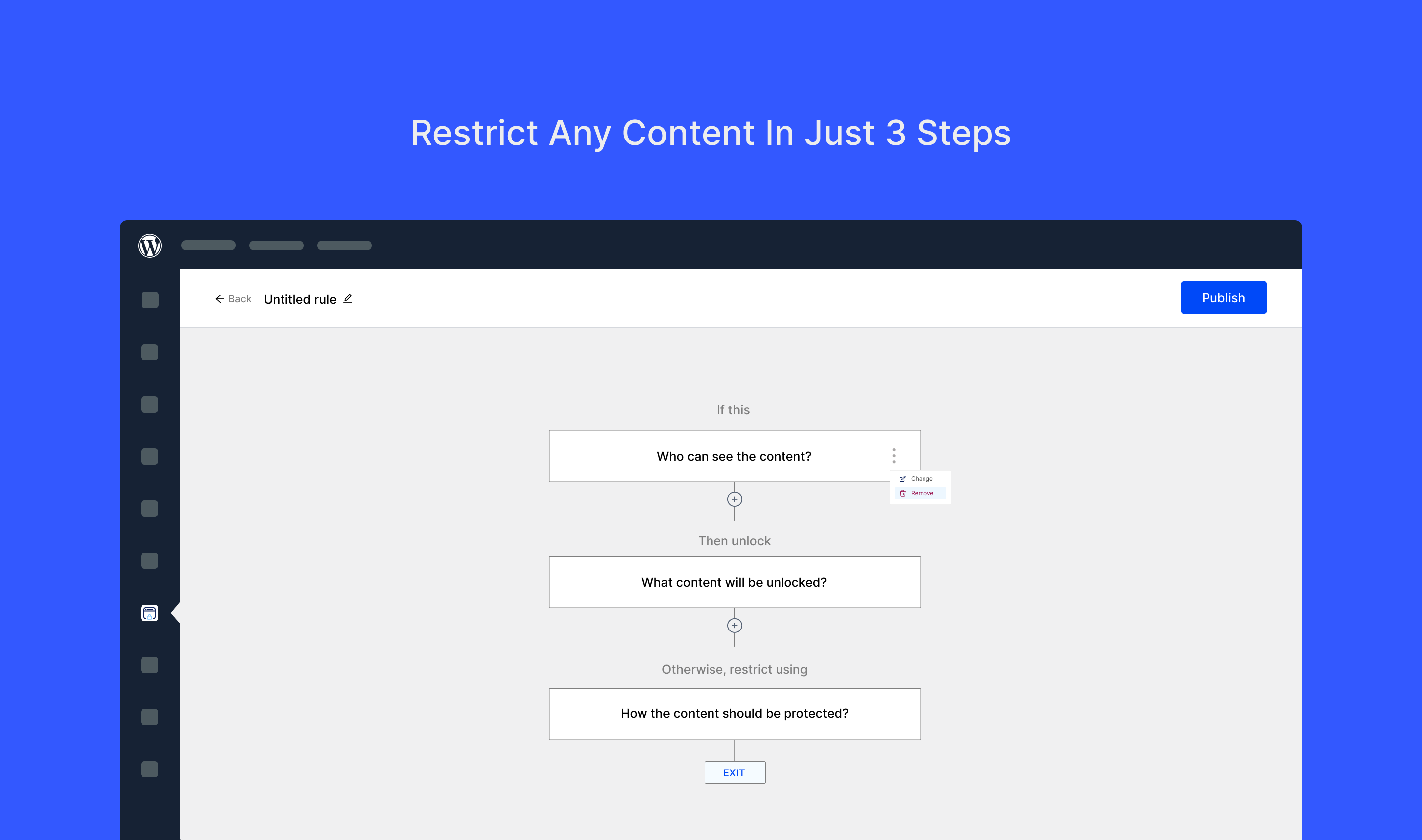
Mga Screenshot


FAQ
-
Will it work with my theme?
-
Yes, Content Restriction works with most well-coded WordPress themes. If something looks off, hit us up in the support forum — we’re on it.
-
Does it protect media files like images or videos?
-
It restricts the display of embedded media in posts/pages, but direct media URLs can still be accessed unless protected via server-level rules.
-
Is it privacy-compliant (GDPR / CCPA / etc.)?
-
We do not collect any personal data or track users. You’re in full control. If we ever request anonymous usage data, you’ll have the option to opt in.
-
Do I need to create an account?
-
Nope. Everything lives securely in your WordPress dashboard. No 3rd-party accounts or logins needed.
Mga Review

Mga Contributor at Developer
Ang “All-in-One Content Restriction – Conditional Content Visibility & Access Control for WordPress” ay open source software. Ang mga sumusunod na tao ay nag-ambag sa plugin na ito.
Mga Contributor

Interesado sa development?
Tingnan ang code, i-check ang SVN repository, o mag-subscribe sa development log sa pamamagitan ng RSS.