
Deskripsyon
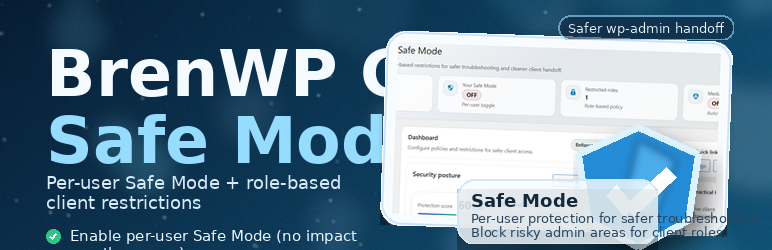
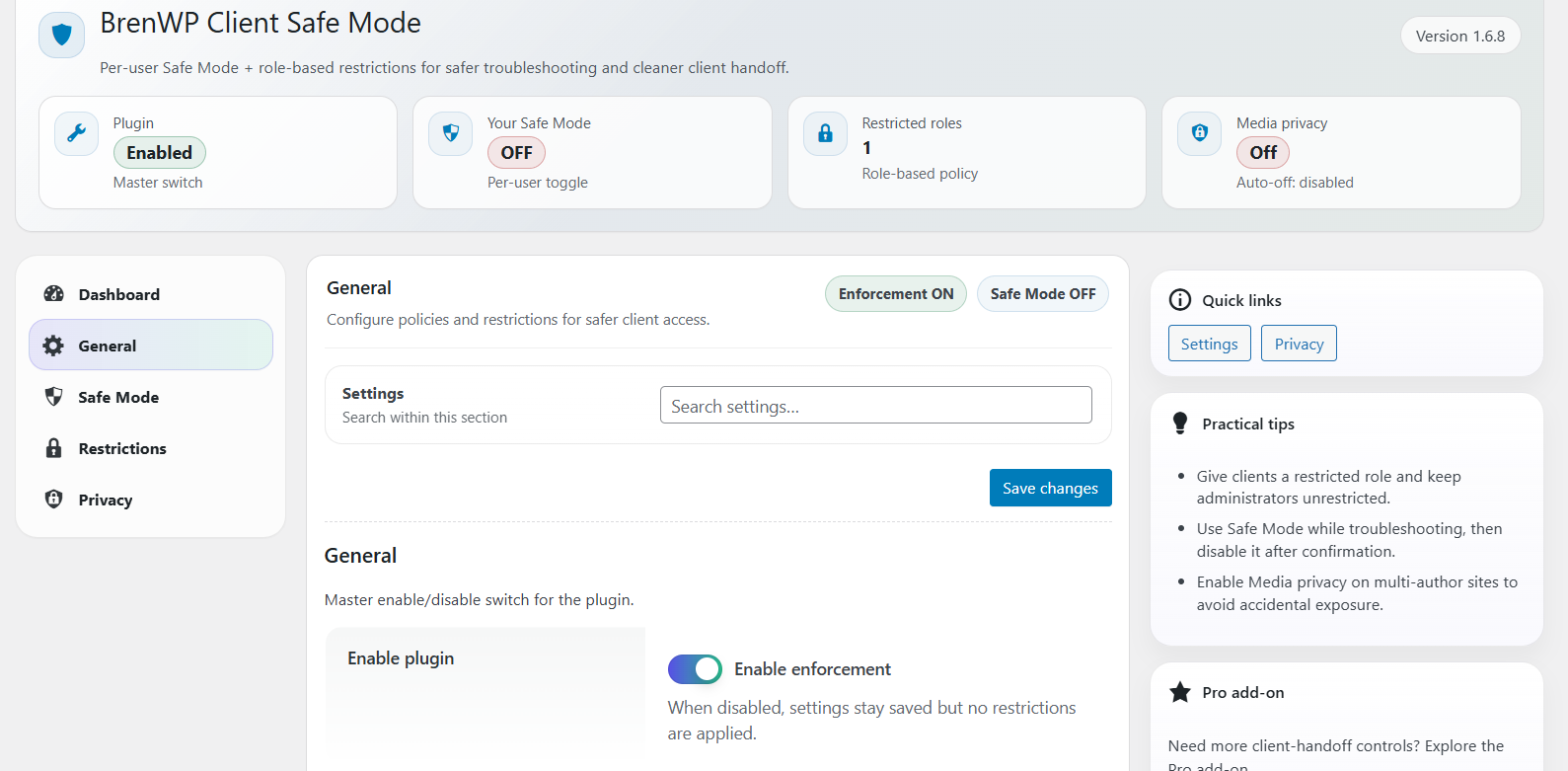
BrenWP Client Safe Mode helps you troubleshoot safely and reduce risk when handing a WordPress site to clients or non-technical users.
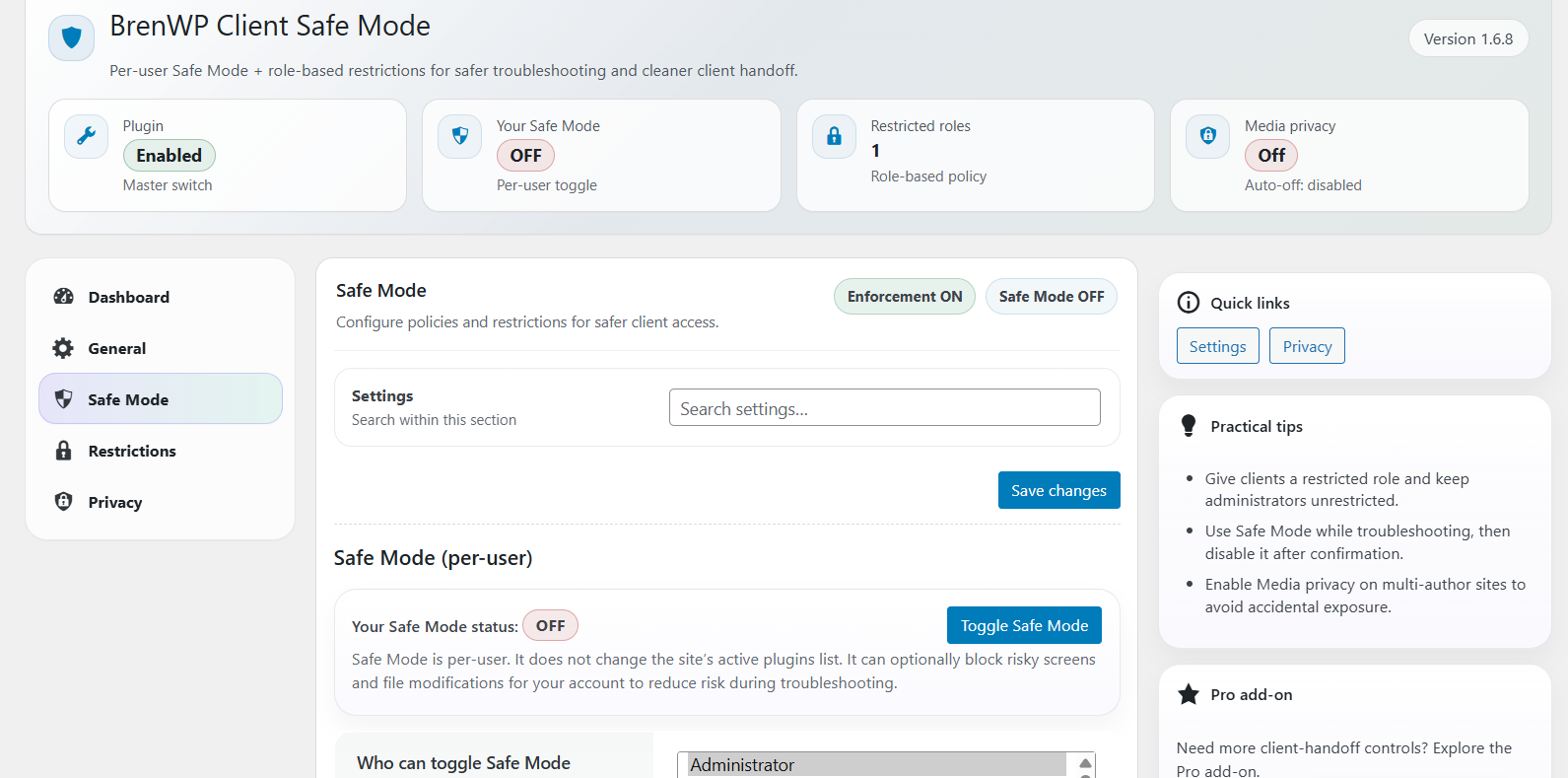
Safe Mode is per-user: it applies only to the currently logged-in user who enabled it. Visitors and other users are not affected.
Safe Mode (per-user) can optionally
- Block access to risky wp-admin screens (plugin/theme management, core updates, Site Health, and update actions)
- Disable file modifications (plugin/theme installs, updates, editors)
- Optionally block update/install capabilities (prevents running updates/installs even via alternative flows)
- Optionally block destructive capabilities (prevents deleting plugins/themes while Safe Mode is enabled)
- Optionally disable the built-in plugin/theme editors (capability-based) while Safe Mode is enabled
- Hide update notices
- Trim selected admin bar nodes (Updates / Comments / New Content)
- Auto-disable after a configurable number of minutes (optional)
Client restrictions (role-based + optional user targeting) can
- Optionally target a specific user account (in addition to roles)
- Hide risky menus
- Block direct access to sensitive wp-admin screens
- Disable file modifications
- Hide update notices
- Optionally limit the Media Library to a user’s own uploads (privacy on multi-author sites)
- Optionally hide common Dashboard widgets for restricted roles (UI cleanup)
- Optionally hide the Screen Options dropdown (independent toggle)
- Optionally hide the Admin Bar on the front end for restricted roles
- Optionally block Customizer access (customize.php)
- Optionally block Users screens (Users list/Add/Edit) even if the broader screen blocklist is disabled
- Optionally block Tools screens (Tools/Import/Export) even if the broader screen blocklist is disabled
- Optionally lock profile email/password changes for restricted roles (prevents self-service account takeover)
- Optionally show a dismissible 2FA security reminder notice (notice only)
- Optionally hide the Admin Bar on the front end for restricted roles
General hardening (site-wide, optional)
- Disable XML-RPC
- Disable the built-in plugin/theme editors for all users (capability-based)
- Optional settings export download (admin-only) via a nonce-protected endpoint (default OFF)
Administrators are never restricted by client restrictions. On multisite, super-admins are also excluded.
Privacy
This plugin does not send data to external services. It performs no tracking, telemetry, analytics, or “phone-home” requests.
Data stored on your site
The plugin stores the minimum required data to provide Safe Mode and optional auditing:
- Options (Settings): stored in the
brenwp_csm_optionsoption (site option). This contains your configured settings. - Activity log (optional): stored in the
brenwp_csm_activity_logoption only if Activity logging is enabled. This log is bounded by Max entries and can optionally be pruned by age (Retention days). - Operational options: internal housekeeping options such as
brenwp_csm_last_settings_changeand a short-lived lock key used to avoid concurrent log writes. - User meta (Safe Mode):
brenwp_csm_safe_mode(on/off flag for a user)brenwp_csm_safe_mode_until(optional expiry timestamp if auto-off is enabled)
Data minimization and retention
- Activity logging is disabled by default.
- The activity log does not store IP addresses and attempts to redact likely secrets from context values.
- Retention controls:
- Max entries caps log size.
- Retention days can automatically prune older entries (0 = disabled).
- The Clear log action removes all log entries immediately (admin-only, nonce protected).
Privacy tools
The plugin:
* Adds suggested text to the Privacy Policy Guide (Settings Privacy)
* Registers a personal data exporter and eraser for the Safe Mode user meta
Data deletion
On uninstall (delete), the plugin removes its options, optional log option, Safe Mode user meta, and (best-effort) the optional bren_client role if it was created by the plugin.
Security
This plugin follows WordPress hardening best practices:
- CSRF protection: all state-changing actions use POST and require a WordPress nonce.
- Authorization: privileged admin actions are gated by capability checks (
manage_optionsby default, filterable). - XSS defense: user-controlled data is sanitized on input and escaped on output.
- No remote requests: the plugin does not make outbound HTTP requests.
- Data minimization: the activity log is bounded, does not store IP addresses, and redacts likely secrets in log context values.
Assumptions and scope:
- The plugin enforces policies inside WordPress; it does not replace server/WAF hardening.
- Safe Mode is per-user and does not modify the site’s active plugins/themes list.
Troubleshooting
I don’t see the Safe Mode toggle in the admin bar
- Confirm the WordPress admin bar is enabled for your account.
- Confirm Enforcement is enabled in the plugin settings.
- Confirm your role is included in Who can toggle Safe Mode (or you are an administrator / multisite super-admin).
My profile email/password cannot be changed
If Restrictions Lock profile email/password is enabled and your account is restricted, you will not be able to change your own email or password. Contact an administrator.
XML-RPC stopped working
If you rely on legacy services that require XML-RPC (some old mobile apps / integrations), disable General Disable XML-RPC.
I get redirected with an “Access blocked” notice
A configured policy blocked a sensitive admin screen. Review:
* Restrictions Block direct screen access (for restricted roles)
* Safe Mode Block risky admin screens (for your account if Safe Mode is enabled)
Safe Mode is enabled but I want to turn it off
- Use the Safe Mode tab to toggle it off.
- If auto-off is enabled, it will disable automatically after the configured time window.
- If Enforcement is OFF, the UI provides a Clear stored Safe Mode button to remove the stored flag.
Developer Hooks
Filters:
* brenwp_csm_required_cap — change the capability required to manage this plugin (default: manage_options).
* brenwp_csm_presets — customize Dashboard presets (label/description/patch arrays).
* brenwp_csm_create_client_role — return false to prevent creating the bren_client role on activation.
* brenwp_csm_client_role_caps — customize capabilities assigned to the bren_client role on activation.
* brenwp_csm_remove_client_role_on_uninstall — return false to keep the bren_client role during uninstall cleanup.
Mga Screenshot



Pag-install
- Upload the plugin folder to /wp-content/plugins/brenwp-client-safe-mode/
- Activate the plugin via Plugins Installed Plugins
- Open BrenWP Safe Mode in wp-admin
- Configure Safe Mode and Restrictions as needed
FAQ
-
Does Safe Mode affect visitors?
-
No. Safe Mode is per-user. Visitors and users without Safe Mode enabled see the normal site.
-
Will administrators be restricted?
-
Administrators are never restricted by client restrictions (role/user targeting). If an administrator enables Safe Mode for their own account, optional Safe Mode policies (like blocking file modifications) can apply to that account.
-
Can I restrict a single user without creating a new role?
-
Yes. In the Restrictions tab, you can select a specific user account in Restricted user (optional). This applies the same restrictions even if that user’s role is not selected. Administrators (and multisite super-admins) are excluded to prevent lock-outs.
-
Does this plugin collect personal data?
-
It stores a per-user Safe Mode flag so it can remember whether Safe Mode is enabled for that account. If auto-expiry is enabled, it also stores an expiry timestamp. No tracking, analytics, or external requests.
-
How do I remove all plugin data?
-
When you uninstall (delete) the plugin, it removes its options, its activity log option, Safe Mode user meta, and the optional bren_client role (best-effort).
-
Why does the admin bar Safe Mode toggle require JavaScript?
-
To prevent state changes via GET requests (and potential link prefetch), the admin bar toggle submits the action as a POST request. This is handled using lightweight JavaScript.
Mga Review
Wala pang reviews para sa plugin na ito.
Mga Contributor at Developer
Ang “BrenWP Client Safe Mode” ay open source software. Ang mga sumusunod na tao ay nag-ambag sa plugin na ito.
Mga Contributor
Ang “BrenWP Client Safe Mode” ay naisalin na sa 3 (na) mga locale. Salamat sa mga tagasalin para sa kanilang mga kontribusyon.
Isalin ang “BrenWP Client Safe Mode” sa iyong wika.
Interesado sa development?
Tingnan ang code, i-check ang SVN repository, o mag-subscribe sa development log sa pamamagitan ng RSS.
Changelog
1.7.2
- UX: About tab expanded with clearer purpose, use cases, scenarios, and direct links (plugin/author/support).
- New (General): Optional “Settings export download” toggle (admin-only, nonce-protected endpoint) to download settings JSON as a file.
- New (Restrictions): Optional, dismissible 2FA reminder notice for restricted users (notice only; no integrations).
- Fix: Prevent redirect loops when a blocked-screen redirect destination is also restricted.
- Maintenance: Documentation updates and minor UI consistency cleanup.
1.7.1
- UX: Simplified settings layout (Basics/Recommended/Advanced) so new users are not overwhelmed.
- UX: Moved the About screen into an “About” tab to reduce admin menu clutter.
- New: Admin-managed Safe Mode for other users (optional per-user expiry).
- New: Activity log export (JSON/CSV) and configurable retention with daily auto-prune.
- New: Custom wp-admin screen blocklists (separate lists for Safe Mode and Restrictions).
- New: Optional restriction toggles: Hide Screen Options only, Block Customizer access, Block Users screens.
- New: Safe Mode toggle to block destructive capabilities (delete plugins/themes).
- Fix: Improved i18n compliance (missing translators comment for placeholders).
- Security: Hardened admin actions (capability checks, POST-only, nonces) and safer input handling/escaping.
- Compatibility: Multisite safeguards (never restrict Network Admin; protect super-admin accounts).
- Performance: Per-request caching and safer option storage (autoload off for log / large options).
1.7.0
- Dashboard: Added Quick Actions (presets, settings export/import JSON, reset to defaults).
- Restrictions: Added optional “Restricted access” banner and user selector with AJAX search (better for large sites).
- Restrictions: Added optional profile hardening (lock email/password) for restricted roles.
- Safe Mode: Added optional UI hardening (hide admin notices) and additional safety toggles.
- Security/Hardening: Improved state-changing admin actions (nonces, capability checks, POST-only), and safer activity log writes.
1.6.9
- Security: Hardened settings submission capability checks and improved defensive checks around admin assets.
- Compatibility: Replaced PHP filter_input() usage with WordPress-native input handling (wp_unslash + sanitize_*).
- Performance: Added lightweight per-request caching for Safe Mode and restriction checks.
- Multisite: Avoided applying restrictions inside Network Admin.