
Deskripsyon
This plugin replaces the plain multiline text field on BP forums by a CKEditor.
Usage
After you have correctly installed this plugin and visited its Settings page, you will need to specify where are located (path and URL) your copies of CKEditor and, optionally, CKFinder. The plugin has a build-in copy of CKEditor just in case you do not provide one.
If after you save those paths the plugin tells you that the files ckeditor.php or ckfinder.php can’t be readed from the specified locations, please verify that the path is correct, that the folder is readable and that the copy of CKEditor has all its files.
Below the General Settings is the Editor Settings. Once the plugin has recognized the copies of CKEditor/CKFinder you can define almost every parameters exposed by CKEditor. Please refer to its documentation for support about those parameters.
Mga Screenshot
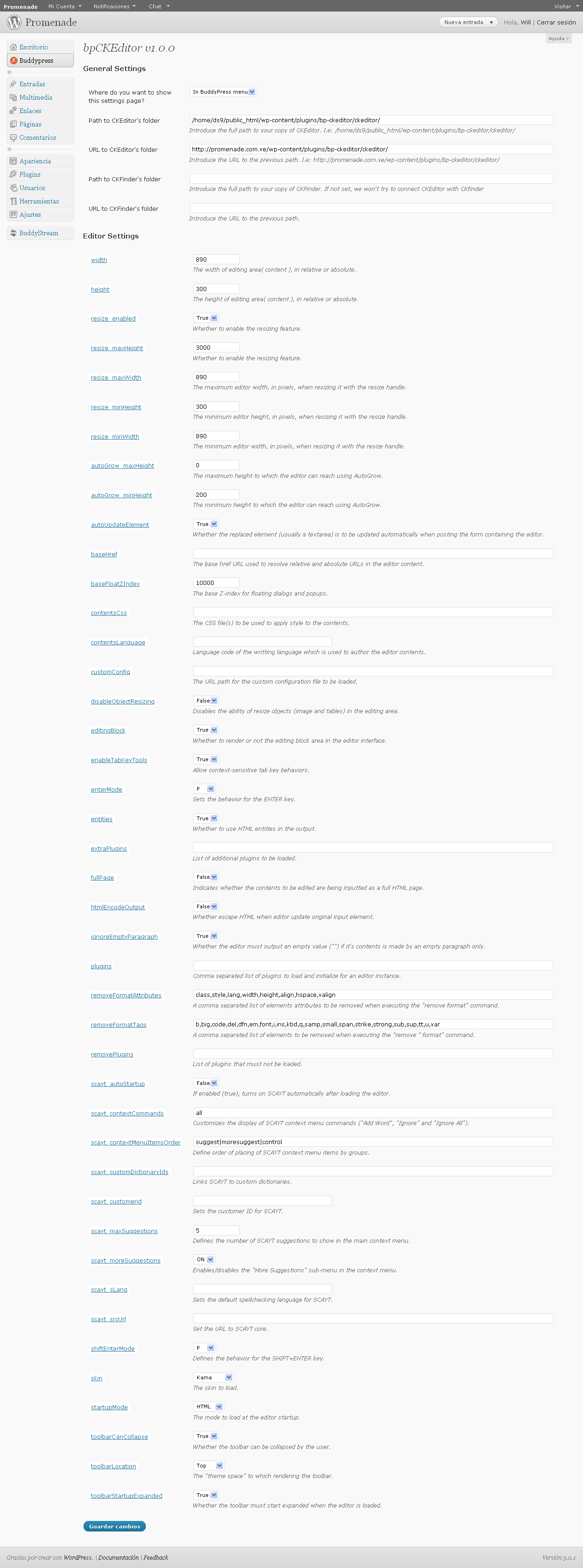
The bpCKEditor Settings page. 
CKEditor in action
Pag-install
- Unzip the plugin into your
/wp-content/plugins/directory. If you’re uploading it make sure to upload
the entire directory. - Activate the plugin through the ‘Plugins > Installed’ menu from the WordPress dashboard.
- Configure the plugin (
Buddypress -> bpCKEditorby default) by entering the paths to CKEditor and the settings of the editor itself.
FAQ
- The most Frequently Asked Question: How do I donate? 🙂
-
Easily! Use the following link: http://j.mp/bpckeditor 🙂 Thanks in advance!
- Neither the CKEditor nor the original textarea are shown! Both have disappeared!
-
Be sure the plugin recognize your copies of CKEditor. Also, be sure the parameter “customConfig” points to a js file that contains a toolbar definition named bpckeditor.
Mga Review
Wala pang reviews para sa plugin na ito.
Mga Contributor at Developer
Ang “bpCKEditor” ay open source software. Ang mga sumusunod na tao ay nag-ambag sa plugin na ito.
Mga Contributor
Isalin ang “bpCKEditor” sa iyong wika.
Interesado sa development?
Tingnan ang code, i-check ang SVN repository, o mag-subscribe sa development log sa pamamagitan ng RSS.
Changelog
1.0 2010-11-30
- First public release.
1.1 2010-12-01
- Fix: Colors are saved as HEX values instead of RGB ones in FireFox.