Component Tree Model
Posted by Darryl Burke on November 15, 2008
The code for a complex GUI can run into a few hundred lines. When maintaining someone else’s GUI code, or even your own code that you haven’t visited for some time, the ability to quickly identify the nesting of the various components can save much code-searching.
ComponentTreeModel attempts to address this need by reproducing the hierarchy of a GUI as a TreeModel.
There are two distinct ways to use ComponentTreeModel
- To construct a new ComponentTreeModel with a JComponent, typically the JRootPane of a JFrame or JDialog, as its root
- To add the GUI hierarchy subordinate to a specified node of an existing DefaultTreeModel, by invoking the static method getComponentTreeModel.
The supplied example ComponentTree.java showcases the usage of ComponentTreeModel. Run the code and click the button or select the first menu item.
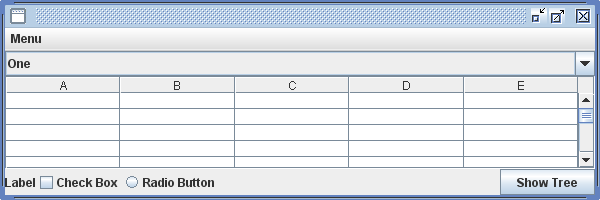
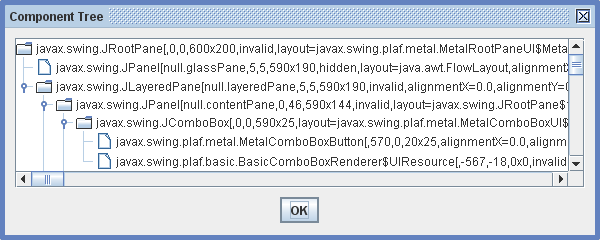
Notice that the internals of the JComboBox and JScrollPane can be examined, and that JMenuItems aren’t a part of a frame’s hierarchy but are separately shown in a JPopupMenu.

In a future posting, ComponentTreeCellRenderer will provide a means to display images of the components in a tree that has a ComponentTreeModel.
Get The Code
ComponentTreeModel.java
ComponentTree.java
See Also
Swing Utils
Component Tree Cell Renderer
Related Reading
Java API: javax.swing.tree.DefaultTreeModel
Java API: javax.swing.JTree
 Java Tips Weblog
Leave a comment