
Foreman
See every app and what it's using in plain English, and end or slow down the one that's hogging your Mac.
Visit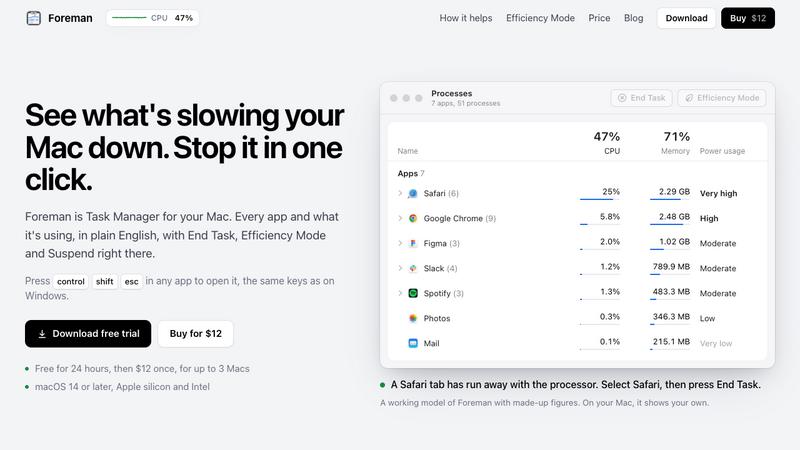
About Foreman
Foreman is a Windows-style Task Manager for the Mac. Press Control Shift Escape in any app to open it and see every app and what it's using, in plain English, with End Task, Efficiency Mode and Suspend right there.
Six pages in the sidebar: Processes, Performance with live graphs for CPU, memory, disk, Wi-Fi and GPU, App History, Startup Apps (including leftovers of deleted apps), Details and Services. System processes get a plain description beside their real name.
Efficiency Mode lets an app you need open run slowly in the background, on the efficiency cores of Apple silicon, and at full speed again when you switch to it. A live readout sits in the menu bar.
Free for 24 hours, then $12 once for up to 3 Macs. macOS 14 or later, Apple silicon and Intel.
Explore more in this category:
Similar to Foreman

ScreenOtter
A Mac app for screen recordings and screenshots. A zoom on every click, captions made on your Mac, and eight camera layouts. Free to use, pay once.

LevCharity
Fundraising platform for nonprofits with donations, campaigns, donor CRM, events, automated communications, reporting, and more.


GigUp
GigUp helps freelancers discover relevant Upwork jobs through AI matching, automated monitoring, and instant alerts.

mytoolsbench
My Tools Bench provides simple and useful online tools designed to make everyday tasks easier. From productivity tools to helpful web utilities, our p

All in Term
All in Term is a macOS workspace for developers and DevOps engineers, combining terminal sessions, SSH, SFTP, database tools, Docker, Nginx, Redis, an

Diskfern
A macOS disk space analyzer that helps you find large files, understand storage usage, and safely free up disk space.

Safe Outreach
AI-powered platform that evaluates the safety of LinkedIn automation tools and helps reduce the risk of account restrictions.