

Description
Ultimate Security is a comprehensive WordPress security plugin that protects your website from hackers, brute force attacks, malware, and unauthorized access. With an easy-to-use interface and powerful security features, you can secure your WordPress site in minutes.
Why Choose Ultimate Security?
- All-in-One Security – Firewall, login protection, 2FA, and monitoring in one plugin
- Lightweight & Fast – Performance-optimized, adds less than 0.1s to page load
- Privacy-First – Your data stays on YOUR server
- Modular Design – Enable only the features you need
- No Recurring Fees – One-time purchase for Pro features
The WordPress Security Problem
Over 90,000 WordPress sites are hacked every day. Most attacks target:
- Weak login credentials (brute force attacks)
- Outdated plugins and themes
- Vulnerable admin access points
- Exposed WordPress configurations
Ultimate Security addresses all of these vulnerabilities.
FREE FEATURES
Two-Factor Authentication (2FA)
Add an extra layer of login security:
- Email OTP – Receive one-time passwords via email
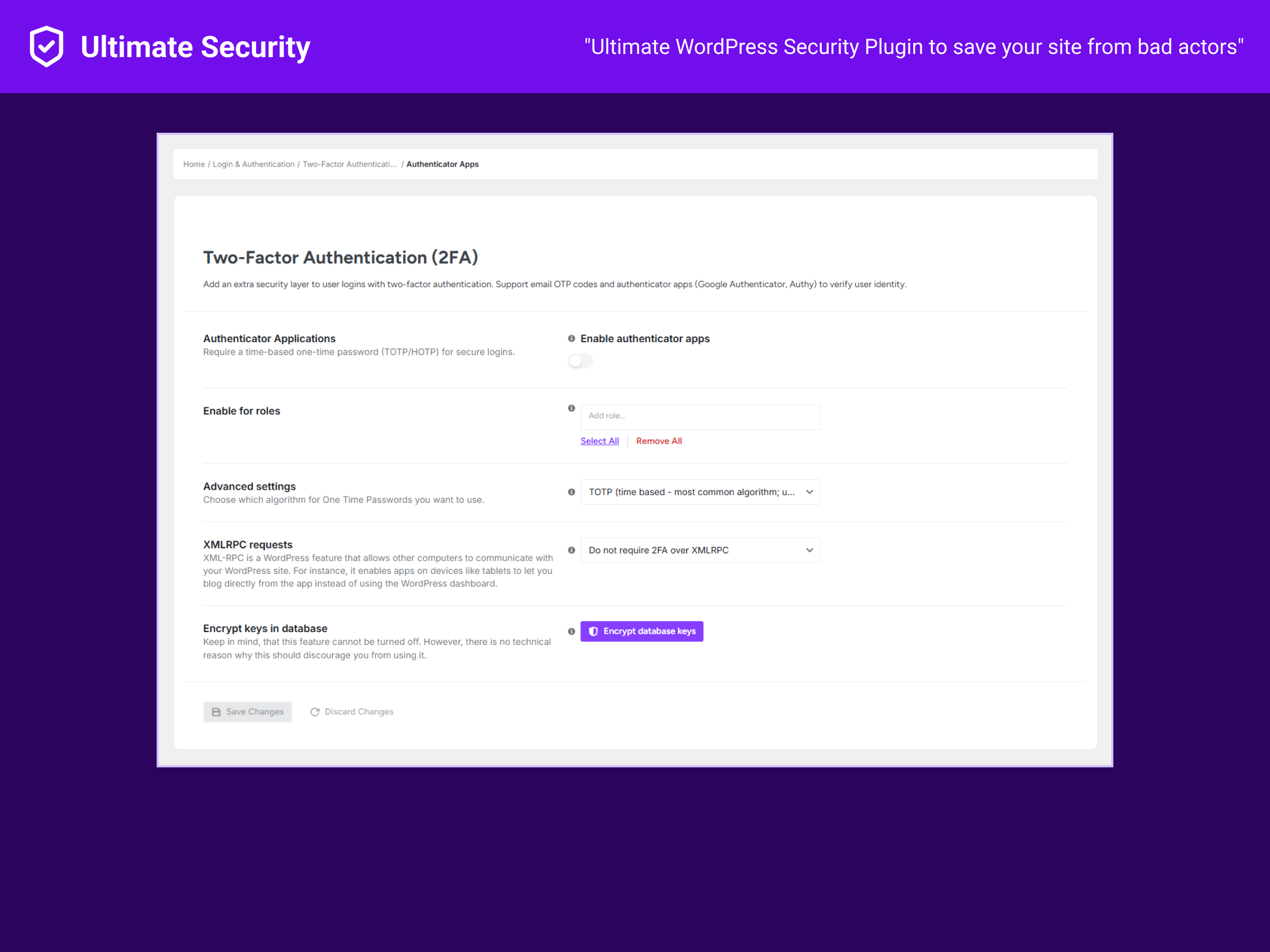
- Authenticator Apps – Support for Google Authenticator, Authy, Microsoft Authenticator (TOTP/HOTP)
- 2FA Overview Dashboard – Monitor 2FA status across your site
Login Security & Hardening
Protect your WordPress login:
- Custom Login URL – Hide wp-admin and wp-login.php from attackers
- Password Policy Enforcement – Require strong passwords for all users
- Session Management – Control active login sessions
- Login Attempt Limits – Block brute force attacks automatically
Bot Protection & CAPTCHA
Stop spam and automated attacks:
- Google reCAPTCHA – v2 and v3 support for forms
- Cloudflare Turnstile – Privacy-friendly CAPTCHA alternative
- Apply to Multiple Forms – Login, registration, comments, WooCommerce checkout
Firewall & Request Filtering
Monitor and block malicious requests:
- URL Guard – Monitor all incoming requests
- Request History Logs – Track suspicious activity
- SQL Injection Protection – Block common attack patterns
- XSS Attack Prevention – Filter malicious scripts
IP Address Management
Control site access by IP:
- IP Whitelist/Blacklist – Allow or block specific IP addresses
- IP Range Support – Block entire IP ranges
- IPv6 Support – Full support for IPv6 addresses
WordPress Hardening
Apply security best practices:
- Security Keys Rotation – Update WordPress salts from official API
- Update Settings Manager – Configure auto-update behavior
- Site Health Dashboard – Monitor WordPress security status
Monitoring & Tools
Stay informed about your site security:
- Security Score – Track your site’s security level
- Site Health Overview – Diagnose issues quickly
- Test Mode – Preview security rules before enforcing
- Backup & Restore – Export/import your security settings
What Users Are Saying
“After installing Ultimate Security, brute force attempts dropped to zero.” – Sarah M., Agency Owner
“Finally, a security plugin that doesn’t require a security degree to configure.” – Mike T., Small Business Owner
External Services
This plugin connects to external services in specific circumstances:
Cloudflare Turnstile
- When: Only when Turnstile CAPTCHA is enabled and a form is submitted
- What’s sent: Response token and your site’s secret key
- Service URL: https://challenges.cloudflare.com/turnstile/v0/siteverify
- Privacy Policy: https://www.cloudflare.com/privacypolicy/
Google reCAPTCHA
- When: Only when reCAPTCHA is enabled and a form is submitted
- What’s sent: Response token and your site’s secret key
- Service URL: https://www.google.com/recaptcha/api/siteverify
- Privacy Policy: https://policies.google.com/privacy
WordPress.org Salt API
- When: Only when you manually request new security keys
- What’s sent: Request for random salt strings
- Service URL: https://api.wordpress.org/secret-key/1.1/salt/
Screenshots




Installation
Automatic Installation
- Go to Plugins > Add New in your WordPress admin
- Search for “WPUltimateSecurity”
- Click “Install Now” then “Activate”
- Navigate to Ultimate Security in your admin menu
- Follow the setup wizard to configure your security settings
Manual Installation
- Download the plugin ZIP file
- Go to Plugins > Add New > Upload Plugin
- Choose the ZIP file and click “Install Now”
- Activate the plugin
- Configure settings under Ultimate Security menu
Quick Start (3 Minutes)
- Enable 2FA – Add two-factor authentication for admin accounts
- Set Login Limits – Configure brute force protection
- Add CAPTCHA – Protect forms from bots
- Review Security Score – Check your security status
FAQ
-
What makes Ultimate Security different from other security plugins?
-
Ultimate Security is designed to be lightweight, modular, and privacy-focused. Unlike bloated alternatives, you only enable what you need. Your security data stays on your server – we don’t require external accounts or recurring subscriptions.
-
Will this plugin slow down my website?
-
No. Ultimate Security is performance-optimized and adds less than 0.1 seconds to page load times. Most users see no measurable impact on their site speed.
-
Is Ultimate Security compatible with WooCommerce?
-
Yes! Ultimate Security is fully tested with WooCommerce. The CAPTCHA features work on checkout and login forms, and the address blacklist helps prevent fraudulent orders.
-
Can I use this with other security plugins like Wordfence or Sucuri?
-
Yes, but we recommend disabling overlapping features to prevent conflicts. For example, if using Wordfence firewall, disable the URL Guard feature in Ultimate Security.
-
What if I get locked out of my site?
-
You can regain access by:
1. Via FTP/SFTP: Rename the/wp-content/plugins/ultimate-securityfolder
2. Via cPanel: Deactivate the plugin through File Manager
3. Via SSH: Runwp plugin deactivate ultimate-security -
Do I need technical knowledge to use this plugin?
-
Not at all! The setup wizard guides you through configuration. Advanced users can access detailed settings, but it’s not required for basic protection.
-
Can I use Ultimate Security on multiple sites?
-
Absolutely. The free version has no license restrictions. Use it on unlimited sites.
-
Does Ultimate Security protect against malware?
-
Ultimate Security focuses on preventing attacks through login security, firewall rules, and access control. For malware scanning and removal we are working on briging something that is AI powered.
-
How does the 2FA email verification work?
-
When enabled, users receive a one-time password (OTP) via email after entering their username and password. The OTP expires after a configurable time period for security.
-
Is there customer support available?
- Free users can get support through the WordPress.org support forums.
Reviews
There are no reviews for this plugin.
Contributors & Developers
“Ultimate Security – Firewall, Login Security, 2FA Protection & More” is open source software. The following people have contributed to this plugin.
Contributors
Translate “Ultimate Security – Firewall, Login Security, 2FA Protection & More” into your language.
Interested in development?
Browse the code, check out the SVN repository, or subscribe to the development log by RSS.
Changelog
1.0.16
- Improvement: Code improvements to the ovearll plugin making it snappier.
1.0.15
- Improvement: Conflict management between applied settings.
- Improvement: UI improvements to existing settings pages. Making it more intuitive to use.
- Fix: Multiple bug fixes to dashboard. You should get more accurate results now.
- Fix: New deactivation URL was not saving after deactiviting-activating plugin.
1.0.14
- Fix: Email 2FA codes were not being sent properly
- Fix: 2FA code page flickering effect after login
1.0.13
- New: Completely redesigned user interface for better usability
1.0.12
- New: Security Score meter to track your site’s security level
- Improvement: Enhanced modal design for better UI/UX
1.0.11
- Fix: Minor UI bug fixes
1.0.10
- Security: Removed unauthenticated AJAX actions
- Security: REST routes now require admin permission
1.0.9
- Fix: Dashboard emergency deactivation URL display issue
1.0.8
- New: IPv6 support for IP restrictions
- Improvement: Human-readable values in activity log
- Improvement: Reduced plugin size with optimized code
- Fix: 2FA reset issue for users
- Fix: Password policy not applying to new users
1.0.7
- New: Activity Log feature
- New: Improved dashboard design
- Fix: Nonce validation issues
- Fix: Turnstile not showing on comment forms
1.0.6
- Fix: Custom login setup issues
- Fix: Email 2FA asking for OTP twice
- Fix: Feedback form email delivery
- Improvement: Reorganized menu navigation
- Improvement: Performance optimizations
1.0.5
- Fix: Request logs page display issue
- Fix: URL Guard SQL query display
- Improvement: Performance optimizations
1.0.4
- Redesigned settings page interface