
You are currently browsing the monthly archive for May 2014.

Be sure to sign up for two embedded Java Events and Webinars this week – I will be participating in both:
- Free Webinar with Vinicius Senger on embedded Java ME and the IoT Developer Challenge: Today, May 5th, 11 am – 1 pm PDT
- Virtual Developer Day – Java: A day chock-full of the latest Java content, including embedded Java: Tomorrow, May 6th, starting at 9 am PDT
If other timezones for the Virtual Developer Day suit you better, there will also be sessions in EMEA on May 14th and APAC on May 21st. Find out more here.
Cheers,
— Terrence
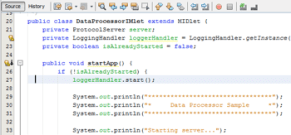
Now that Java ME 8 is released a lot of people trying it out and are asking for sample code and demos. We’ve got you covered:
1) The first place you should go is the ”Java ME SDK 8 Developer Guide“. This is your one-stop-shop for getting started with Java ME 8 development on your PC (no external hardware required). Chapter 2 is “Creating a Java ME SDK 8 Sample Project”, and part IV is all about “Sample Applications”.
2) Next, you will want to browse the “Java ME Embedded Developer Guide”, which covers important topics for developing Java ME 8 embedded applications. Chapter 5 talks about “General Purpose I/O”, chapter 6 about “Working with the I2C Bus”, and chapter 7 about “The Serial Peripheral Interface (SPI) Bus”.
3) The Java ME SDK 8 comes with a whole set of ready-to-go demo applications. After installing the Java ME SDK 8 and NetBeans 8, start up NetBeans and make sure the “Java ME SDK Demos” plug-in is installed and active (this should be the default case). Then, create a new project and in the New Project dialog look under the “Samples > Java ME SDK 8.0” folder for a number of complete Java ME Embedded 8 demo projects.
4) Finally, check out the “Getting Started Guide (Raspberry Pi)” and the “Getting Started Guide (Qualcomm IoE)” for information on how to run apps on these platforms, including access to real-world peripherals via GPIO, I2C, SPI, UART, and others.
We are also working on additional demos and sample code – stay tuned for more information on this.
And remember to head over to the OTN Java ME Embedded forum to browse and ask questions – we are monitoring this forum on a regular basis.
Cheers,
— Terrence

 Across the Universe
Recent Comments