

விளக்கம்
Liveupx Security is a lightweight yet powerful WordPress security plugin that protects your website from hackers, brute force attacks, and malicious activity. Developed by Liveupx.com.
Features
Login Security
- Brute force protection with automatic IP lockout
- Configurable failed login attempts and lockout duration
- Honeypot field to catch automated bots
- Simple math CAPTCHA for human verification
- Hide specific login error messages
Firewall Protection
- Block malicious query strings (SQL injection, XSS)
- Block known vulnerability scanners and bad bots
- Disable XML-RPC to prevent DDoS attacks
- Disable pingbacks
- Remove WordPress version from source code
User Security
- User enumeration protection
- REST API user endpoint protection
- Strong password enforcement
- Block common admin usernames
- Disable theme/plugin file editor
IP Management
- Manual IP blocking with reason
- IP whitelisting for trusted addresses
- Automatic blocking after security violations
Activity Monitoring
- Comprehensive security event logging
- Track login attempts and user activity
- Automatic cleanup of old log entries
Server Protection (Apache)
- .htaccess security rules
- Protect wp-config.php
- Disable directory browsing
- Block common exploits
Why Choose Liveupx Security?
- Lightweight – Minimal impact on site performance
- No External Services – All protection happens on your server
- Easy to Use – Simple settings with sensible defaults
- Open Source – 100% free with no premium upsells
- Privacy Focused – No data sent to third parties
Data Storage
This plugin stores security-related data in your WordPress database including:
- Failed login attempts (IP address, username, timestamp)
- Login lockouts (IP address, duration, reason)
- Blocked and whitelisted IP addresses
- Security activity log (events, user info, IP addresses)
All data is stored locally on your server and is never transmitted to external services.
Documentation
For documentation and support, visit liveupx.com/docs.
Contributing
Liveupx Security is open source. Contribute on GitHub.
Privacy Policy
Liveupx Security stores the following data locally in your WordPress database:
- Login Attempts: IP addresses, usernames, and timestamps of failed login attempts
- Lockouts: IP addresses and lockout details for brute force protection
- Activity Log: Security events including user actions, IP addresses, and timestamps
- IP Lists: Manually blocked and whitelisted IP addresses
This data is used solely for security purposes and is never shared with third parties. Data is automatically cleaned up based on configurable retention periods (default: 7 days for failed logins, 30 days for activity logs).
You can clear all stored data at any time from the plugin settings. When the plugin is uninstalled, all data is permanently deleted from your database.
Screenshots
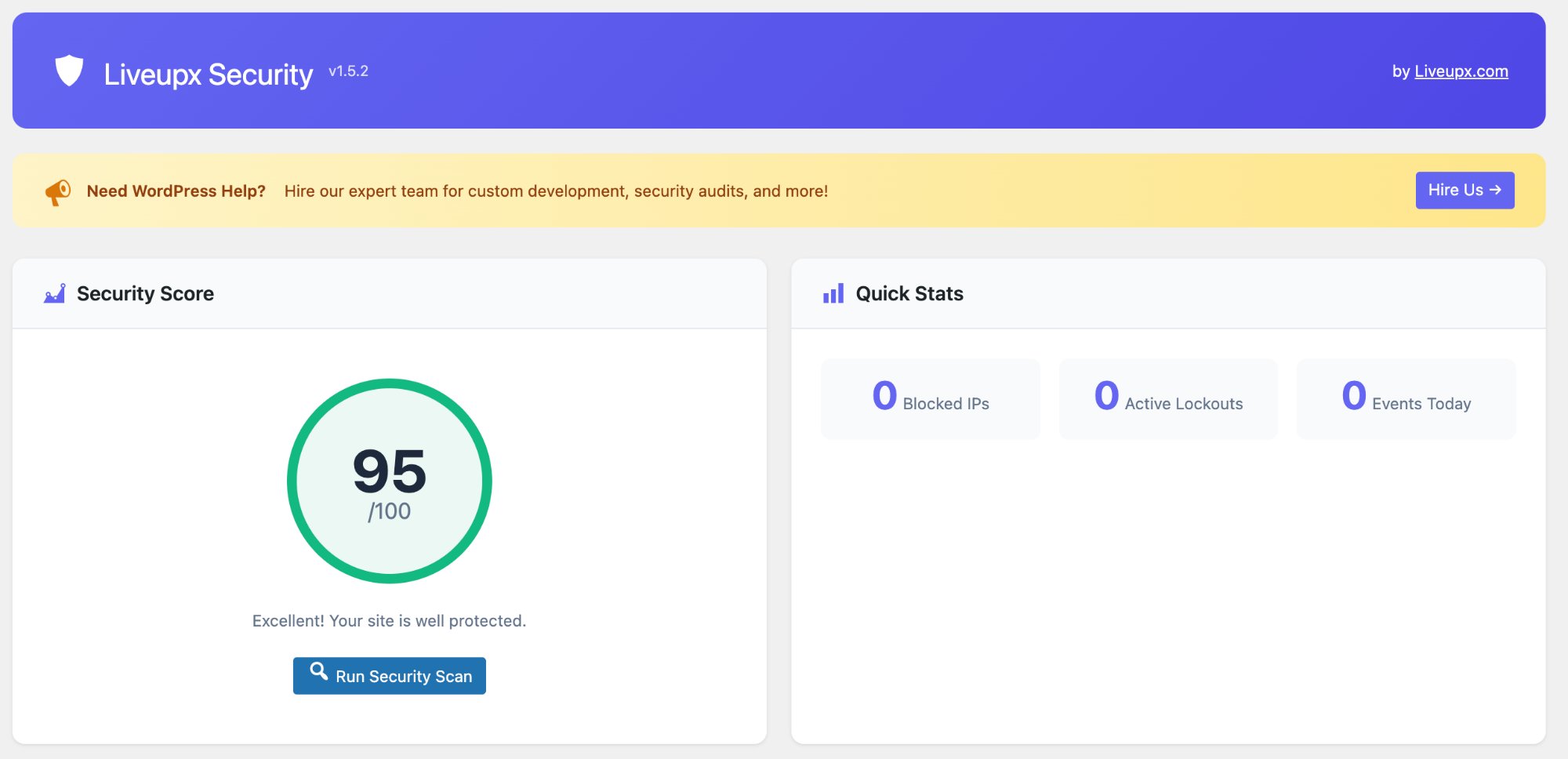
Security Dashboard – Overview of your site’s security status with score, stats, and recent activity 
Settings Page – Configure all security features from one central location 
Login Security – View and manage login lockouts and failed attempts 
Firewall Settings – Configure firewall rules and .htaccess protection 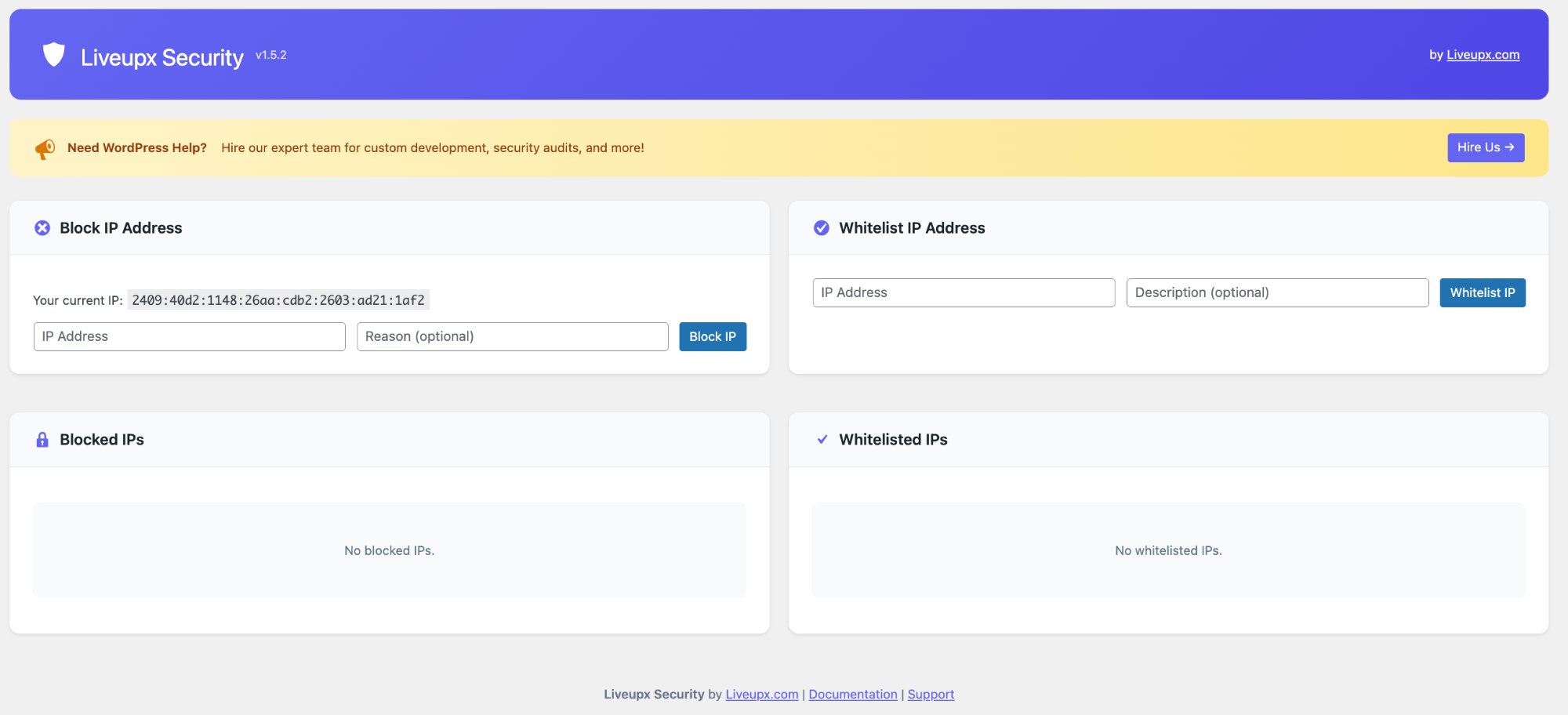
IP Manager – Block and whitelist IP addresses 
Activity Log – Monitor all security events on your site
Installation
Automatic Installation
- Go to Plugins > Add New in your WordPress admin
- Search for “Liveupx Security”
- Click “Install Now” and then “Activate”
Manual Installation
- Download the plugin ZIP file
- Go to Plugins > Add New > Upload Plugin
- Choose the ZIP file and click “Install Now”
- Activate the plugin
After Activation
- Go to Liveupx Security in your admin menu
- Configure settings under Liveupx Security > Settings
- Enable the features you need
- Optionally enable .htaccess protection under Firewall
அடிக்கடி கேட்கப்படும் கேள்விகள்
-
Will this plugin slow down my site?
-
No. Liveupx Security is designed to be lightweight with minimal performance impact. Security checks are optimized and only run when necessary.
-
What happens if I get locked out?
-
You can regain access by:
1. Waiting for the lockout to expire
2. Accessing your database and clearing thexsec_login_lockoutstable
3. Renaming the plugin folder via FTP to deactivate it
4. Connecting from a whitelisted IP address -
Does this work with caching plugins?
-
Yes. Liveupx Security works with all major caching plugins including WP Rocket, W3 Total Cache, LiteSpeed Cache, and WP Super Cache.
-
Does the .htaccess protection work with Nginx?
-
No. The .htaccess features only work with Apache servers. However, all PHP-based protection features work with any web server including Nginx.
-
Can I use this with other security plugins?
-
We recommend using only one security plugin to avoid conflicts. Liveupx Security provides comprehensive protection on its own.
-
Is my data sent to any external servers?
-
No. All security data is stored locally in your WordPress database. This plugin does not connect to any external services or APIs.
-
How do I whitelist my IP address?
-
Go to Liveupx Security > IP Manager, enter your IP address in the whitelist form, and click “Whitelist IP”. Whitelisted IPs bypass all security checks.
Reviews
இந்த செருகுநிரலுக்கு மதிப்புரைகள் எதுவும் இல்லை.
பங்களிப்பாளர்கள் & உருவாக்குனர்கள்
“Liveupx Security” is open source software. The following people have contributed to this plugin.
பங்களிப்பாளர்கள்
Translate “Liveupx Security” into your language.
Interested in development?
Browse the code, check out the SVN repository, or subscribe to the development log by RSS.
Changelog
1.5.2
- Fixed database tables not being created on activation in some environments
- Added fallback table creation check on plugin load
- Improved compatibility with WordPress Playground
1.5.1
- Moved inline CSS to external stylesheet for blocked page template
- Removed unnecessary development files
- Improved i18n support for blocked page messages
1.5.0
- Fixed all remaining WordPress Plugin Check warnings
- Improved SQL query handling with proper phpcs directives
- Enhanced array input sanitization using map_deep()
- Full PHPCS compliance
1.4.0
- Fixed compatibility with WordPress 5.0+ (removed %i placeholder)
- Improved input sanitization for settings
- Enhanced security validation
1.3.0
- Fixed WordPress Playground compatibility
- Fixed all WordPress Plugin Check errors
- Uses WP_Filesystem for file operations
- Improved code quality and PHPCS compliance
- Added proper translators comments for i18n
- Enhanced database query security
- Properly escaped all output
- Added phpcs ignore comments with justifications
1.0.0
- Initial release
- Login lockout protection
- Brute force prevention
- Honeypot field for login form
- Math CAPTCHA option
- Hide login error details
- User enumeration protection
- REST API user endpoint protection
- Strong password enforcement
- Block admin username
- Disable file editor
- PHP-based firewall
- Bad query blocking (SQL injection, XSS)
- Bad bot blocking
- XML-RPC disable option
- Pingback disable option
- WordPress version hiding
- IP blocking and unblocking
- IP whitelisting
- Activity logging
- Security dashboard with score
- Security scan feature
- .htaccess protection rules
- Email notifications
- Automatic cleanup of old data