

Maelezo
🏆 The #1 WooCommerce Product Feed Manager Plugin trusted by 70,000+ online stores worldwide.
Stop losing sales to rejected product feeds. CTX Feed is the most powerful product feed plugin for WooCommerce, designed to generate optimized, error-free feeds for Google Shopping, Facebook Catalog, Instagram Shopping, TikTok Shop, Pinterest, Bing, and 220+ global marketing channels.
Whether you’re managing 100 products or 100,000+ SKUs, CTX Feed handles your entire WooCommerce product feed with zero limits. Our intelligent batch processing ensures your XML, CSV, and JSON feeds are created flawlessly without crashing your server.
🆕 2026 Google Merchant Center Compliant – Ready for the March 2026 multi-channel product ID requirements and subscription product support.
Why 70,000+ WooCommerce Stores Choose CTX Feed?
- 220+ Pre-Built Templates – Instant setup for Google Merchant Center, Meta (Facebook/Instagram), TikTok Shop, Amazon, eBay, Snapchat, Pinterest, and more
- 6 Export Formats – XML, CSV, TSV, XLS, TXT, JSON (more file format options than any competitor)
- Smart Category Mapping – Auto-map WooCommerce categories to Google’s official taxonomy to prevent feed errors
- Real-Time Auto-Sync – Scheduled cron updates keep your ads accurate with correct pricing and availability
- Variable Product Support – Perfectly handle complex product variations that other plugins miss
- Zero Server Crashes – Intelligent batch processing for stores with 50,000+ products
Upgrade to Pro | Complete Documentation | Video Tutorials | Get Support
🛒 Google Shopping Feed Manager
CTX Feed is the ultimate Google Shopping feed manager for WooCommerce. Create Google Shopping feeds that get approved fast with automatic attribute mapping for all required fields:
- Product Title, Description, Link, Image Link
- Price, Sale Price, Availability, Condition
- Brand, GTIN, MPN, SKU, EAN, UPC
- Google Product Category (automatic taxonomy mapping)
- Shipping, Tax, and Custom Labels
- Color, Size, Material, Pattern, Gender, Age Group
- Local Inventory Ads support
- Google Promotions feed support
Fix “Missing Required Attribute” errors instantly with our built-in attribute mapping tool. No more Google Merchant Center rejections!
📱 Facebook Product Feed & Instagram Shopping
Generate Facebook product feeds and Instagram Shopping catalogs compatible with Meta Commerce Manager. CTX Feed creates the perfect WooCommerce Facebook product feed for:
- Dynamic Product Ads (DPA) support
- Facebook Pixel integration ready
- Instagram Shopping checkout is compatible
- Advantage+ catalog campaigns optimized
- Facebook Marketplace listings
- All Meta required attributes are included automatically
🎵 TikTok Shop & Social Commerce Feed Manager
Reach younger shoppers with TikTok Shop integration. CTX Feed is your complete shopping feed manager for social commerce:
- TikTok Seller Center compatible feeds
- Product certification fields included
- Brand Authority attributes mapped
- Avoid “Under Review” status with optimized data
- Snapchat Product Catalog support
- Pinterest Shopping feed ready
🔍 Complete Channel & Marketplace Support
CTX Feed supports more channels than any other WP product feed manager:
Google Feeds:
Google Shopping, Google Local Inventory, Google Promotions, Google Dynamic Remarketing, Google Local Products, Google Manufacturer Center, Google Express
Shopping & Comparison Sites:
Bing Shopping, Yahoo Shopping, PriceGrabber, Shopzilla, PriceRunner, PriceSpy, Kelkoo, Idealo, Billiger.de, Trovaprezzi, Skroutz, Heureka, Ceneo, Beslist, Vergelijk
Social Commerce:
Facebook Catalog, Instagram Shop, Pinterest, TikTok Shop, Snapchat Product Catalog
Marketplaces:
Amazon, eBay, Walmart, Etsy, Rakuten, Wish, Fruugo, Bonanza, Newegg, Jet
Affiliate Networks:
Commission Junction, ShareASale, Awin, Rakuten Advertising, AvantLink, Pepperjam
Regional Marketplaces:
Bol.com (Netherlands), Allegro (Poland), Fnac (France), Otto (Germany), Coolblue, Marktplaats
Upgrade to Pro | Complete Documentation | Video Tutorials | Get Support
💪 Built for Large Catalogs – The Best Product Feed Tool
CTX Feed is engineered for WooCommerce stores of any size. As a professional product feed tool, it handles:
- Unlimited products per feed
- Unlimited feeds
- Batch processing prevents timeouts
- Background feed generation
- Memory-efficient processing
- Works on shared hosting
- Optimized for 100,000+ products
- Server resource management
📊 WooCommerce Data Feed Features
CTX Feed provides comprehensive WooCommerce data feed management:
Smart Filtering:
- Include/exclude products by category
- Filter by stock status
- Filter by price range
- Filter by product type
- Custom condition filters
- Exclude specific products
Dynamic Attributes:
- Create custom attributes on-the-fly
- Combine multiple fields
- Price manipulation (markup/markdown)
- String replacement
- Conditional logic
- Pattern-based transformations
Feed Optimization:
- Auto-remove HTML from descriptions
- Image URL optimization
- Price formatting by locale
- Availability status mapping
- Category path customization
- UTM parameter support
🔧 Complete WooCommerce Compatibility
Works with all WooCommerce product types and popular extensions:
Product Types:
- Simple Products
- Variable Products (with all variations)
- Grouped Products
- External/Affiliate Products
- WooCommerce Subscriptions
- WooCommerce Bundles
- WooCommerce Composite Products
- WooCommerce Bookings
Multi-Vendor Plugins:
- Dokan Multivendor
- WCFM Marketplace
- WC Vendors
- MultiVendorX
- WC Marketplace
Multilingual & Multi-Currency:
- WPML (WordPress Multilingual)
- Polylang
- TranslatePress
- Weglot
- CURCY – Multi Currency for WooCommerce
- Aelia Currency Switcher
- WooCommerce Multi Currency
SEO & Custom Fields:
- Yoast SEO (product data)
- Rank Math SEO
- All in One SEO
- ACF (Advanced Custom Fields)
- Custom Product Tabs
- WooCommerce Custom Fields
Other Integrations:
- WooCommerce Brands
- Perfect Brands for WooCommerce
- YITH WooCommerce Brands
- WooCommerce Product Add-Ons
- WooCommerce Measurement Price Calculator
🆕 2026 Google Compliance Features
CTX Feed is fully prepared for Google’s 2026 policy updates:
March 2026 Multi-Channel Product ID Requirement:
- Separate product IDs for online vs in-store items
- Local Inventory Ads compliance
- Multi-channel feed generation
- Unique identifier management
January 2026 Subscription Products:
- subscription_cost attribute support
- Billing period mapping
- Recurring price feeds
- WooCommerce Subscriptions integration
AI-Ready Semantic Data:
- Clean, structured product data
- HTML/shortcode stripping
- Google SGE optimized feeds
- Schema-compliant output
Upgrade to Pro | Complete Documentation | Video Tutorials | Get Support
⭐ CTX Feed Pro – Premium Features
Upgrade to CTX Feed Pro for advanced capabilities:
- Dynamic Attribute Creation – Create custom attributes on-the-fly
- Advanced Filtering – Include/exclude products by any condition
- Multi-Vendor Feeds – Generate vendor-specific feeds
- Custom XML Templates – Build any complex feed structure
- FTP/SFTP Auto-Upload – Automatically push feeds to channels
- Google Content API – Direct Merchant Center integration
- Facebook Pixel Integration – Enhanced conversion tracking
- Priority Support – 24/7 expert assistance
🌟 What Store Owners Say
“CTX Feed is the ONLY plugin that handled our 45,000 product catalog without crashing. We tried 3 other plugins before finding this gem.” – WooCommerce Store Owner
“Finally got our Google Shopping feed approved after weeks of rejections with other plugins. CTX Feed’s category mapping feature saved us!” – E-commerce Manager
“The support team is incredible. They helped us set up feeds for 12 different marketplaces in one day.” – Digital Marketing Agency
“Best WooCommerce product feed plugin we’ve used. The batch processing feature is a game-changer for large stores.” – Online Retailer
📚 Documentation & Support
Our Other Free Plugins
Screenshots
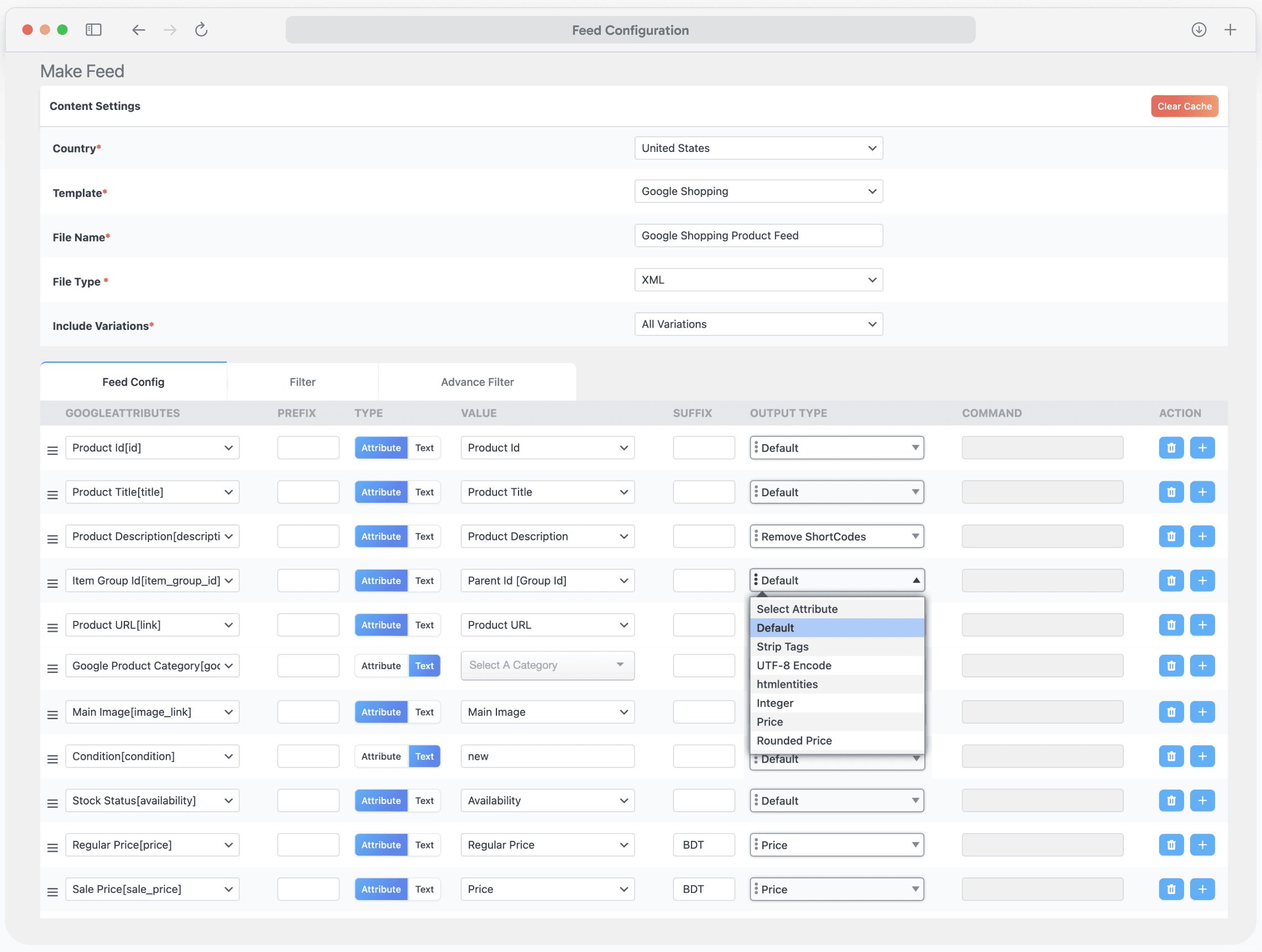
Make Feed: Generate feeds for 220+ marketplaces 
Manage Feed: Control all product feeds from one dashboard 
Category Mapping: Map store categories to feed categories 
Filter: Filter products for feed generation 
Advanced Filter: Apply advanced rules to filter products 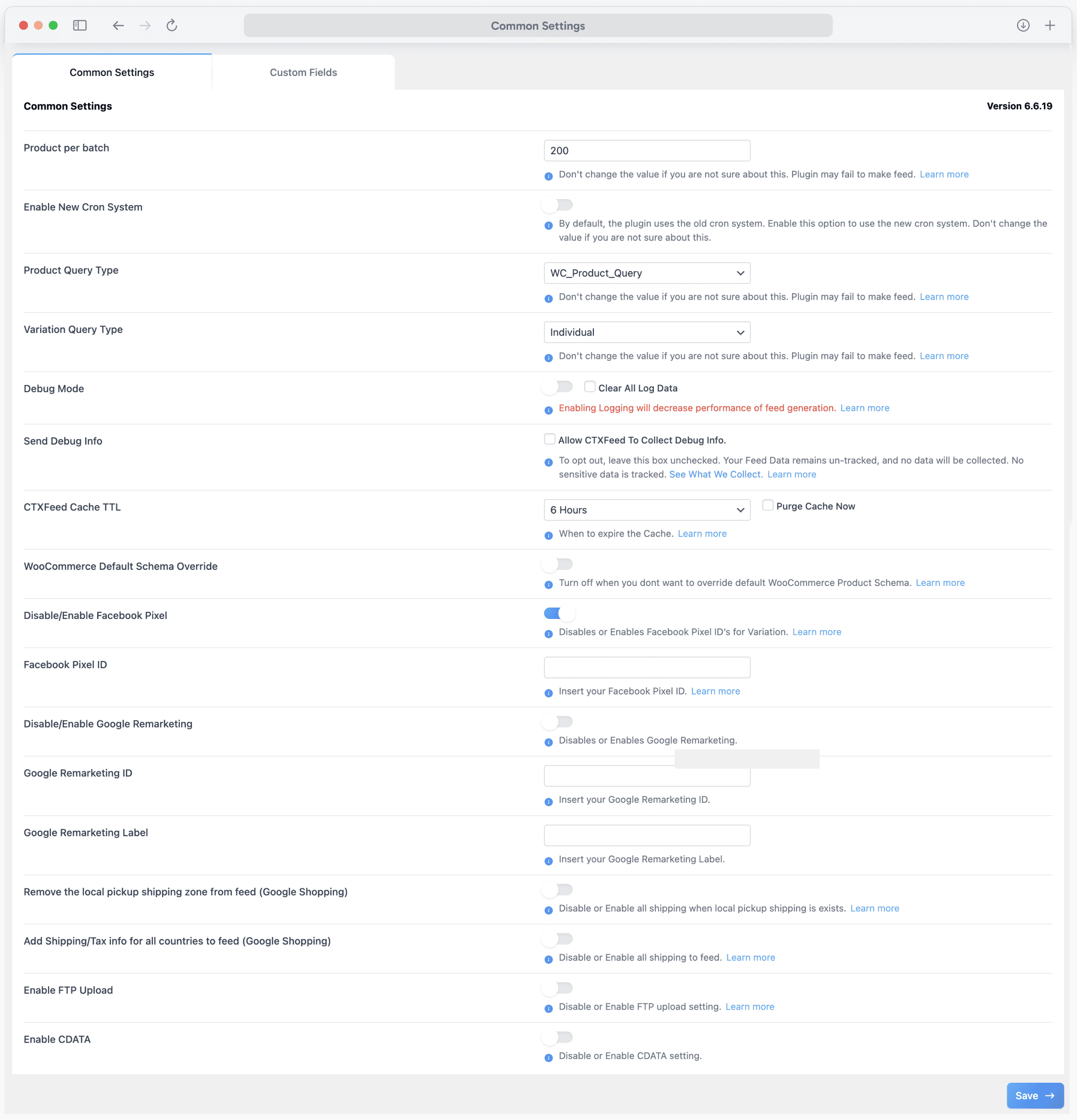
Settings: Configure WooCommerce feed settings easily 
Custom Fields: Map and manage custom product fields 
Dynamic Attributes: Use dynamic attributes for feeds 
Attribute Mapping: Map product attributes to channels 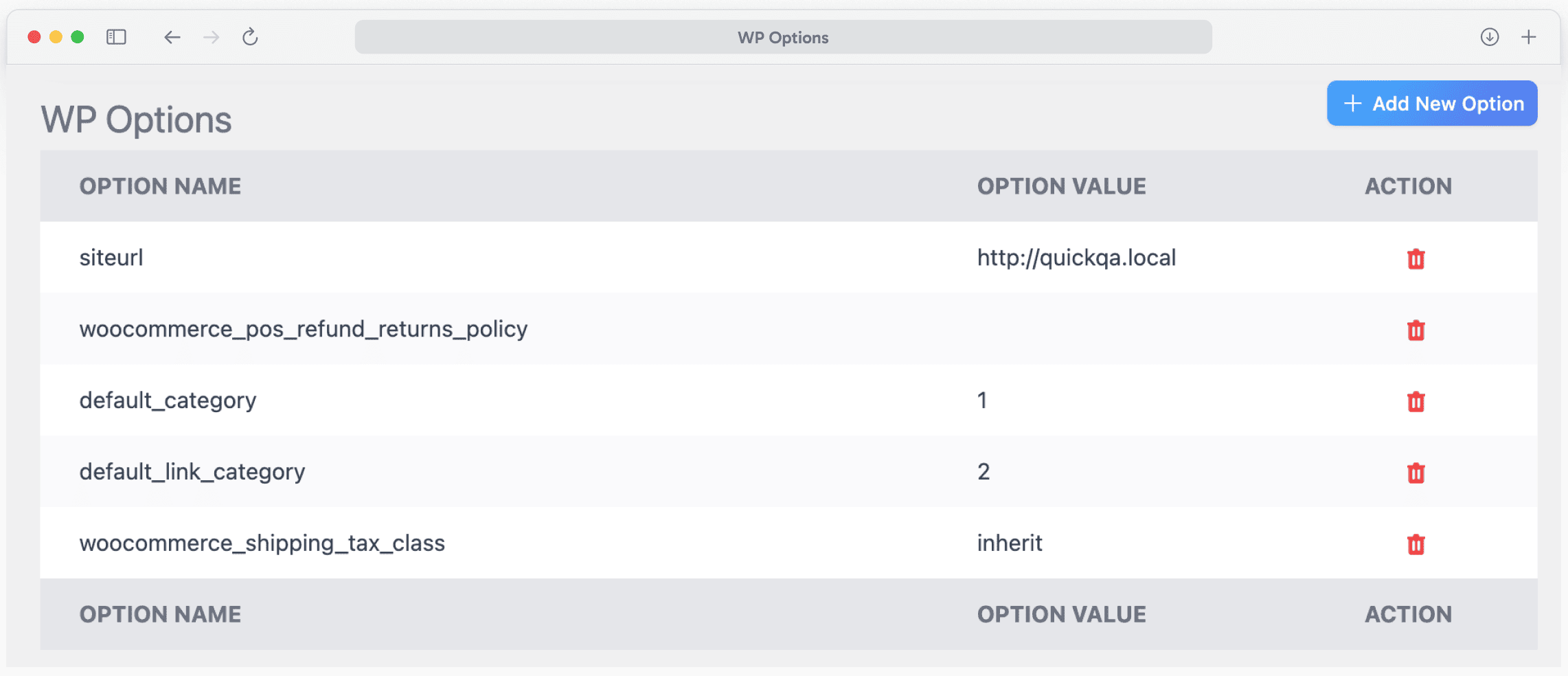
WP Option: Configure WordPress feed settings 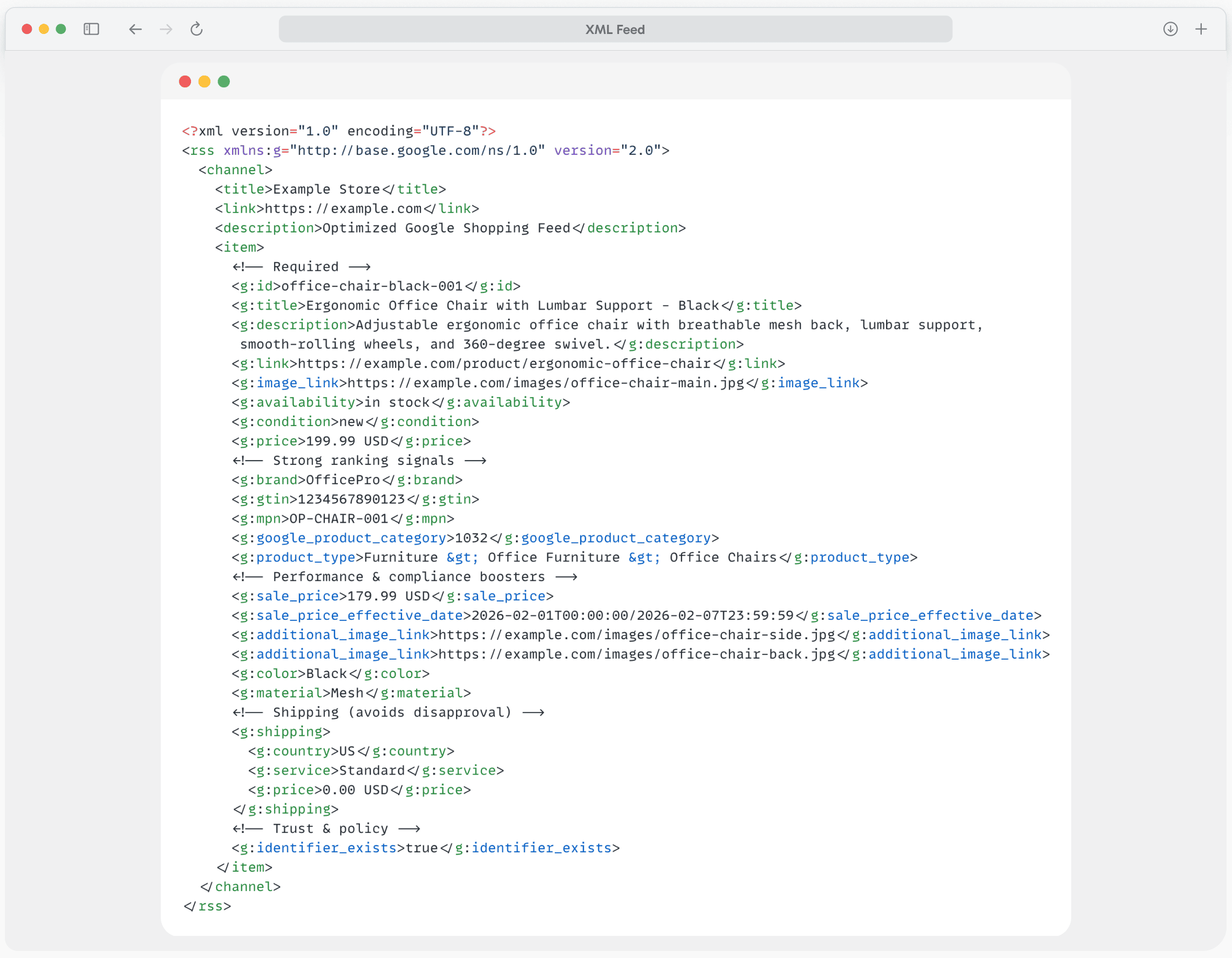
XML Feed: Preview a WooCommerce XML feed
Installation
Automatic Installation
- Go to Plugins > Add New in your WordPress dashboard
- Search for “CTX Feed”
- Click Install Now then Activate
- Go to CTX Feed > Make Feed to create your first product feed
Manual Installation
- Download the plugin ZIP file
- Go to Plugins > Add New > Upload Plugin
- Upload the ZIP file and click Install Now
- Activate the plugin
- Navigate to CTX Feed in your dashboard
Creating Your First Google Shopping Feed
- Go to CTX Feed > Make Feed
- Select “Google Shopping” from the template dropdown
- Choose XML as your file format
- Click Update and Generate Feed
- Copy the feed URL
- Add to Google Merchant Center via Scheduled Fetch
Creating a Facebook Catalog Feed
- Go to CTX Feed > Make Feed
- Select “Facebook Catalog / Instagram” template
- Choose CSV or XML format
- Generate your feed
- Upload to Meta Commerce Manager
FAQ
-
How do I create a Google Shopping feed for WooCommerce?
-
With CTX Feed, creating a Google Shopping feed takes just 3 clicks:
1. Select the Google Shopping template from 220+ options
2. Configure your product attributes (pre-filled automatically)
3. Click “Generate Feed”The plugin automatically maps your WooCommerce product data to all Google required attributes including title, description, price, availability, GTIN, brand, and image links.
-
How do I fix “Missing Required Attribute” errors in Google Merchant Center?
-
CTX Feed’s Category Mapping tool instantly links your WooCommerce categories to Google’s official taxonomy. For missing attributes like brand or GTIN, use our Attribute Mapping feature to:
– Pull data from custom fields or ACF
– Use Yoast SEO or Rank Math data
– Set static values for your entire catalog
– Create dynamic attributes based on conditions -
Can CTX Feed handle large stores with 50,000+ products?
-
Absolutely! Unlike plugins that timeout, CTX Feed uses intelligent batch processing. Adjust the “Products Per Batch” setting (recommended: 200-500 products) to match your server capacity. This prevents memory limit errors and ensures 100% feed completion for massive catalogs.
-
Is CTX Feed ready for Google’s March 2026 multi-channel product requirements?
-
Yes. CTX Feed fully supports Google’s new requirement for separate product IDs when online and in-store attributes differ (price, availability, condition). Our Local Inventory Ads template helps you generate compliant feeds with unique identifiers for multi-channel products.
-
How do I create a Facebook/Instagram product catalog feed?
-
Select the “Facebook Catalog / Instagram” template from CTX Feed’s 220+ pre-built options. The plugin generates a feed compliant with Meta Commerce Manager requirements, including all required fields for:
– Dynamic Product Ads (DPA)
– Instagram Shopping
– Advantage+ catalog campaigns -
Does CTX Feed support WooCommerce Subscriptions for Google Shopping?
-
Yes! Following Google’s January 2026 policy update allowing subscription products in Shopping ads, CTX Feed Pro supports the subscription_cost attribute mapping required for:
– Subscription boxes
– Replenishment/auto-ship products
– Membership products -
How do I sync my feed to TikTok Shop?
-
- Create a new feed using the TikTok Shop template
- Include all required attributes (product certification, brand authority)
- Generate the feed and copy the URL
- Add the feed URL to TikTok Seller Center
- Set up a scheduled sync for automatic updates
-
Can I exclude out-of-stock products from my feed?
-
Yes! Use the Filter option when creating your feed:
1. Click “Filter” in the feed settings
2. Add condition: “Availability” + “is not” + “out of stock”
3. Generate your filtered feedPro tip: Use CTX Feed Pro’s advanced filtering for complex conditions.
-
Does CTX Feed work with WPML for multilingual feeds?
-
Yes. CTX Feed is fully compatible with WPML, Polylang, and TranslatePress. Create separate feeds for each language to target international markets with localized product data.
-
How often should I update my product feed?
-
We recommend daily updates for most stores. CTX Feed’s scheduled cron feature can automatically regenerate your feed every 1, 6, 12, or 24 hours. For stores with frequently changing inventory, use the Auto Update feature to sync changes immediately.
-
What file formats does CTX Feed support?
-
CTX Feed supports 6 file formats – more than any other WooCommerce feed plugin:
– XML (most common for Google, Facebook)
– CSV (spreadsheet compatible)
– TSV (tab-separated)
– XLS (Excel)
– TXT (text)
– JSON (API integrations) -
Is there a product limit in the free version?
-
No! CTX Feed free version supports unlimited products and unlimited feeds. There are no artificial limits. The Pro version adds advanced features like dynamic attributes, custom XML templates, and multi-vendor support.
-
How do I add GTIN, MPN, or Brand to my products?
-
CTX Feed adds custom fields for GTIN, MPN, EAN, UPC, and Brand to your WooCommerce products. Simply:
1. Edit any product
2. Scroll to the “CTX Feed” tab
3. Enter your product identifiers
4. These will automatically be included in your feeds -
Can I create feeds for multiple countries?
-
Yes! Create separate feeds for each target country with:
– Localized pricing and currency
– Country-specific shipping information
– Translated product data (with WPML/Polylang)
– Region-specific availability -
How do I troubleshoot feed generation errors?
-
If your feed fails to generate:
1. Reduce “Products Per Batch” to 100-200
2. Increase PHP memory limit in wp-config.php
3. Check for plugin conflicts by disabling other plugins
4. Enable WordPress debug mode to identify errors
5. Contact our support team for assistance
Reviews


Wachangiaji & Wasanidi
“Product Feed Manager for WooCommerce – CTX Feed – Support 220+ Shopping & Social Channels” is open source software. The following people have contributed to this plugin.
Contributors

Interested in development?
Browse the code, check out the SVN repository, or subscribe to the development log by RSS.
Changelog
Version 6.6.21 (January 27, 2026)
- Documentation Update: Enhanced plugin information for better user guidance.
Version 6.6.20 (January 26, 2026)
- Security Update: Checkout link template attribute issue
- Documentation Update: Enhanced plugin information for better user guidance.
Version 6.6.19 (January 19, 2026)
- Security Update: Resolved critical security vulnerability to protect your WooCommerce product feeds and store data.
Version 6.6.18 (January 13, 2026)
- Compatibility Fix: Fixed conflict with the Ninja Forms plugin for seamless WordPress form integration.
Version 6.6.17 (January 6, 2026)
- UI Cleanup: Removed Happy Holiday promotional banner.
Version 6.6.16 (January 5, 2026)
- Performance Improvement: Refactored compatibility code for better WooCommerce integration and faster feed generation.
Version 6.6.15 (December 30, 2025)
- WooCommerce 10.4 Compatible: Tested and verified compatibility with WooCommerce version 10.4 for reliable product feed management.
Version 6.6.14 (December 18, 2025)
- Documentation Update: Enhanced plugin information for better user guidance.
Version 6.6.13 (December 16, 2025)
- Seasonal Promotion: Added Happy Holiday discount banner.
Version 6.6.12 (December 11, 2025)
- New Feature: Added Parent Description attribute for improved product data flexibility in Google Shopping and Facebook feeds.
- Security Patch: Fixed a security vulnerability issue to ensure safe product feed generation.
Version 6.6.11 (December 8, 2025)
- UI Cleanup: Removed Black Friday promotional banner.
Version 6.6.10 (December 2, 2025)
- WordPress 6.9 Compatible: Verified full compatibility with WordPress 6.9 for stable product feed creation.
Version 6.6.9 (November 28, 2025)
- Marketing Update: Updated discount banner UTM tracking links for better analytics.
Version 6.6.8 (November 25, 2025)
- Documentation Enhancement: Improved plugin information and documentation.
Version 6.6.7 (November 25, 2025)
- Seasonal Promotion: Added Black Friday discount banner.
Version 6.6.6 (November 20, 2025)
- SEO Fix: Resolved canonical URL attribute issue for better search engine optimization in product feeds.
Version 6.6.5 (November 17, 2025)
- Special Promotion: Added 10th Anniversary discount banner.
Version 6.6.4 (November 6, 2025)
- Documentation Update: Enhanced plugin documentation and information.
Version 6.6.3 (November 3, 2025)
- UI Cleanup: Removed Halloween promotional banner.
Version 6.6.2 (October 27, 2025)
- Code Optimization: Refactored codebase for improved performance and maintainability of WooCommerce product feeds.
Version 6.6.1 (October 27, 2025)
- UI Improvements: Updated the Manage Feed Page sidebar and Make Feed Page sidebar for a better user experience.
Version 6.6.0 (October 22, 2025)
- Major Feature: Added ChatGPT (OpenAI) Product Feed Template for AI-powered product feed optimization and content generation.
Version 6.5.88 (October 20, 2025)
- Seasonal Promotion: Added Halloween discount banner.
Version 6.5.87 (October 13, 2025)
- Code Optimization: Refactored core code for enhanced performance.
Version 6.5.86 (October 13, 2025)
- UI Enhancement: Updated the Manage Feed Page interface for improved usability.
Version 6.5.85 (October 7, 2025)
- Bug Fix: Resolved Settings Page UI display issues.
Version 6.5.84 (September 30, 2025)
- UI Improvements: Enhanced Attributes Mapping Page, Filter, and Advanced Filter interfaces for easier product feed configuration.
Version 6.5.83 (September 25, 2025)
- Documentation Update: Updated plugin information.
Version 6.5.82 (September 23, 2025)
- Documentation Enhancement: Improved plugin description for better understanding.
Version 6.5.81 (September 18, 2025)
- Bug Fix: Fixed PHP warning errors for cleaner operation.
Version 6.5.80 (September 10, 2025)
- Code Optimization: Refactored code for better performance.
Version 6.5.79 (September 3, 2025)
- Google Shopping Enhancement: Updated excluded_destination attribute to allow multiple values in Google Shopping feeds.
Version 6.5.78 (August 26, 2025)
- Bug Fix: Resolved PHP warning errors.
Version 6.5.77 (August 20, 2025)
- UI Update: Updated Status Page icons for better visual clarity.
Version 6.5.76 (August 12, 2025)
- Bug Fix: Fixed Status Page UI display issues.
Version 6.5.75 (August 6, 2025)
- Bug Fix: Resolved Status Page right sidebar display issues.
Version 6.5.74 (July 28, 2025)
- Code Optimization: Refactored codebase for improved efficiency.
Version 6.5.73 (July 21, 2025)
- WooCommerce 10.0 Compatible: Tested and verified compatibility with WooCommerce 10.0 for seamless product feed generation.
Version 6.5.72 (July 15, 2025)
- Code Optimization: Refactored code for enhanced performance.
Version 6.5.71 (July 8, 2025)
- Documentation Update: Updated our Plugins page content.
Version 6.5.70 (July 2, 2025)
- UI Cleanup: Removed summer sale promotional banner.
Version 6.5.69 (June 30, 2025)
- WooCommerce 9.9 Compatible: Verified compatibility with WooCommerce 9.9.
Version 6.5.68 (June 24, 2025)
- Seasonal Promotion: Added summer sale discount banner. Documentation Update: Updated Settings page text for clarity.
Version 6.5.67 (June 16, 2025)
- Developer Feature: Added filter hook for JSON file type customization in product feeds.
Version 6.5.66 (June 3, 2025)
- UI Enhancement: Updated the Status page table for better data display.
Version 6.5.65 (May 26, 2025)
- Compliance Fix: Fixed Plugin Check (PCP) errors for WordPress.org guidelines compliance.
Version 6.5.64 (May 20, 2025)
- Code Optimization: Refactored code for improved performance.
Version 6.5.63 (May 15, 2025)
- New Feature: Added support for Appointment product type in WooCommerce product feeds.
Version 6.5.62 (May 8, 2025)
- Code Optimization: Refactored codebase for better efficiency.
Version 6.5.61 (April 23, 2025)
- WordPress 6.8 Compatible: Updated for full compatibility with WordPress 6.8.
Version 6.5.60 (April 23, 2025)
- Code Optimization: Refactored code for enhanced performance.
Version 6.5.59 (April 16, 2025)
- Compatibility Updates: Tested and verified compatibility with WordPress 6.8 and WooCommerce 9.8.
Version 6.5.58 (April 8, 2025)
- Documentation Update: Improved documentation page content.
Version 6.5.57 (March 25, 2025)
- Code Optimization: Refactored code for better performance.
Version 6.5.56 (March 19, 2025)
- UI Update: Updated Status page title.
Version 6.5.55 (March 13, 2025)
- WooCommerce Integration: Added WooCommerce default GTIN, UPC, EAN, and ISBN identifiers to the attribute list for enhanced Google Shopping compliance.
Version 6.5.54 (March 11, 2025)
- Bug Fix: Fixed custom field value removal issue in product feeds.
Version 6.5.53 (March 6, 2025)
- Facebook Enhancement: Added “internal label” attribute to Facebook product feed template.
Version 6.5.52 (March 4, 2025)
- Code Optimization: Refactored code for improved performance.
Version 6.5.51 (February 25, 2025)
- Bug Fix: Resolved quantity value display issue in product feeds.
Version 6.5.50 (February 17, 2025)
- New Feature: Added our Plugins page for easy plugin discovery.
- Marketing Update: Updated dashboard banner UTM tracking links.
Version 6.5.49 (February 10, 2025)
- UI Update: Updated dashboard banner display.
Version 6.5.48 (February 4, 2025)
- Code Optimization: Refactored codebase for enhanced efficiency.
Version 6.5.47 (January 28, 2025)
- Code Optimization: Refactored code for better performance.
Version 6.5.46 (January 23, 2025)
- Bug Fix: Fixed cron job update issue for automated feed generation.
Version 6.5.45 (January 20, 2025)
- Documentation Update: Enhanced plugin information.
Version 6.5.44 (January 13, 2025)
- Developer Feature: Added filter hook for adding extra data to product feeds.
Version 6.5.43 (January 8, 2025)
- Bug Fix: Resolved cron event removal issue for scheduled feed updates.
Version 6.5.42 (January 1, 2025)
- UI Cleanup: Removed Merry Christmas promotional banner.
Version 6.5.41 (December 23, 2024)
- Seasonal Promotion: Added Merry Christmas dashboard discount banner.
Version 6.5.40 (December 20, 2024)
- Seasonal Promotion: Added Merry Christmas discount banner. Bug Fix: Fixed plugin installation error for smoother setup.
Version 6.5.39 (December 18, 2024)
- Google Shopping Enhancement: Added certified pre-owned attribute to the Google Shopping template for better product categorization.
Version 6.5.38 (December 11, 2024)
- Bing Shopping Enhancement: Added excluded/exclude_destination attributes to Bing Shopping feeds.
Version 6.5.37 (December 6, 2024)
- UI Cleanup: Removed Cyber Monday promotional banner.
Version 6.5.36 (December 4, 2024)
- Google Shopping Enhancement: Added Ads attribute for Google Shopping feeds to improve advertising integration.
Version 6.5.35 (November 30, 2024)
- Seasonal Promotion: Added Cyber Monday discount banner.
Version 6.5.34 (November 27, 2024)
- Facebook Fix: Resolved the Facebook feed template XML version display issue.
Version 6.5.33 (November 15, 2024)
- Seasonal Promotion: Added Black Friday discount banner.
Version 6.5.32 (November 13, 2024)
- WordPress 6.7 Compatible: Tested and verified compatibility with WordPress 6.7.
Version 6.5.31 (November 4, 2024)
- UI Cleanup: Removed Halloween promotional banner. Code Optimization: Refactored code for improved performance.
Version 6.5.30 (October 28, 2024)
- Marketing Update: Updated Halloween discount banner.
Version 6.5.29 (October 22, 2024)
- Seasonal Promotion: Added Halloween discount banner.
Version 6.5.28 (October 21, 2024)
- Documentation Enhancement: Updated plugin description for better clarity.
Version 6.5.27 (October 17, 2024)
- Bug Fix: Fixed issue with variations of pending parent variable products being incorrectly included in feeds.
Version 6.5.26 (October 15, 2024)
- PHP Compatibility: Fixed PHP deprecated warnings for modern PHP versions. Code Optimization: Refactored code for better performance.
Version 6.5.25 (October 7, 2024)
- Pricing Fix: Resolved parent variable products sale price display issue in product feeds.
Version 6.5.24 (October 3, 2024)
- Google Enhancement: Updated Google Local Inventory feed template for improved local product advertising.
Version 6.5.23 (September 30, 2024)
- Code Optimization: Refactored compatibility code for better integration.
Version 6.5.22 (September 24, 2024)
- Bug Fixes: Fixed cron event creation for all feeds issue and template loading problems.
Version 6.5.21 (September 23, 2024)
- Bug Fix: Resolved feed type display issue in edit mode.
Version 6.5.20 (September 17, 2024)
- Code Optimization: Refactored code for improved performance.
Version 6.5.19 (September 10, 2024)
- Pricing Fix: Fixed cheapest variation selection issue for variable products.