
Beskrivning
WP Branding Bar creates an adjustable header bar accross the top of your site, with room for two user-defined images with two user-defined links. Provides default images and branding for sites in the utexas.edu domain.
By default the branding bar has the following characteriestics:
- Appears on every public facing page of your site
- Appears below the WordPress admin bar
- White background
- 40px tall
- Covers the width of the viewport
- Includes a (very ugly) left-aligned and a (very ugly) right-aligned image
- Each image is aligned to the width of the main content div in your site
- Each image is a link to example.com
Defaults that can be changed on the settings page
- Height of header bar
- Width of the div that contains the branding images
- The branding images
- The url the branding image points to
- The background image of the div
Skärmdumpar

WP Branding Bar 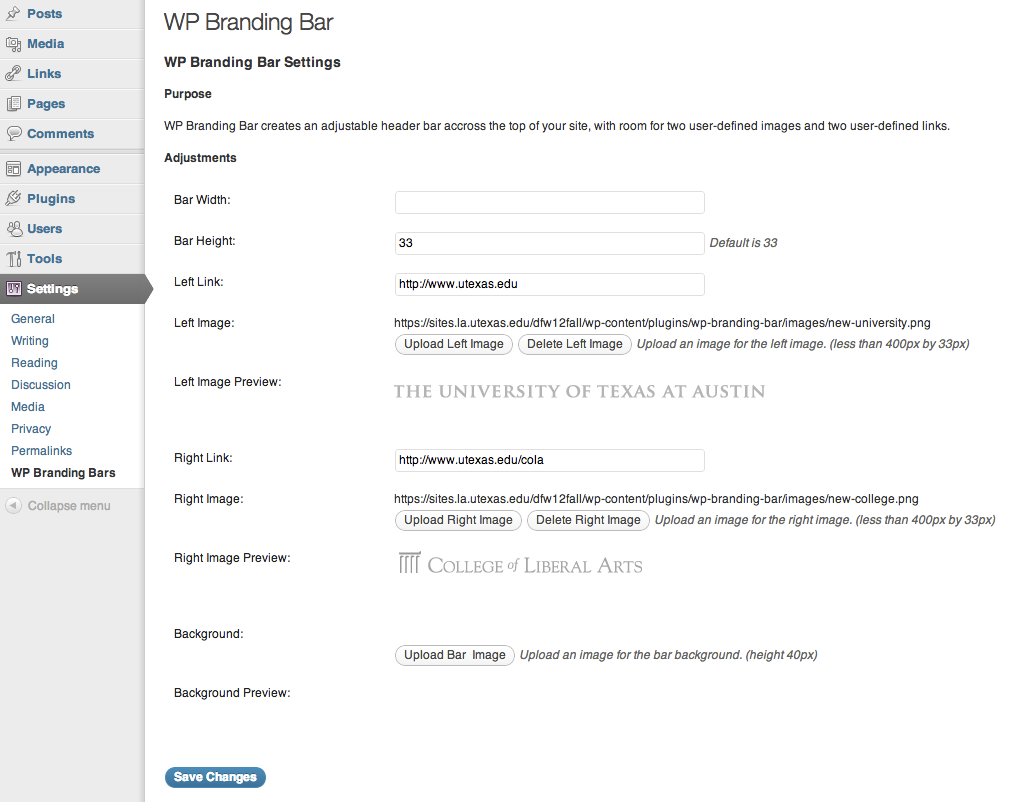
WP Branding Bar settings page
Installation
This section describes how to install the plugin and get it working.
- Upload and unzip
wp-branding-bar.zipto the/wp-content/plugins/directory - Activate the plugin through the ’Plugins’ menu in WordPress
- Add your own branding images and links on the Settings –> WP Branding Bar settings page
Vanliga frågor
- Where do I adjust the settings
-
WP Admin Panel –> Settings –> WP Branding Bar
(See screenshots)
Recensioner
Detta tillägg har inga recensioner.
Bidragsgivare och utvecklare
”WP Branding Bar” är programvara med öppen källkod. Följande personer har bidragit till detta tillägg.
Bidragande personer
Översätt ”WP Branding Bar” till ditt språk.
Intresserad av programutveckling?
Läs programkoden, kika på SVN-filförvaret eller prenumerera på utvecklarloggen via RSS.
Ändringslogg
1.5.6
- Plays nicely with https
- Uses the 3.5 media manager
1.5.5
- Added edittable alt text fields
- Made the right image optional
1.5.2
- Fixed naming conflict bug
1.5.1
- Fixed bug affecting the default images
1.5
- Added new default logo
1.4
- Enabled adjusting the height of the bar
1.3
- Enbled modification of background image and links
1.2
- Enabled user to change the images that appear in the header.
1.1
- Display bug fixes