
Beskrivning
Improve your SEO with real-time feedback, schema, and clear guidance. Upgrade for AI tools, Google Docs integration, and 24/7 support, no hidden fees.
Yoast SEO: The #1 WordPress SEO Plugin
Since 2008, Yoast SEO has helped millions of websites worldwide improve their visibility and SEO performance.
Our mission is SEO for Everyone — from small local businesses to some of the most visited sites on the web.
Yoast SEO gives you everything you need to manage your on-site SEO effectively.
The Yoast SEO Premium plugin and its extensions unlock even more advanced and AI-powered tools.
Handing you the competitive edge
SEO is the most consistent and cost-effective source of website traffic — but it can be complex. Whether you’re just starting out or an advanced user, Yoast SEO helps you handle SEO confidently and efficiently.
Don’t have time to stay on top of AI search and best practices? Keeping Yoast SEO updated means you automatically benefit from ongoing technical improvements, schema updates, and AI advancements — all guided by our signature traffic light approach.
Empower search engines to better understand your website using Schema.org structured data integration, and access in-depth content and readability analysis tools that help you create content designed to perform well in search.
Quick and easy setup
Setting up Yoast SEO is quick and straightforward — no technical background required.
Our step-by-step configuration wizard walks you through essential setup details so Yoast SEO can generate accurate structured data that helps search engines understand your site.
Switching from another SEO plugin like Rank Math or AIOSEO? Migration is seamless.
Import your existing SEO data and settings safely with our built-in import/export tools.
Content and AI features
Unlock your content’s full potential with Yoast SEO’s advanced content analysis and AI-powered tools.
Content optimization features:
– Detailed SEO analysis to guide keyword targeting and site performance.
– Readability analysis for clear, engaging, and user-friendly writing.
– SERP previews for both desktop and mobile results.
– HowTo and FAQ blocks with built-in schema support.
– Breadcrumbs block for improved navigation.
– Inclusive Language Analysis to make your content more considerate and accessible.
– Semrush integration for keyword research directly in Yoast SEO.
– Wincher integration to track keyword performance inside your dashboard.
– Elementor integration for seamless optimization within your favorite builder.
AI features (included in Premium):
– Yoast AI Generate – Instantly create five SEO-friendly titles and meta descriptions, with one-click regeneration for more options.
– Yoast AI Optimize – Improve keyphrase placement (introduction, distribution, density) automatically.
– Yoast AI Summarize (New 2025) – Generate quick content summaries for briefs or social posts.
– All AI tools included – No extra accounts, limits, or hidden costs.
These tools help you craft optimized, helpful content that resonates with readers and performs strongly across search platforms.
Taking care of your technical SEO
Yoast SEO automatically handles much of your site’s technical SEO, freeing you to focus on your content.
Key technical SEO features:
– Automated meta tag optimization right out of the box.
– Canonical URLs to prevent duplicate content issues.
– Advanced XML sitemaps for clear site indexing.
– Best-in-class Schema.org integration to improve search understanding and appearance.
– Complete breadcrumb control for visitors and crawlers.
– Performance improvements that help reduce load times.
– Crawl settings to manage how bots access your site and reduce environmental impact.
– LLMs.txt management to guide how large language models interact with your content.
Every update delivers ongoing technical SEO enhancements automatically.
Keep your website in perfect shape
Whether you’re a creator, business owner, or developer, Yoast SEO helps maintain your website’s SEO health:
- Cornerstone content tools to organize and prioritize key pages.
- Front-end SEO inspector to view and edit titles, descriptions, and schema live.
- SEO roles to delegate plugin access securely across teams.
- Regular 2-week update cycle to ensure compatibility with the latest SEO standards and search engine changes.
Powerful integrations
Yoast SEO works seamlessly with popular WordPress tools to enhance your workflow and results:
- Google Site Kit: Access insights from Search Console, Analytics, and PageSpeed directly inside WordPress.
- Advanced Custom Fields (ACF): Combine with ACF Content Analysis for Yoast SEO for advanced field optimization.
- Elementor: Use full Yoast SEO functionality inside Elementor’s editor.
- Algolia: Enhance internal search accuracy and performance.
- Semrush: Discover and optimize for high-value keywords.
- Wincher: Track keyword positions and trends in Google Search.
- Jetpack: Manage SEO and social previews all in one place.
- Easy Digital Downloads (EDD): Improve digital product visibility with integrated schema.
- Mastodon: Verify your website on Mastodon with Yoast SEO Premium.
- WooCommerce: Optimize ecommerce SEO with the dedicated WooCommerce extension.
Yoast SEO Premium – AI-powered SEO for WordPress
Yoast SEO Premium enhances everything in Yoast SEO with advanced automation, AI tools, and professional support.
Trusted by millions, it helps you optimize efficiently for both traditional and AI-driven search.
Tackle your SEO challenges:
– Keep pace with algorithm and AI search updates.
– Target the right audience effectively.
– Automate redirects, crawl controls, and internal linking.
– Identify orphaned content and improve site structure.
– Get support when you need it.
Premium highlights:
– AI-generated titles and meta descriptions.
– Smart internal linking suggestions.
– Social previews for Facebook and X.
– Redirect Manager with bulk tools and automatic prompts.
– Bot Blocker for AI crawlers (GPTBot, CCBot, Google-Extended).
– IndexNow integration for fast content updates.
– Front-end SEO Inspector for real-time editing.
– SEO Workouts to improve orphaned and cornerstone content.
– Google Docs add-on for seamless SEO writing in Docs.
– 24/7 premium support from SEO specialists.
Includes at no extra cost:
– Yoast Local SEO: Optimize for local audiences and Google Maps.
– Yoast Video SEO: Ensure Google understands your videos with video sitemaps and schema.
– Yoast News SEO: Increase visibility in Google News and Top Stories.
Yoast WooCommerce SEO – Advanced SEO for Online Stores
Yoast WooCommerce SEO builds on Yoast SEO Premium with ecommerce-specific tools to improve your store’s visibility and conversion potential.
Key ecommerce SEO features:
– WooCommerce-specific XML sitemap excluding non-shopping content.
– Product structured data for enhanced rich results (price, reviews, availability).
– Canonical URL management to prevent duplicates.
– Ecommerce-focused content analysis for GTINs, SKUs, and short descriptions.
– AI Generate for ecommerce – Instantly create optimized titles and meta descriptions for product and category pages.
Benefits:
– Improve product visibility with automated structured data.
– Enhance crawl efficiency for large catalogs.
– Save time through metadata templates and automation.
– Increase engagement with AI-optimized ecommerce metadata.
Built for WooCommerce, trusted by thousands of online stores worldwide.
For Developers
Yoast SEO is built with developers in mind. With modern APIs, hooks, and a unified indexables system, you can extend or integrate SEO functionality across custom themes, plugins, or headless setups.
REST API
Retrieve SEO metadata for any post or URL, including meta tags, Open Graph, Twitter Cards, and Schema.org data.
Learn more about the REST API.
Surfaces API
Access SEO data directly in code via YoastSEO()->meta->for_current_page().
Supports titles, descriptions, canonicals, and schema.
Read the Surfaces API documentation.
Metadata API
Use the Metadata API to filter, override, or extend meta tags with WordPress hooks such as wpseo_title, wpseo_metadesc, and wpseo_canonical.
Schema API
The Schema API lets you modify or extend Schema.org graph pieces, including Article, Organization, Person, Breadcrumb, and WebPage entities.
Block Editor compatibility
Yoast SEO integrates directly with the WordPress Block Editor (Gutenberg).
It outputs schema for HowTo and FAQ blocks by default, and developers can extend schema for custom blocks.
Indexables
At the core of Yoast SEO lies the indexables system, unifying all SEO data for faster queries and consistent metadata across outputs.
Ongoing support and education
Yoast is powered by expert developers, testers, and SEO specialists who keep improving the plugin.
We’re committed to helping users grow their SEO skills with resources such as:
- Yoast SEO Academy: Free and premium SEO courses (included in all paid plans).
- Yoast SEO blog, newsletter, and webinars.
- Yoast SEO Update podcast for the latest SEO insights.
- Bug reports on GitHub (for issue tracking, not support).
Yoast SEO — built to make search optimization accessible, reliable, and ready for the future of AI search.
Skärmdumpar
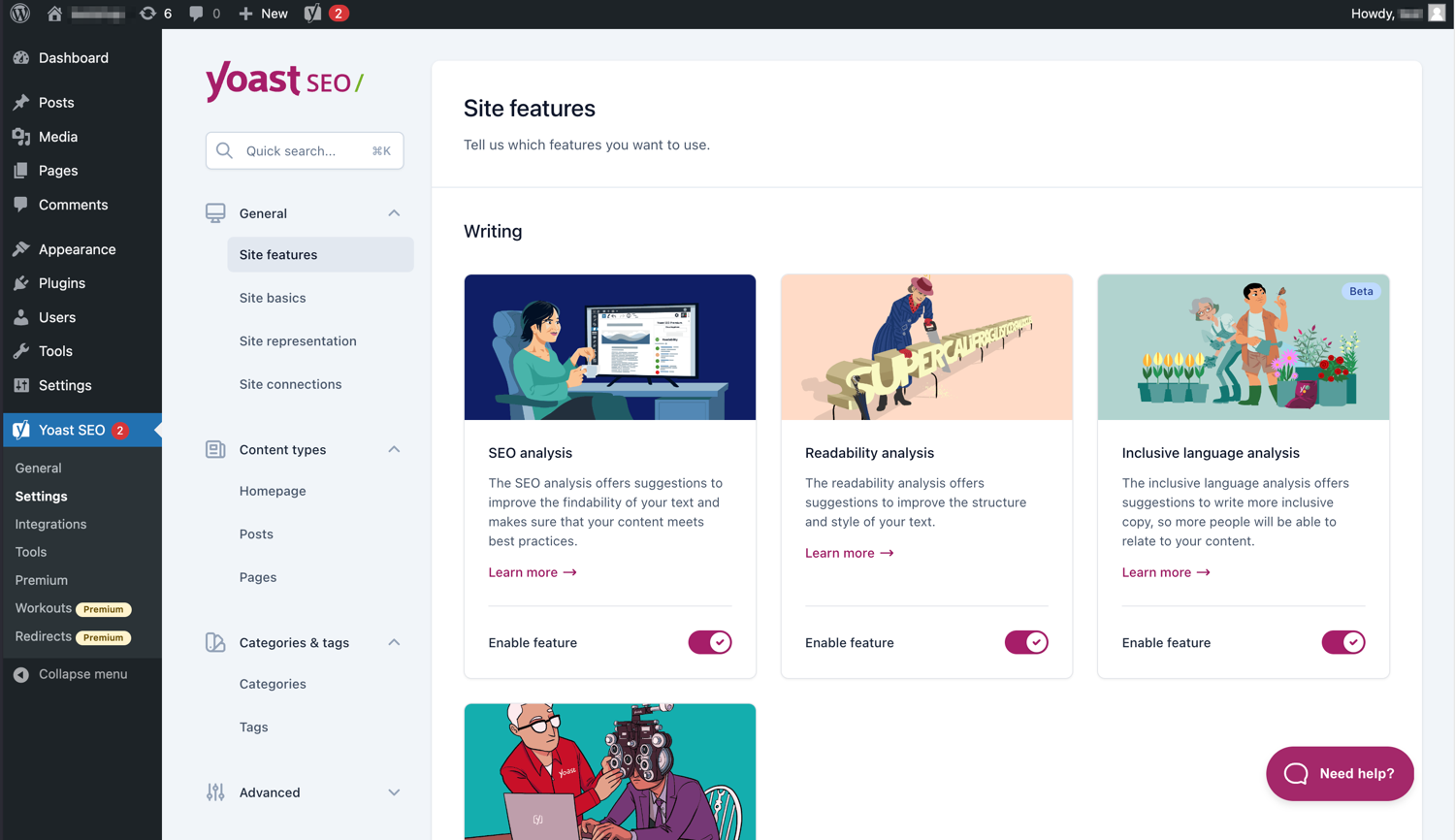
Det moderna gränssnittet gör Yoast SEO lätt att arbeta med. 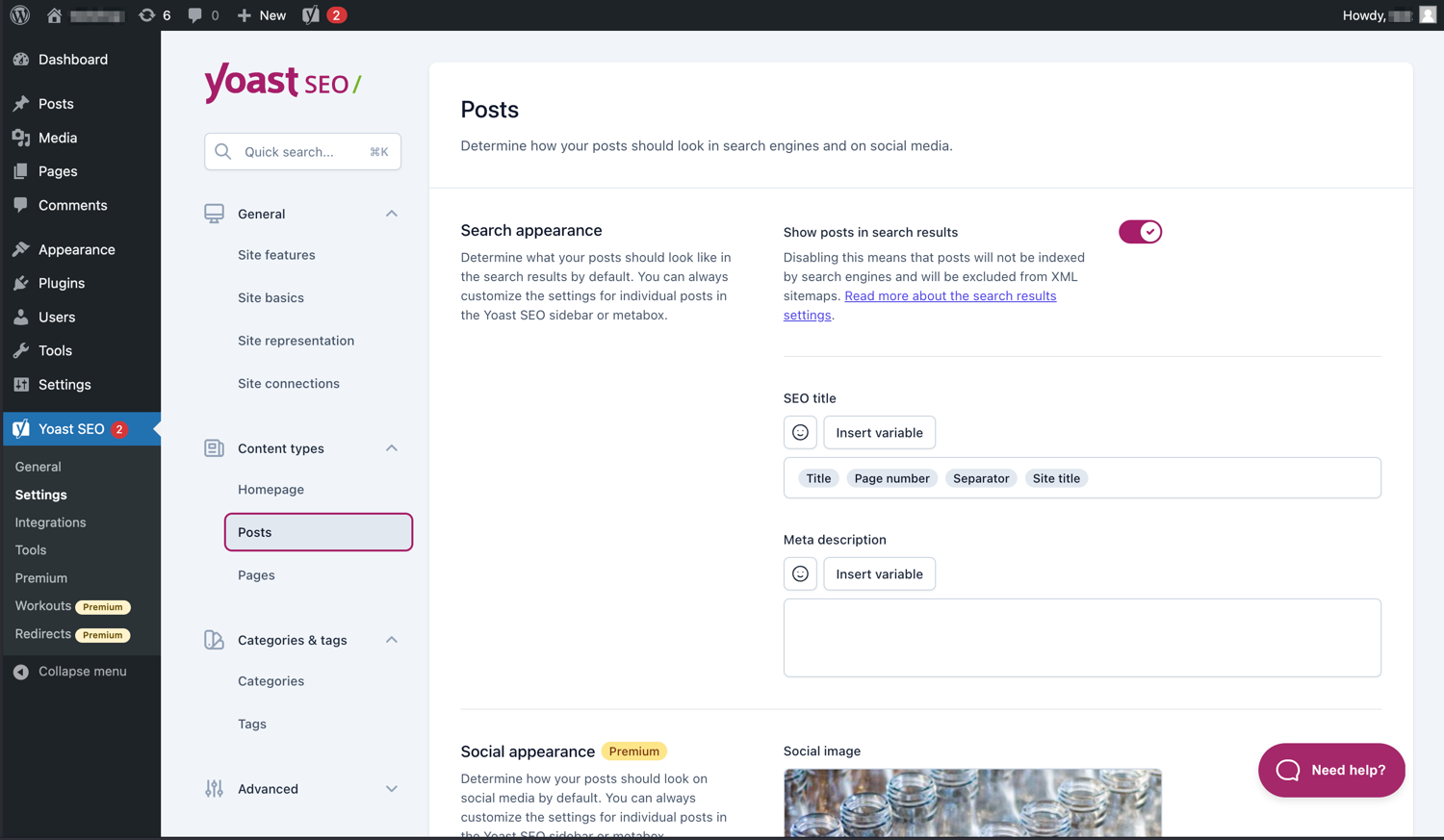
Hantera enkelt hur dina inlägg och sidor visas i sökresultat (SERP). 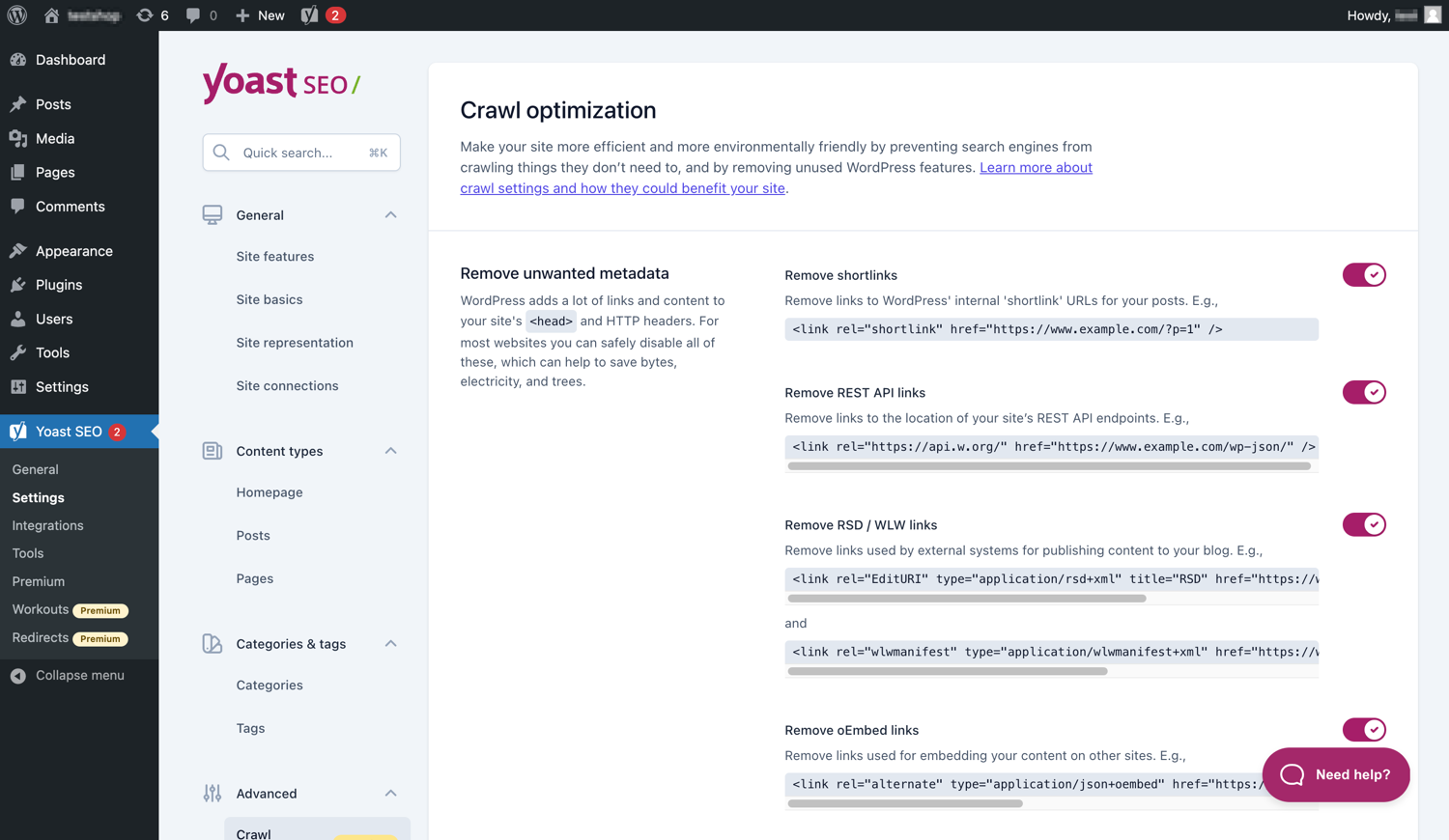
Yoast SEO Premium har extra alternativ för optimering av genomsökning. 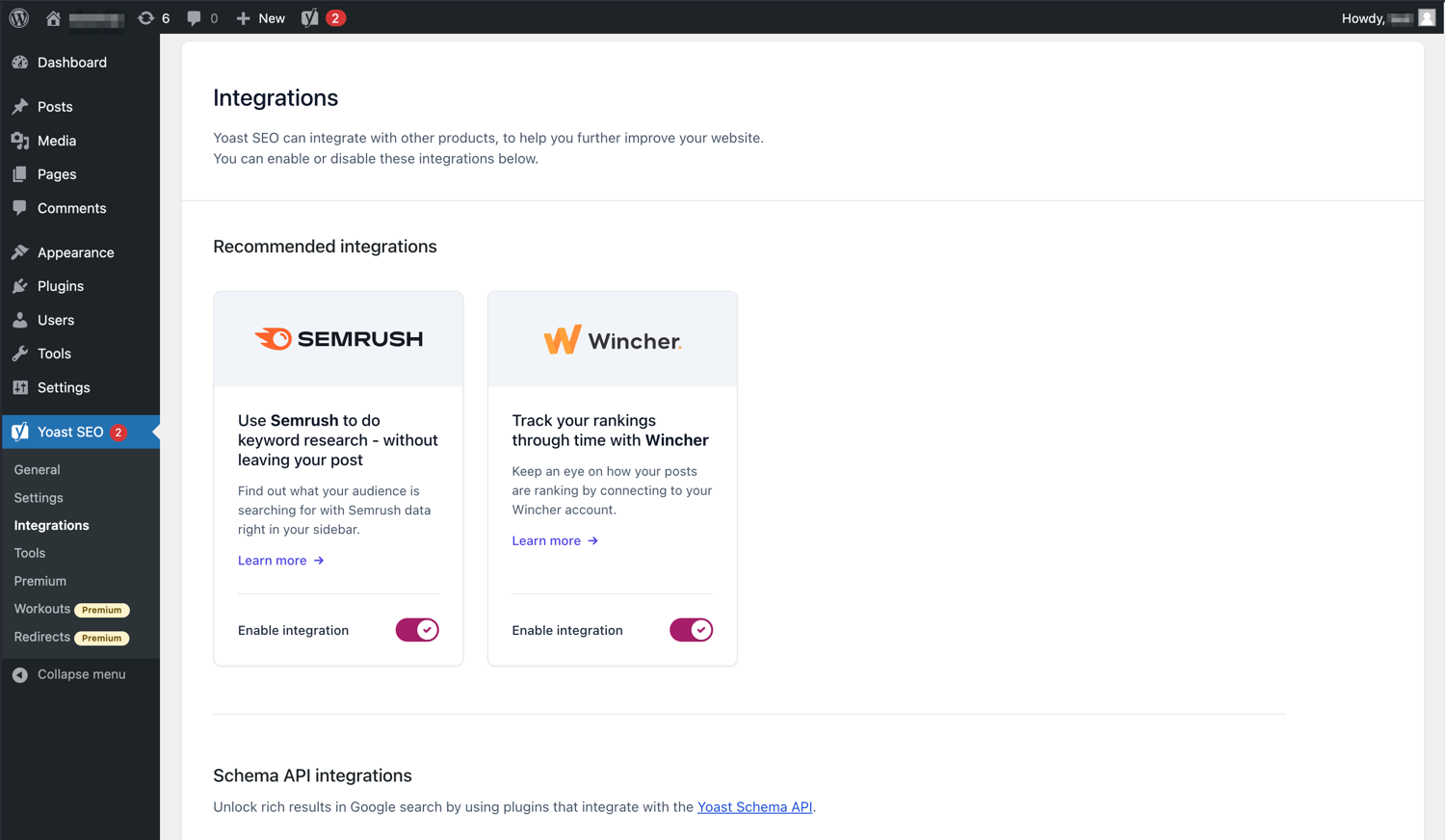
Yoast SEO integreras med verktyg som Semrush och Wincher. 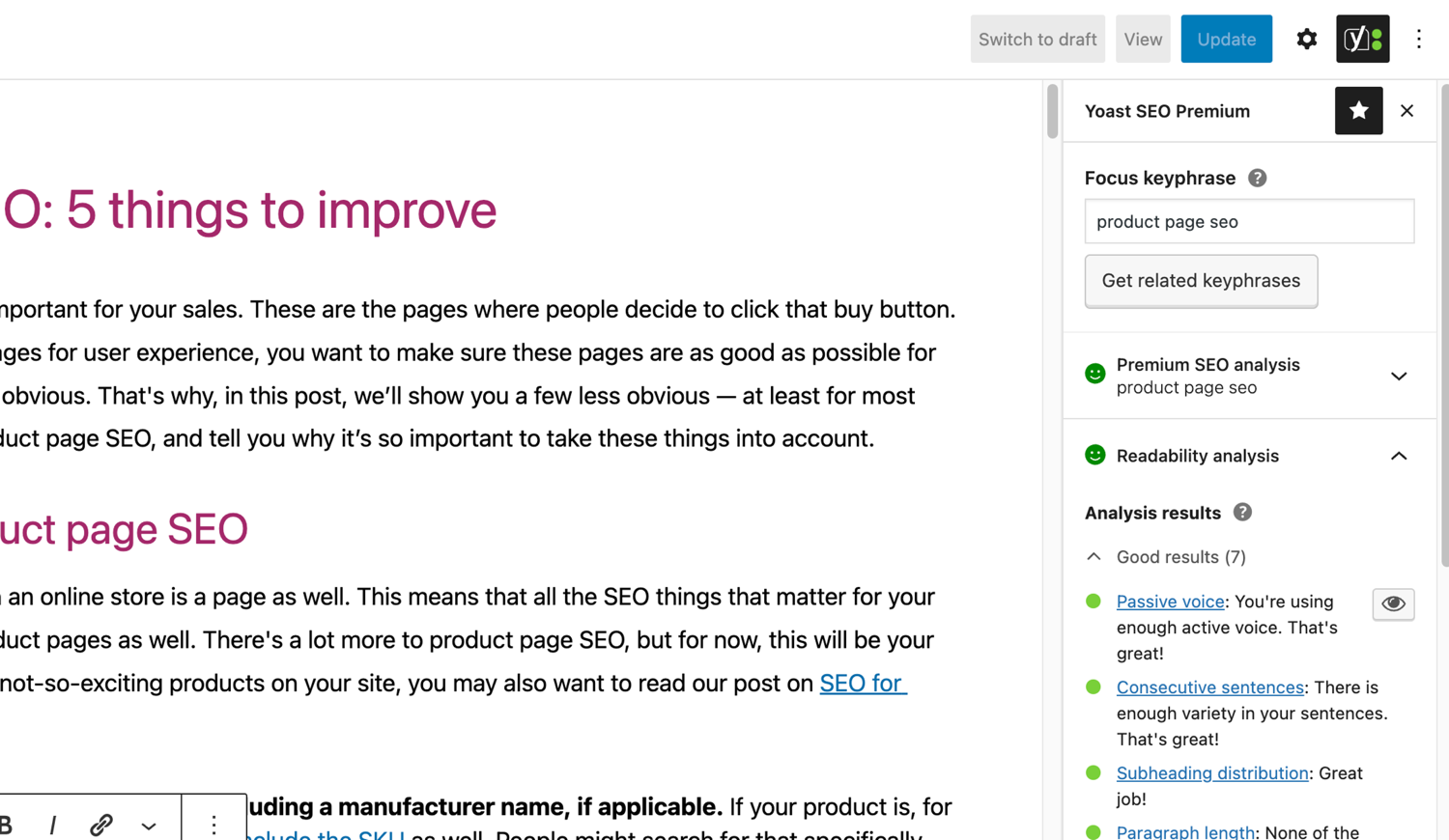
De välkända SEO- och läsbarhetsanalyserna i Yoast SEO. 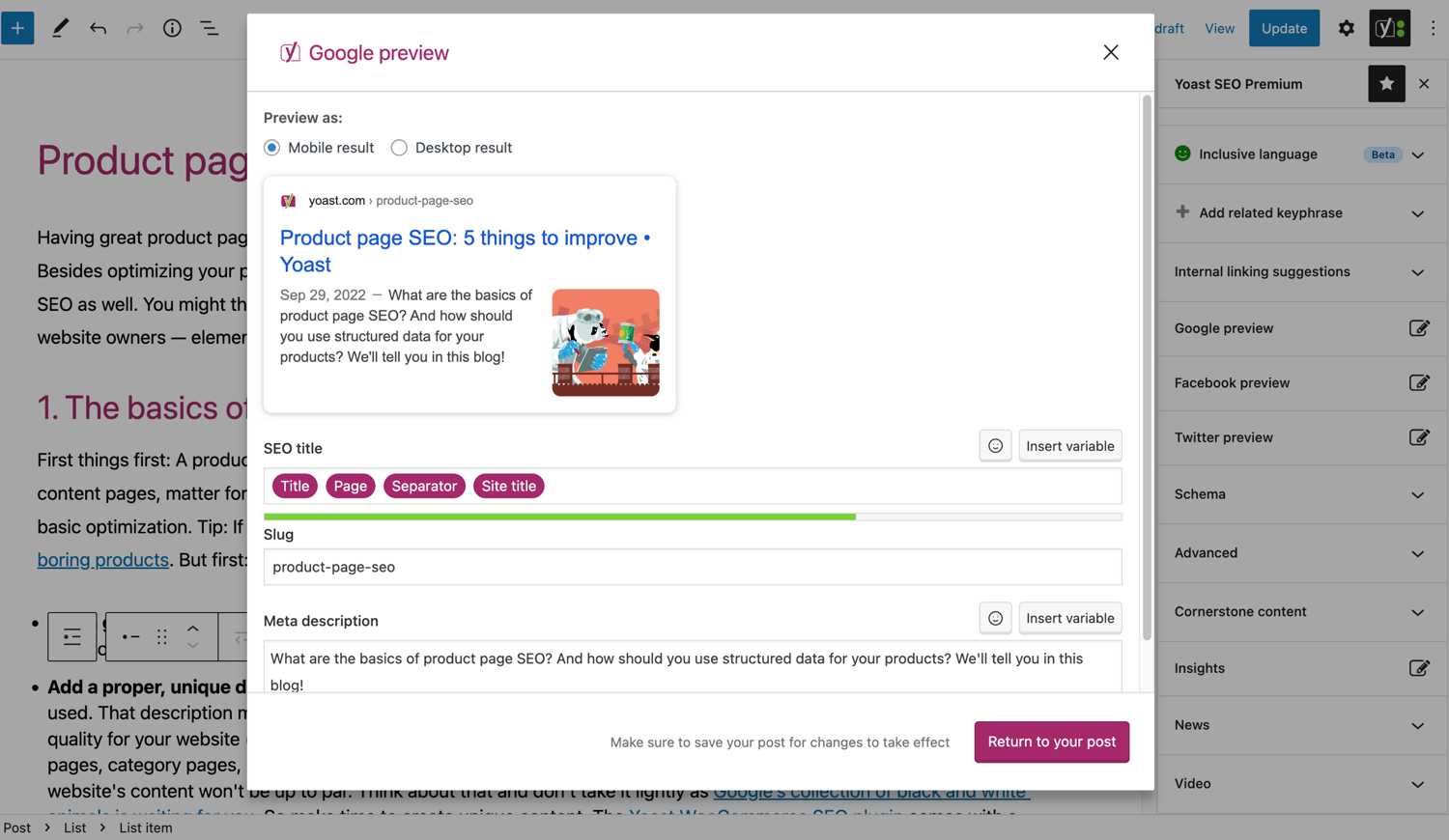
Se hur ditt inlägg ser ut i Google. 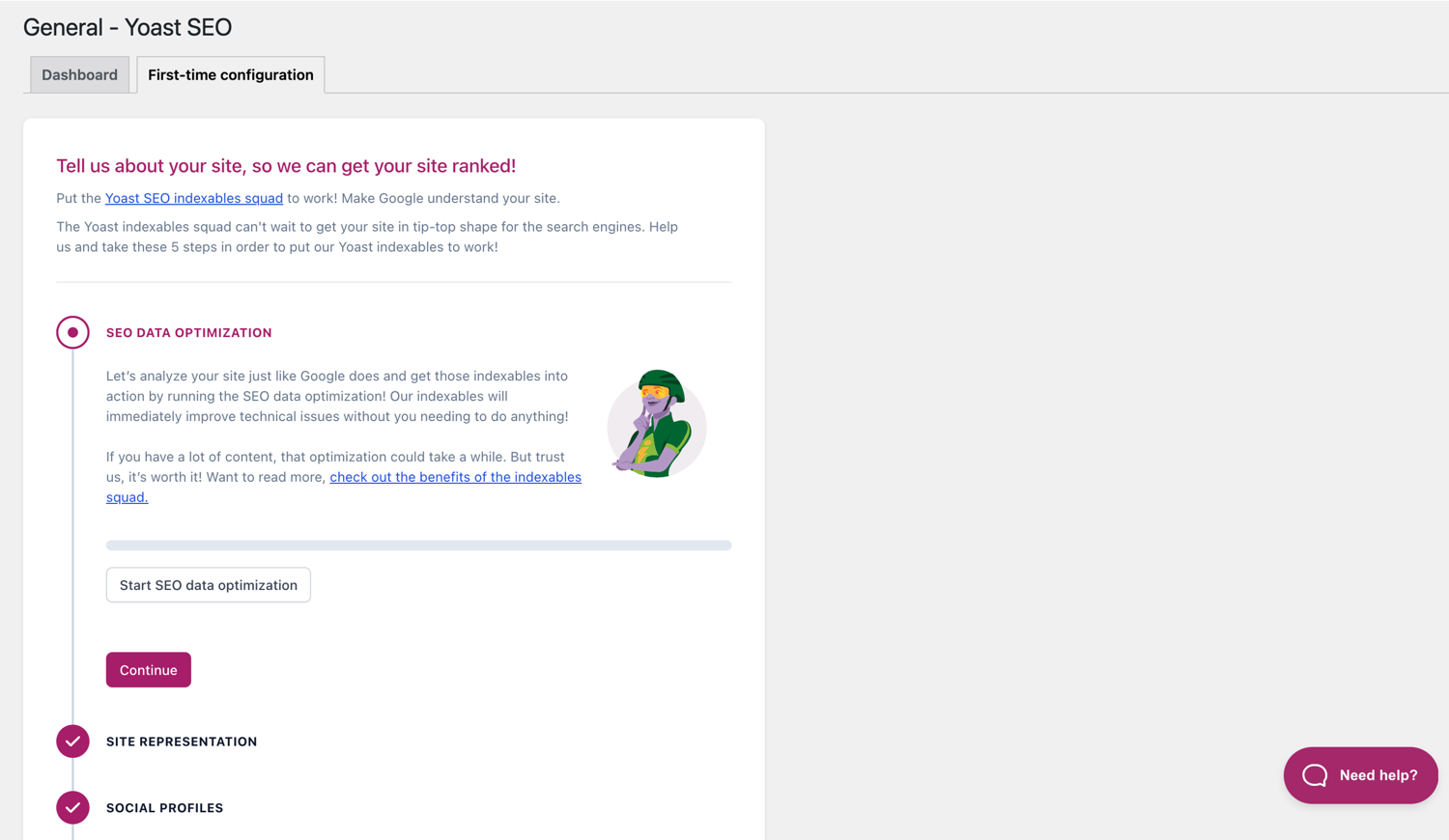
Förstagångskonfigurationen hjälper dig att komma igång snabbt. 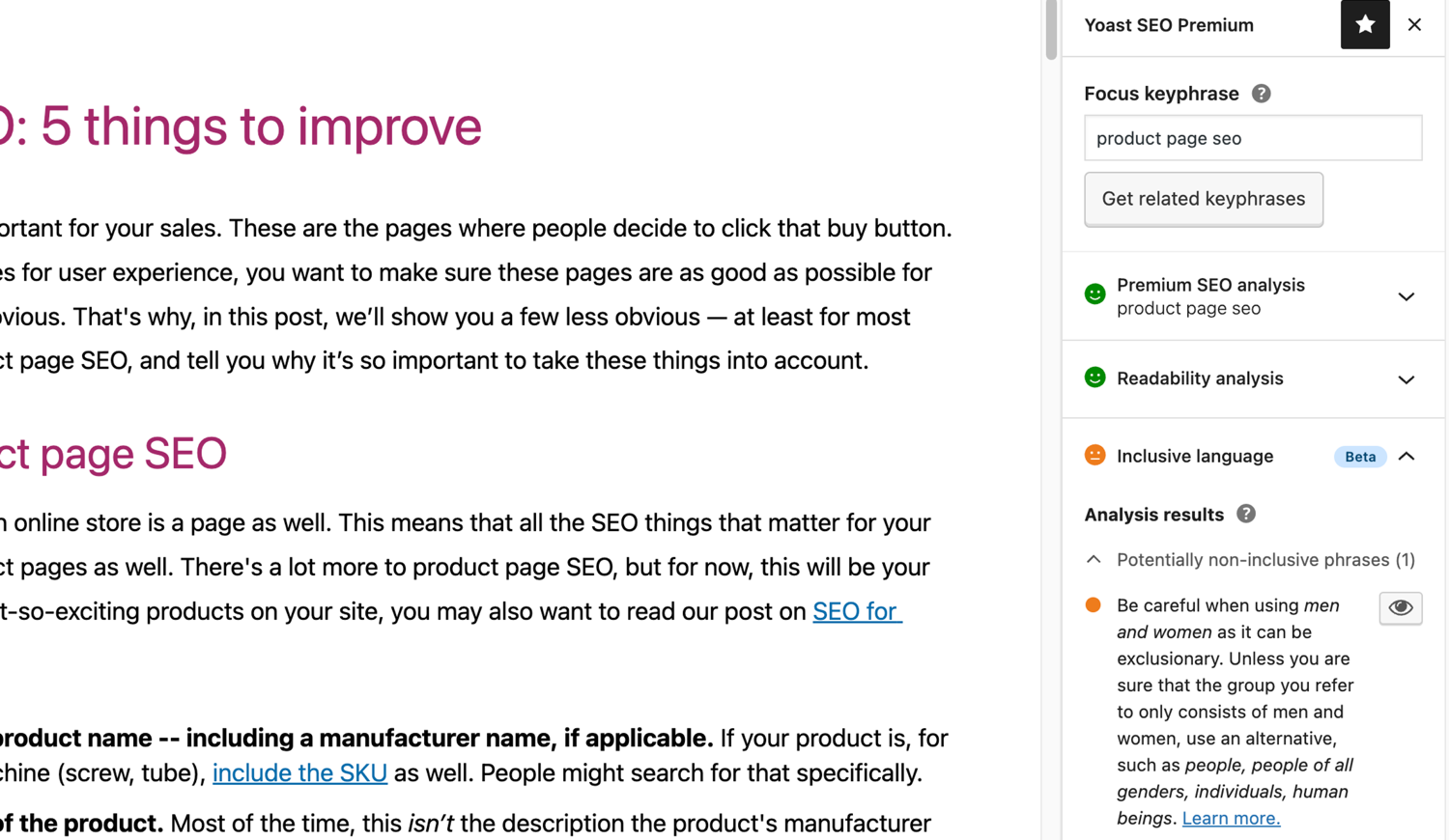
Analysen av inkluderande språk i Yoast SEO. 
Block
Detta tillägg tillhandahåller 2 block.
- Yoast How-to Create a How-to guide in an SEO-friendly way. You can only use one How-to block per post.
- Yoast FAQ List your Frequently Asked Questions in an SEO-friendly way.
Installation
Att komma igång med Yoast SEO består av två steg: att installera och konfigurera tillägget. Yoast SEO är utformat för att passa din webbplats specifika behov, så glöm inte att gå igenom den förstagångskonfigurationen av Yoast SEO, som förklaras i steget ”efter aktivering”! För den senaste vägledningen om hur du installerar Yoast SEO-produkter, besök gärna vårt hjälpcenter.
Vanliga frågor
-
Hur fungerar XML-webbplatskartor i tillägget Yoast SEO?
-
Att ha en XML-webbplatskarta kan vara fördelaktigt för SEO, eftersom Google kan hämta viktiga sidor på en webbplats mycket snabbt, även om den interna länkningen på webbplatsen inte är perfekt.
Webbplatskartsindexet och individuella webbplatskartor uppdateras automatiskt när du lägger till eller tar bort innehåll och kommer att inkludera de posttyper som du vill att sökmotorer ska indexera. Posttyper markerade som noindex kommer inte att visas i webbplatskartan. Lär dig mer om XML-webbplatskartor. -
Hur kan jag lägga till min webbplats till Google Search Console?
-
Det är enkelt att lägga till din webbplats i Google Search Console.
1. Skapa ett konto på Google Search Console och logga in på ditt konto.
2. Klicka på ”Lägg till en egendom” under sökrullgardinsmenyn.
3. Ange din webbplats-URL i rutan och klicka på ”Fortsätt”.
4. Klicka på pilen bredvid ”HTML-tag” för att expandera alternativet.
5. Kopiera metataggen.
6. Logga in på din WordPress-webbplats.
7. Klicka på ”SEO” i instrumentpanelen.
8. Klicka på ”Allmänt”.
9. Klicka på fliken ”Webmasterverktyg”.
10. Klistra in koden i Google-fältet och klicka på ”Spara ändringar”.
11. Gå tillbaka till Google Search Console och klicka på ”Verifiera”.Om du vill ha mer detaljerade steg, besök vår artikel på vårt hjälpcenter.
-
Stegen nedan är en tillfällig lösning eftersom manuella ändringar som görs i temafiler kan skrivas över med framtida temauppdateringar. Kontakta temautvecklaren för en permanent lösning. Vi har skrivit en artikel om vikten av synliga sökvägar för SEO.
För att implementera funktionen synliga sökvägar i Yoast SEO måste du redigera ditt tema. Vi rekommenderar att du tar en säkerhetskopia innan du redigerar temafilerna. Ditt webbhotell kan hjälpa dig att ta en säkerhetskopia.
Kopiera följande kod till ditt tema där du vill att de synliga sökvägarna ska visas. Om du är osäker behöver du experimentera med placeringen:<?php if ( function_exists( 'yoast_breadcrumb' ) ) { yoast_breadcrumb( '<p id="breadcrumbs">','</p>' ); } ?>Vanliga platser där du kan placera dina synliga sökvägar är i din
single.phpoch/ellerpage.php-fil, precis ovanför sidans rubrik. Ett annat alternativ som gör det riktigt enkelt i vissa teman är att helt enkelt klistra in koden iheader.phplängst ner.I de flesta teman som inte är WooTheme-teman bör detta kodstycke inte läggas till i din
functions.php-fil.
Alternativt kan du manuellt lägga till kortkoden för synliga sökvägar till enskilda inlägg eller sidor:[wpseo_breadcrumb]Om du behöver fler detaljer eller en steg-för-steg-guide, läs vår implementeringsguide för Yoast SEO synliga sökvägar.
-
Hur ställer jag in noindex för URL:er?
-
Yoast SEO erbjuder flera alternativ för att ställa in en URL eller en grupp av URL:er till noindex. Läs mer om hur du gör detta i den här guiden.
-
Google visar fel beskrivning, hur åtgärdar jag detta?
-
Om du har skapat bra metabeskrivningar för dina blogginlägg, finns det inget mer irriterande än att Google visar en helt annan beskrivning för din webbplats i sökresultatsutdraget.
Möjliga orsaker kan vara:
1. felaktig beskrivning i koden
2. Googles cache är föråldrad
3. Manipulation av söktermer
4. Google ignorerade metabeskrivningenDu kan läsa mer här om hur du löser problemet med fel beskrivning.
-
Hur ofta är Yoast SEO uppdaterad?
-
Yoast SEO uppdateras varannan vecka. Om du vill veta varför, läs detta inlägg om varför vi släpper en uppdatering varannan vecka!
-
Hur skaffar jag support
-
Eftersom vårt kostnadsfria tillägg används av miljontals människor världen över kan vi inte erbjuda er alla individuell support. Om du har problem med Yoast SEO för WordPress kan du få hjälp i supportforumen här på wordpress.org eller genom att besöka vårt hjälpcenter på yoast.com/help/.
Tilläggen du köper från Yoast kallas ”premiumtillägg” (även om Premium inte står i namnet) och inkluderar ett helt år av gratis uppdateringar och premiumsuppport. Detta innebär att du kan kontakta vårt supportteam om du har några frågor om det tillägget.
-
Vad händer med mina data om jag aktiverar användningsspårning?
-
Denna sida på yoast.com förklarar vilka data vi samlar in för att förbättra Yoast SEO. Vi samlar endast in data när du uttryckligen godkänner det. Läs mer om hur vi hanterar dina data i vår integritetspolicy.
-
Jag har en annan fråga än de som listas här
-
Din fråga har troligen besvarats i vårt hjälpcenter: yoast.com/help/.
Recensioner


Bidragsgivare och utvecklare
”Yoast SEO – Advanced SEO with real-time guidance and built-in AI” är programvara med öppen källkod. Följande personer har bidragit till detta tillägg.
Bidragande personer


”Yoast SEO – Advanced SEO with real-time guidance and built-in AI” har översatts till 58 språk. Tack till översättarna för deras bidrag.
Översätt ”Yoast SEO – Advanced SEO with real-time guidance and built-in AI” till ditt språk.
Intresserad av programutveckling?
Läs programkoden, kika på SVN-filförvaret eller prenumerera på utvecklarloggen via RSS.
Ändringslogg
27.7
Release date: 2026-05-27
Yoast SEO 27.7 brings more enhancements and bugfixes. Find more information about our software releases and updates here.
Bugfixes
- Fixes a bug in Schema aggregator where products Schema pieces had incorrect
@idvalues formainEntityOfPageandimageproperties. - Fixes a bug where a
FocusTrapwarning was thrown and the X button did not receive focus when the replace content confirmation modal from the AI Content Planner was opened. - Fixes a bug where a warning was triggered in the console when editing a post with the Content Planner feature enabled.
- Fixes a bug where only the first piece was returned when indexables were not available.
- Fixes a bug where the AI features section was rendered twice on the user profile page.
- Fixes a bug where the block editor was crashing when some AI features were triggering errors.
- Fixes a bug where the Content Planner inline banner was displayed when editing a template or template part.
Other
- Makes the Academy, Upgrade and Brand insights links visible to more user roles.
27.6
Release date: 2026-05-12
Introduces Yoast AI Content Planner to Yoast SEO Premium, giving five site-specific post ideas and a structured starter draft the moment you open a new post. Haven’t used your free AI sparks yet? Give it a try on us. Read the full release post here.
Enhancements
- Adds the Content Planner feature, which allows users to get AI-powered content suggestions and structured outlines for new posts directly from the block editor. This is available as part of the free sparks allowance in Yoast SEO Free.
Other
- Improves documentation in a docblock. Props to @MukundaKatta.
- Introduces a shared contributor guide for humans and AI coding tools.
Tidigare versioner
För ändringsloggen för tidigare versioner, gå till ändringsloggen på yoast.com.