
Beskrivning
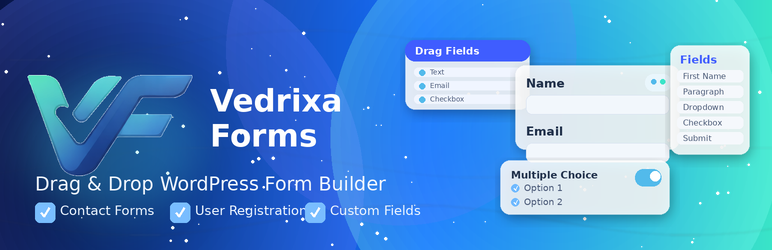
Vedrixa Forms is a powerful WordPress form builder plugin that helps you create contact forms, user registration forms, and custom forms using a simple drag-and-drop form builder.
You can design forms visually in WordPress admin, configure email notifications, display forms anywhere using shortcodes, and manage all submissions from one dashboard.
Vedrixa Forms is ideal for business websites, membership sites, communities, lead generation landing pages, and marketing campaigns.
With Vedrixa Forms you can create:
- Contact forms
- User registration forms
- Lead generation forms
- Feedback forms
- Event registration forms
- Newsletter signup forms
- Frontend submission forms
All without writing code.
The plugin focuses on simplicity, performance, and flexibility, making it a great choice for both beginners and developers.
Contact Form Builder for WordPress
Create powerful contact forms for your WordPress website using the visual drag-and-drop form builder.
You can add fields, configure validation, send email notifications, and manage submissions directly from your WordPress dashboard.
Perfect for:
- Customer inquiries
- Support forms
- Feedback forms
- Business contact pages
Registration Form Builder
Vedrixa Forms also includes a WordPress user registration form builder.
You can create custom registration forms and allow visitors to sign up directly from the frontend.
Useful for:
- Membership websites
- Community portals
- Course platforms
- User signup forms
Drag and Drop Form Builder
Vedrixa Forms includes an intuitive drag-and-drop form builder that makes creating forms extremely easy.
Simply add fields, arrange them visually, configure settings, and publish the form using a shortcode.
No coding required.
WordPress Form Builder Plugin
Vedrixa Forms is a lightweight WordPress form builder plugin designed to help you create contact forms and registration forms without coding.
The plugin includes a drag-and-drop builder, multiple field types, conditional logic, submission management, and frontend shortcode support.
Key Features
- Drag-and-drop WordPress form builder for contact forms and registration forms
- Separate form types for contact forms and user registration forms
- Visual form dashboard with build, configure, preview, and submissions screens
- Frontend shortcode support for embedding forms anywhere
- Conditional logic for supported fields
- Email notifications and autoresponder support
- SMTP email configuration from global settings
- Google reCAPTCHA spam protection
- Submission management from the WordPress dashboard
- Form submission limits and per-email submission restrictions
- Registration workflow controls including role assignment and email verification
- Account status handling for registered users (active, pending, inactive)
- File upload support with media library integration
- Password validation policies for registration forms
- Lightweight builder with upgrade-ready Pro modules
Form Field Types
Vedrixa Forms includes a broad field set for building powerful contact forms and registration forms.
Layout fields:
- Heading
- Paragraph
- Divider
- Spacing
Basic input fields:
- Text
- Textarea
- Number
- Date
Selection fields:
- Dropdown
- Radio buttons
- Checkboxes
Registration fields:
- First Name
- Last Name
- Username
- User Email
- Password
- Confirm Password
Advanced fields available in the builder:
- Country
- Timezone
- Terms & Conditions checkbox
- File Upload
- Repeatable Text
- Nickname
- Website
- Biographical Info
- Profile Image
- Mobile Number
- Phone Number
- Gender
- Language
- Multi Dropdown
Social profile fields:
- YouTube
- SoundCloud
- MixCloud
Perfect for Many Types of Forms
Vedrixa Forms can be used to build many types of forms including:
- Contact forms
- Registration forms
- Lead capture forms
- Feedback forms
- Event registration forms
- Newsletter signup forms
- Custom frontend forms
Why Choose Vedrixa Forms
Vedrixa Forms focuses on simplicity, flexibility, and performance.
Unlike many complex form plugins, Vedrixa Forms provides a clean and easy workflow for building forms while still offering powerful features.
Advantages include:
- Simple drag-and-drop builder
- Contact and registration forms in one plugin
- Lightweight architecture
- Clean shortcode integration
- Built-in submission manager
- Easy configuration for non-technical users
Shortcode
Display any form anywhere on your website using a shortcode:
[wpefb_registration id="FORM_ID"]
External Services
This plugin can connect to Google reCAPTCHA to protect forms from spam.
When enabled, reCAPTCHA loads Google scripts on the frontend form page and sends interaction data to Google for spam detection.
Google policies:
Terms of Service
https://policies.google.com/terms
Privacy Policy
https://policies.google.com/privacy
Skärmdumpar

Drag and drop form builder interface 
Field settings panel 
Global plugin settings 
Submissions management screen 
Frontend contact form display 

Installation
- Upload the
vedrixa-forms-registration-builderfolder to/wp-content/plugins/. - Activate the plugin through the Plugins menu in WordPress.
- Go to Vedrixa Forms in the WordPress admin panel.
- Create a form using the drag-and-drop builder.
- Copy the generated shortcode.
- Paste the shortcode into any page or post.
Vanliga frågor
-
Does Vedrixa Forms support both contact and registration forms?
-
Yes. Vedrixa Forms allows you to create both contact forms and user registration forms.
-
Can I display forms on any page?
-
Yes. Simply place the shortcode in any page, post, or widget area.
Example:
[wpefb_registration id="1"] -
Can I manage form submissions?
-
Yes. Vedrixa Forms includes a built-in submission manager where you can review and filter entries.
-
Does this plugin include spam protection?
-
Yes. You can enable Google reCAPTCHA to reduce spam submissions.
-
Is coding required to build forms?
-
No. Vedrixa Forms provides a visual drag-and-drop builder, so you can create forms without coding.
Recensioner
Detta tillägg har inga recensioner.
Bidragsgivare och utvecklare
”Vedrixa Forms – Contact Form, Registration Form & Drag-and-Drop Form Builder” är programvara med öppen källkod. Följande personer har bidragit till detta tillägg.
Bidragande personer
Intresserad av programutveckling?
Läs programkoden, kika på SVN-filförvaret eller prenumerera på utvecklarloggen via RSS.
Ändringslogg
1.0.2
- UI improvements.
1.0.1
- Minor improvements and fixes.
1.0.0
- Initial release.