

Beskrivning
With Mission Control you can assign levels to each of the sites on your network. Create as many levels as you need and assign different restrictions or features to the levels by using extensions.
The following core extensions are available:
- Plugin Control: Assign which plugins are available for each level. Choose any plugins that should always be active for a level and/or choose plugins that should automatically be enabled once a site gets assigned the level.
- Theme Control: Choose which themes should be available to each site level. Choose to show unavailable themes with an indicator of the required level for those themes.
- Level Message: Create a message that will be shown for each level. The message can be added by a shortcode or automatically added before or after your post content.
- Quota Manager: Set the upload quota for each of your site levels. The available space will show in the site dashboard and on the upload page in the media library.
REST API:
- Mission Control uses the REST API to manage the extensions enabled on your network for a better admin user experience.
- Mission Control also allows for third party extensions to tap into the API to add their own endpoints to the Mission Control namespace.
Have any ideas for extensions? Please let us know!
Skärmdumpar

Mission Control extensions. 
Edit your site levels. 
Plugin Control: Plugin settings for each level. 
Theme Control: Theme settings for each level. 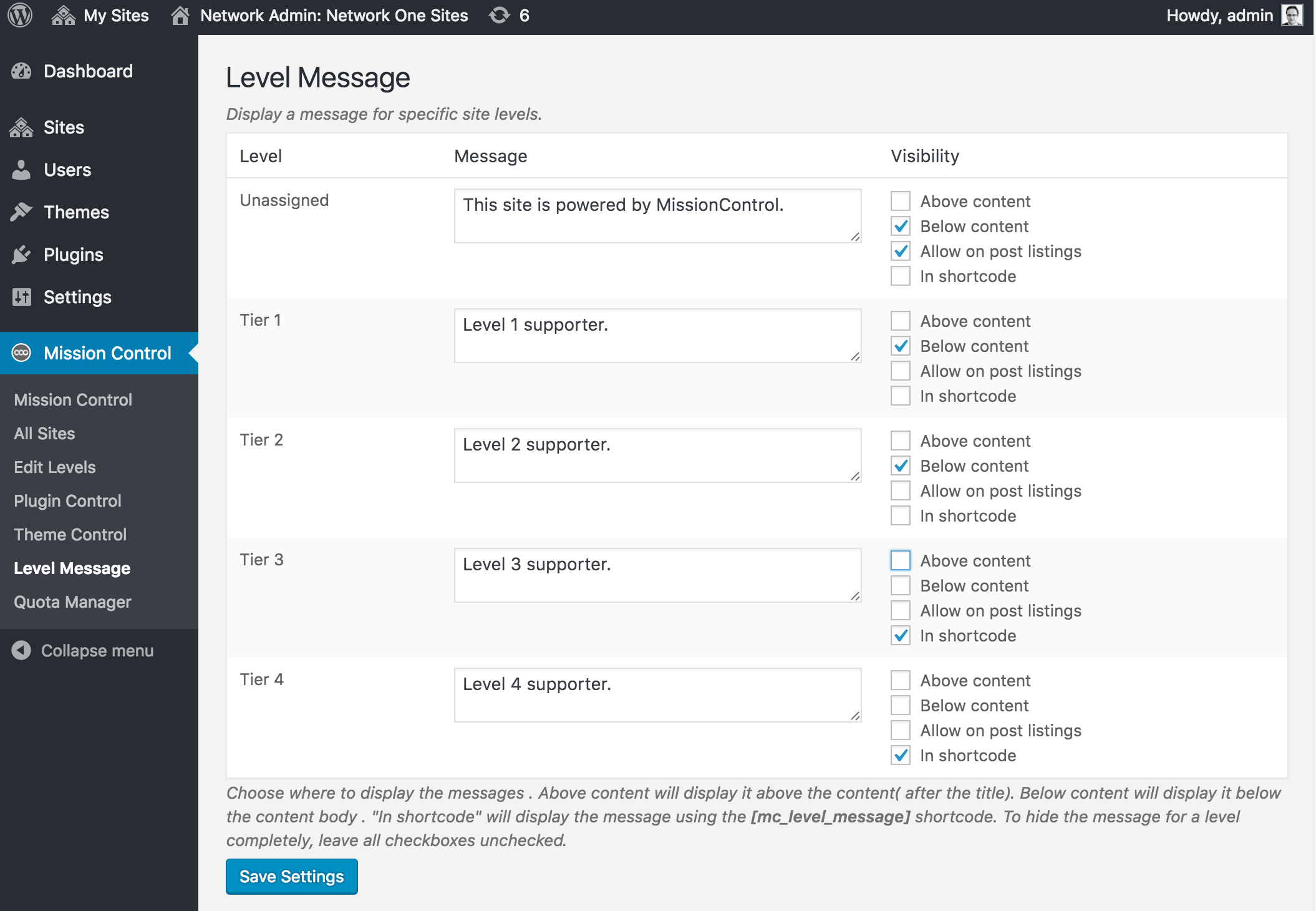
Level Message: Set a message for each site level. 
Quota Manager: Set a disk quota for each site level. 
Theme selection. Note the locked theme.
Installation
- Upload the plugin files to the /wp-content/plugins/mission-control directory, or install the plugin through the WordPress plugins screen directly.
- Activate \”Mission Control\” through the \’Plugins\’ screen in WordPress
- Once activated, click on the new \”Mission Control\” menu item to configure your settings.

Bidragsgivare och utvecklare
”Mission Control” är programvara med öppen källkod. Följande personer har bidragit till detta tillägg.
Bidragande personer
Översätt ”Mission Control” till ditt språk.
Intresserad av programutveckling?
Läs programkoden, kika på SVN-filförvaret eller prenumerera på utvecklarloggen via RSS.
Ändringslogg
0.1
- Initial plugin release.