

Beskrivning
This open source plugin provides a solution for the technical implementation of the DocCheck login onto WordPress websites and authenticates verified healthcare professionals, thus securing your website according to the German Health Services and Products Advertising Act.
Features:
- Login-iFrame in 4 different sizes and 6 languages (GER, EN, FR, NL, IT, ES)
- DocCheck login integration with shortcode
- Protected websites in your navigation bar can be hidden from non-authorised users
- Information on public websites that is subject to the German Health Services and Products Advertising Act can be hidden from non-authorised users
- User authentication with OAuth2
User authentication with OAuth2 provides a high security standard and is part of the paid DocCheck Economy and Business license. This is why the WordPress plugin is not available for Basic login clients.
DocCheck is not the author and can therefore not provide support for this plugin.
If you have questions regarding the plugin, please direct them to the support forum.
If you have any questions regarding the DocCheck login service and the DocCheck licenses, you can contact the DocCheck support.
Skärmdumpar

Backend: Plugin settings 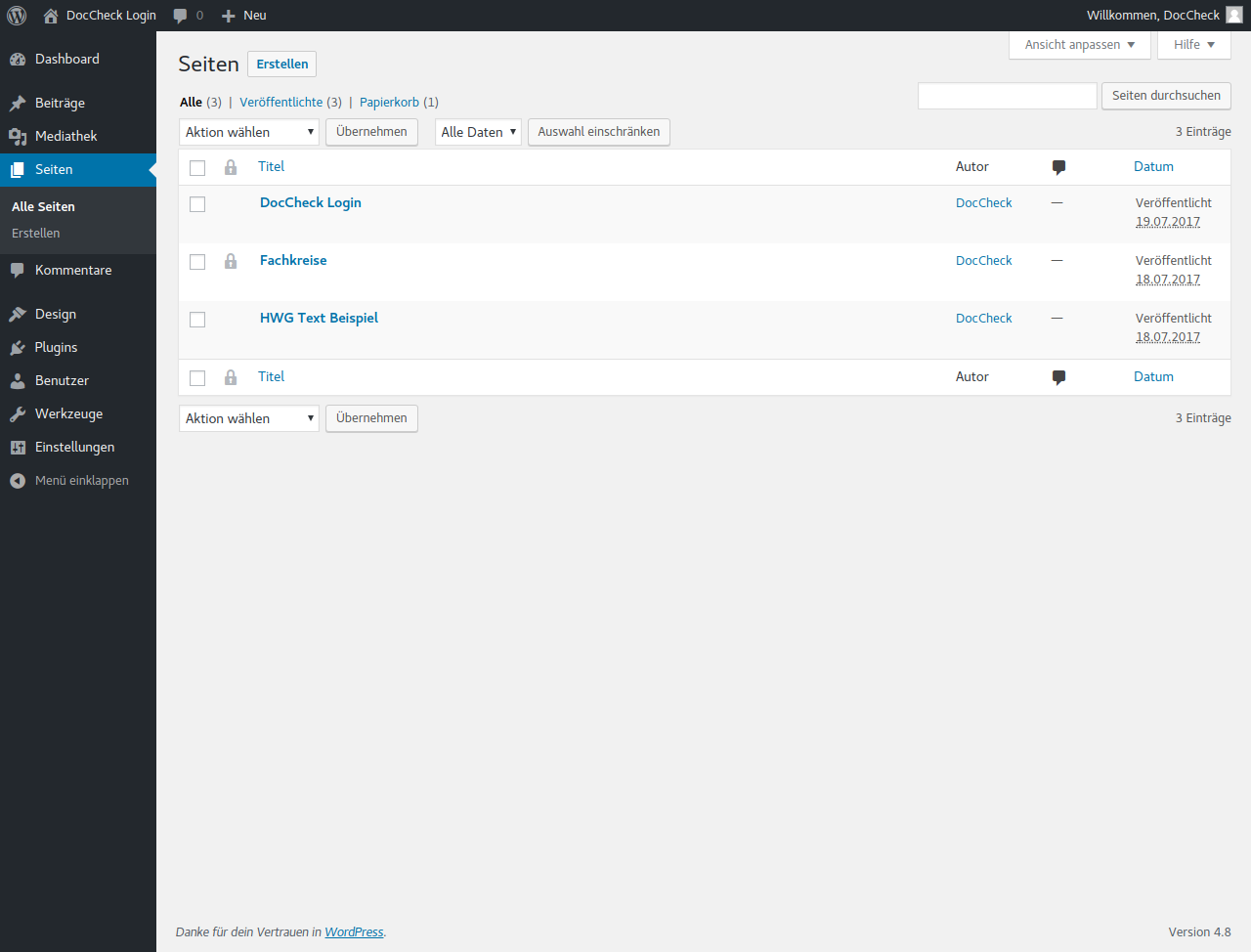
Backend: Icon to indicate which pages are access restricted 
Backend: Checkbox to access restrict page 
Backend: Shortcode to hide content if user is not logged in via DocCheck 
Backend: Shortcode to display login iframe
Installation
- Upload folder
doccheck-loginto the/wp-content/plugins/directory - Activate the plugin through the ’Plugins’ menu in WordPress
- Check out the ”first steps” help tab on the settings page for further guidance
Vanliga frågor
-
What do I need for the plugin to run properly?
-
- A DocCheck user account. You can register here.
- Ett företagskonto i DocChecks inloggningsadministration, som kan skapas här. Det är här du kan ställa in en Basic inloggningsklient. Se även deras tekniska manual.
- An Economy or Business License. In order to get an individual quote, please write a mail to industry[at]doccheck[dot]com
- Klienthemligheten för OAuth2-kommunikationen. När du har accepterat en offert. DocCheck kommer att tilldela licensfunktionerna och tillhandahålla klienthemligheten.
-
Can I test the plugin?
-
- DocCheck offers you a free 14-day trial for a license of your choice. If you are interested, you can reach out to industry[at]doccheck[dot]com. Beforehand, you will have to set up the company account and the Basic login in DocCheck’s login administration.
- As test licenses are designed for use with test users only, please make sure to not use a live environment for testing.
- Test users can be created in CReaM. Click here to learn how.
-
Vad kan jag kontrollera om autentiseringen misslyckas?
-
- Kontrollera om klienthemlighet och inloggnings-ID är korrekt inställda
- Kontrollera loggarna för eventuella misstänkta poster
- Kontrollera om någon cachning förhindrar korrekt sessionshantering
- Kontrollera om OAuth2-kommunikationen med DocCheck-servern kan upprättas
- Check if the main target URL is set correctly in the login settings in the DocCheck login administration CReaM
Recensioner

Bidragsgivare och utvecklare
”DocCheck Login” är programvara med öppen källkod. Följande personer har bidragit till detta tillägg.
Bidragande personer
”DocCheck Login” har översatts till 2 språk. Tack till översättarna för deras bidrag.
Översätt ”DocCheck Login” till ditt språk.
Intresserad av programutveckling?
Läs programkoden, kika på SVN-filförvaret eller prenumerera på utvecklarloggen via RSS.
Ändringslogg
1.1.8
- Fixing Deeplink function
1.1.7
- Enhance security & modifying parameters
1.1.6
- Fix security issues
1.1.5
- Fixing the return_uri and escaping, replace wp_remote_get with wp_remote_post.
1.1.4
- add support for ”php”: ”<=7.4”
1.1.3
- Fix security issues
1.1.2
- add wp_remote_get instead of CURL and add UTM parameters after redirect
- Tested up to 6.2
1.1.1
- add more details of CURL request in error messages
- Tested up to 6.2
1.1.0
- Update Help First Step Tab, add cookie lifetime option to new session
- Tested up to 5.9
1.0.9
- Fix active session detecting by WordPress Site Health
- Tested up to 5.7.1
1.0.8
- Bug fix profession routing and profession access management
1.0.7
- Added profession routing and profession access management
- Tested up to 5.4.2
1.0.6
- Added option to auto set language with WPML Plugin
- Tested up to 5.2.3
1.0.5
- Added Support of Custom Post Types
- Tested up to 5.2.3
1.0.4
- Added cache helper for cache plugin compatibility
- Tested up to 5.2.3
1.0.3
- Replaced internal redirect handling with return_uri parameter from DocCheck Login.
- Tested up to 5.2.2
1.0.2
- Fixed cookie handling.
- Tested up to 5.2.1
1.0.1
- Adjusted plugin textdomain to match plugin slug.
1.0.0
- Plugin release.