

22 Feb Python Classes and Objects
Python is an interpreted high-level, structural, and object-oriented programming language. Since it is object-oriented, the concept of classes and objects is well-discussed and implemented. A class is the basis of object-oriented programming in Python. In this tutorial, we will learn about Classes and Objects in Python. A class is a template for an object, whereas an object is an instance of a class.
What is a class in Python
As discussed above, a class is a blueprint for objects in Python. We can easily create a class like this:
class name_of_class:
# Statement1
# Statement2
# Statement3
.
.
.
StatementN
Class Definition in Python
The class keyword is used to create a class in Python. The class is a reserved word in Python. In the example below, we will see how to create a class in Python:
Demo85.py
# creating a class with a property val
# the class keyword is used to create a class
class Studyopedia:
  val = 100

print(Studyopedia)
Output
<class '__main__.Studyopedia'>
What is an object in Python?
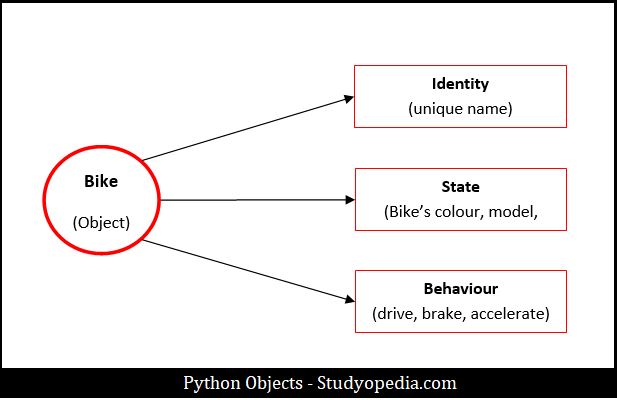
An object is an instance of a class i.e. object is created from a class. An object represents real-life entities, for example, a Bike is an object. The object has State, Behavior, and Identity:
- Identity: Name of Bike
- State (Attributes): The data of the object Bike i.e. Color, Model, Weight, etc.
- Behavior (Methods): Behavior of object Bike like to Drive, Brake
Let us now see the representation, with Bike as an object:
How to Create an Object in Python
Considering the above example of classes in Python, we can easily create an object.
Demo86.py
# creating a class with a property val
# the class keyword is used to create a class
class Studyopedia:
  val = 100

print(Studyopedia)

# object ob
ob = Studyopedia()

# displaying the value using the object ob
print("Value = ",ob.val)
Output
<class '__main__.Studyopedia'>
Value =  100
Now, we can easily create a sample Python program on Classes and Objects. Let’s see.
Example – Python Classes and Objects
Demo87.py
# class
class Bike:

    # attributes of Bike
    name = "Hayabusa"
    body = "GEN III"
    engine = 1340

    # Custom Python function
    def demoFunc(self):
        print("\nBike = ", self.name)
        print("Body = ", self.body)
        print("Engine (cc) = ", self.engine)

# Objects
b1 = Bike()
b2 = Bike()

# Accessing using the 1st object
print("Bike name = ",b1.name)
print("Bike Engine = ",b1.engine)

# calling using the 2nd object
b2.demoFunc()
Output
Bike name =  Hayabusa
Bike Engine =  1340

Bike =  Hayabusa
Body =  GEN III
Engine (cc) =  1340
Python _init_() Function
The classes in Python have __init__() function. Like constructors in Java, the __init__() function executes when the object gets created. Using this method, easily assign values to object properties.
Let us understand with an example, wherein we will create a class Students and values will be assigned using the __init__(). We have also created object functions:
Demo88.py
class Students:

  # using the __init__ function
  def __init__(self, sname, ssub, sgrade):
    self.sname = sname
    self.ssub = ssub
    self.sgrade = sgrade

  # custom function
  def demofunc(self):
    print("I am " + self.sname)
    print("I am interested in the Subject " + self.ssub)

# creating 3 objects for class Students
st1 = Students("Amit", "Programming", "A+")
st2 = Students("Rohit", "Science", "A")
st3 = Students("Shreyas", "Math", "B+")

# calling the custom function using objects
st1.demofunc()
st2.demofunc()
st3.demofunc()
Output
I am Amit
I am interested in the Subject Programming
I am Rohit
I am interested in the Subject Science
I am Shreyas
I am interested in the Subject Math
Above, we have also used the self parameter. The class methods in Python have the first parameter as self to access the class variable. A method with no argument should also have an argument self However, we can give it any name. It is not mandatory to use the word self.
Python Tutorial (English)
If you liked the tutorial, spread the word and share the link and our website Studyopedia with others.
For Videos, Join Our YouTube Channel: Join Now
Read More

No Comments