

25 Feb JavaScript Strings
A String object in JavaScript represents a sequence of characters. Let us see what is a string and string object with its properties and methods, with live running examples.
Create a String and String Object
Let us see how to create a string. We have used double quotes here:
let str="Amit Diwan";
We can also use single quotes:
let str='Amit Diwan';
To create a string object using the new keyword:
let str= new String('Amit Diwan');
JavaScript String Properties
The following are some of the String object properties:
- Constructor
- Length
Let us understand the properties one by one with examples.
string.constructor
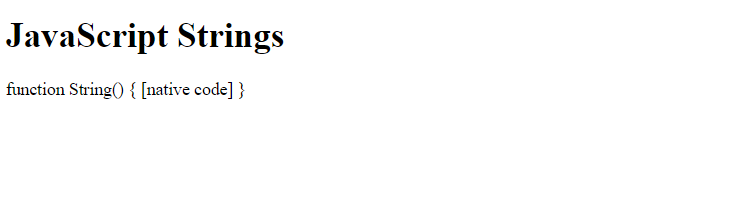
This property returns a reference to the String function that created the object. Let us see an example:
<!DOCTYPE html>
<html>
<body>

<h1>JavaScript Strings</h1>

<p id="test"></p>

<script>
let str = new String("Amit Diwan");

// String Constructor property
document.getElementById("test").innerHTML = str.constructor;
</script>

</body>
</html>
Output
string.length
The length property returns the length of the string. Let us see an example:
<!DOCTYPE html>
<html>
<body>

<h1>JavaScript Strings</h1>

<p id="test"></p>

<script>
let str = new String("Amit Diwan");

// String length property
document.getElementById("test").innerHTML = str.length;
</script>

</body>
</html>
Output

JavaScript String Methods
The following are some of the String object methods:
- charAt()
- concat()
- indexOf()
- lastIndexOf()
- slice()
- toUpperCase()
- toLowerCase()
Let us understand the methods one by one with examples.
JavaScript charAt() method
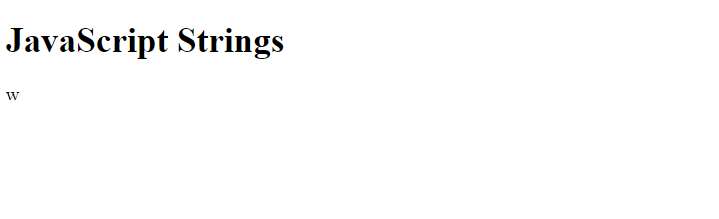
The charAt() method is used to return the character at a specified index. Let us see an example to understand the charAt() method in JavaScript. We are finding the character at the 7th index:
<!DOCTYPE html>
<html>
<body>

<h1>JavaScript Strings</h1>

<p id="test"></p>

<script>
let str = new String("Amit Diwan");

// Finding the character at index 6
document.getElementById("test").innerHTML = str.charAt(7);
</script>

</body>
</html>
Output
JavaScript concat() method
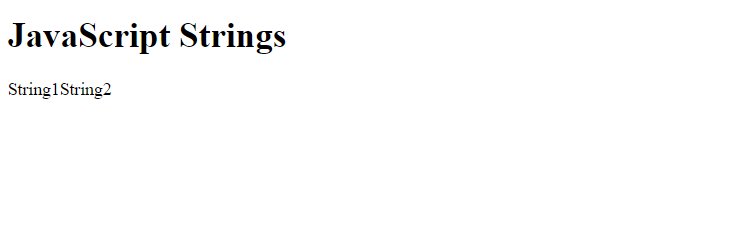
The concat() method is used to concatenate two strings. Let us see an example to understand the concat() method in JavaScript:
<!DOCTYPE html>
<html>
<body>

<h1>JavaScript Strings</h1>

<p id="test"></p>

<script>
 let str1 = new String( "String1" );
 let str2 = new String( "String2" );

// Concatenate strings using the concat() method
document.getElementById("test").innerHTML = str1.concat(str2);

</script>

</body>
</html>
Output
JavaScript indexOf() method
The indexOf() method is used to return the index of the first occurrence of the given value. Let us see an example to understand the indexOf() method in JavaScript. We will find the index of the first occurrence of the character i:
<!DOCTYPE html>
<html>
<body>

<h1>JavaScript Strings</h1>

<p id="test"></p>

<script>
let str = new String("Amit Diwan");

/* Get the index of the first occurrence  of character i
   using the indexOf() method */
let res = str.indexOf("i");

document.getElementById("test").innerHTML = res

</script>

</body>
</html>
Output

JavaScript lastIndexOf() method
The lastIndexOf() method is used to return the index of the last occurrence of the given value. Let us see an example to understand the lastIndexOf() method in JavaScript. We will find the index of the last occurrence of the character i:
<!DOCTYPE html>
<html>
<body>

<h1>JavaScript Strings</h1>

<p id="test"></p>

<script>
let str = new String("Amit Diwan");

/* Get the index of the last occurrence  of character i
   using the lastIndexOf() method */
let res = str.lastIndexOf("i");

document.getElementById("test").innerHTML = res

</script>

</body>
</html>
Output

JavaScript slice() method
The slice() method is used to slice the string i.e., extract a section and return it as a new string. Let us see an example to understand the slice() method in JavaScript. We will extract the part of a string from specific start and end indexes:
<!DOCTYPE html>
<html>
<body>

<h1>JavaScript Strings</h1>

<p id="test"></p>

<script>
let str = new String("Amit Diwan");

/* The slice methods extract the part of a string from the 6th index
   to the 8th as placed as parameters */
let res = str.slice(6, 8);

document.getElementById("test").innerHTML = res

</script>

</body>
</html>
Output

JavaScript toUpperCase() method
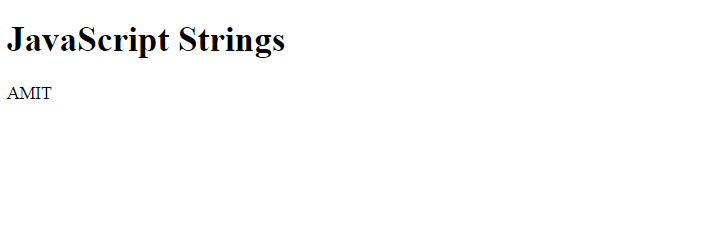
The toUpperCase() method is used to convert the string into upper case. Let us see an example to understand the toUpperCase() method in JavaScript:
<!DOCTYPE html>
<html>
<body>

<h1>JavaScript Strings</h1>

<p id="test"></p>

<script>
let str = new String("amit");

// Convert to uppercase using toUpperCase()
let res = str.toUpperCase(str);

document.getElementById("test").innerHTML = res
</script>

</body>
</html>
Output
JavaScript toLowerCase() method
The toLowerCase() method is used to convert the string into lower case. Let us see an example to understand the toLowercase() method in JavaScript:
<!DOCTYPE html>
<html>
<body>

<h1>JavaScript Strings</h1>

<p id="test"></p>

<script>
let str = new String("AMIT");

// Convert to lowercase using toLowerCase()
let res = str.toLowerCase(str);

document.getElementById("test").innerHTML = res
</script>

</body>
</html>
Output


No Comments