

25 Feb JavaScript Numbers
The Numbers object in JavaScript represents a numerical value i.e., integer or floating-point number.
Let us see how we assign an integer value to a variable:
let a = 25;
Let us see how we assign a floating-point value to a variable:
let a = 25.75;
We can also create a Number object using Number():
let a = new Number(50);
JavaScript Number Properties
The following are the Number properties:
- MAX_VALUE
- MIN_VALUE
MAX_VALUE
The maximum value of a number in JavaScript. The value is 1.7976931348623157E+308. Let us see an example:
<!DOCTYPE html>
<html>
<body>

<h1>JavaScript Numbers</h1>

<p id="test"></p>

<script>
let n = Number.MAX_VALUE;

document.getElementById("test").innerHTML = "Max value = "+n;
</script>

</body>
</html>
Output

MIN_VALUE
The minimum value of a number in JavaScript. The value is 5E-324. Let us see an example:
<!DOCTYPE html>
<html>
<body>

<h1>JavaScript Numbers</h1>

<p id="test"></p>

<script>
let n = Number.MIN_VALUE;

document.getElementById("test").innerHTML = "Min value = "+n;
</script>

</body>
</html>
Output

JavaScript Number Methods
The following are the Number methods:
- toString()
- valueOf()
- isFinite()
- isInteger()
- parseFloat()
- parseInt()
JavaScript toString() method
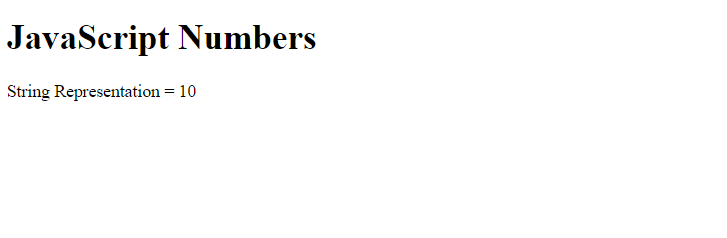
The toString() method is used to return the string representation of a number. Let us see an example:
<!DOCTYPE html>
<html>
<body>

<h1>JavaScript Numbers</h1>

<p id="test"></p>

<script>
// Number
let a = 10;

document.getElementById("test").innerHTML = "String Representation = "+a.toString();
</script>

</body>
</html>
Output
JavaScript valueOf() method
The valueOf() method is used to return the number’s value. Let us see an example:
<!DOCTYPE html>
<html>
<body>

<h1>JavaScript Numbers</h1>

<p id="test"></p>

<script>
// Number
let n = new Number(5.39726);

document.getElementById("test").innerHTML = "Number's value = "+n.valueOf();
</script>

</body>
</html>
Output

JavaScript isFinite() method
The isFinite() method is used to check whether the value is a finite number. Let us see an example:
<!DOCTYPE html>
<html>
<body>

<h1>JavaScript Numbers</h1>

<p id="test"></p>

<script>
let n = 10;

document.getElementById("test").innerHTML = "Is it a Finite Number? = "+Number.isFinite(n);
</script>

</body>
</html>
Output

JavaScript isInteger() method
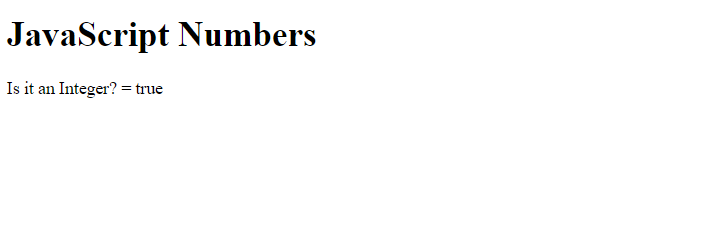
The isInteger() method is used to check whether the value is an integer. Let us see an example:
<!DOCTYPE html>
<html>
<body>

<h1>JavaScript Numbers</h1>

<p id="test"></p>

<script>
let n = 1;

document.getElementById("test").innerHTML = "Is it an Integer? = "+Number.isInteger(n);
</script>

</body>
</html>
Output
JavaScript parseFloat() method
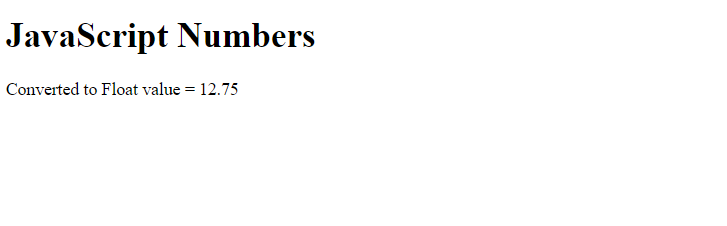
The parseFloat() method is used to parse a string and convert it to a floating-point number. Let us see an example:
<!DOCTYPE html>
<html>
<body>

<h1>JavaScript Numbers</h1>

<p id="test"></p>

<script>
let n = "12.75Amit";

document.getElementById("test").innerHTML = "Converted to Float value = "+Number.parseFloat(n);
</script>

</body>
</html>
Output
JavaScript parseInt() method
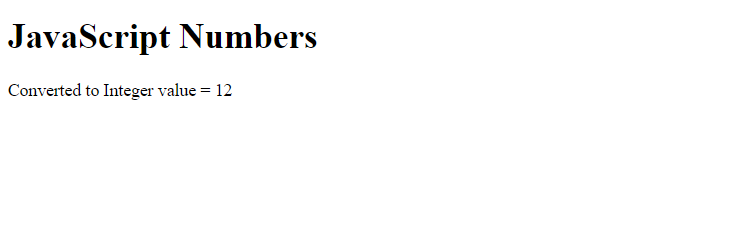
The parseInt() method is used to parse a string and convert it to a number. Let us see an example:
<!DOCTYPE html>
<html>
<body>

<h1>JavaScript Numbers</h1>

<p id="test"></p>

<script>
let n = "12.75Amit"

document.getElementById("test").innerHTML = "Converted to Integer value = "+Number.parseInt(n);
</script>

</body>
</html>
Output

No Comments