

06 Aug JavaScript Strict Mode
The strict mode in JavaScript is the usage of strict mode in JavaScript. It is defined as the following in the JavaScript code:
"use strict";
Not Allowed: Using an undeclared variable
The code executed in the strict mode can never have undeclared variables. Let us see an example:
<!DOCTYPE html>
<html>
<body>

<h1>Demo Heading</h1>
<p>This is the strict mode.</p>

<p>Press (F12) and check the error.</p>

<script>
"use strict"; // the strict mode

// using a variable without declaring
a = 5
</script>

</body>
</html>
Output
On pressing F12, the exact error is visible because we have used the strict mode and used a variable without declaring:

Not Allowed: Deleting a variable
If your JavaScript code is in strict mode, then you cannot delete the variable. Let us see an example:
<!DOCTYPE html>
<html>
<body>

<h1>Demo Heading</h1>
<p>This is the strict mode.</p>

<p>Press (F12) and check the error.</p>

<script>
"use strict"; // the strict mode

let a = 5

// trying to delete a variable
delete a;
</script>

</body>
</html>
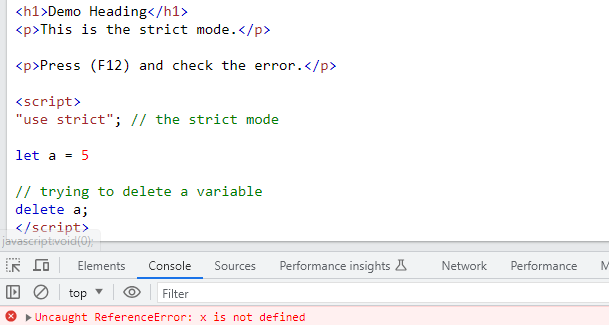
Output
On pressing F12, the exact error is visible because we have used the strict mode and deleted a variable:

No Comments