

23 Feb JavaScript Functions
A function in JavaScript is an organized block of reusable code, which avoids repeating the tasks again and again. If you want to do a task repeatedly in a code, then just make a method, set the task in it, and call the function multiple times whenever you need it.
Create and call a Function
To create a function in JavaScript set the function keyword, then the name of the function followed by parentheses. Set the function in the { } i.e., curly brackets:
function func_name() {
  // code
}
The function can also have arguments. Here is the syntax:
function func_name(parameter1, parameter2) {
  // code
}
Above, we have two parameters i.e., parameter1 and parameter2. We can see 0 or more parameters.
To call a function in JavaScript, we can use a button. On pressing the button i.e., when an event occurs, the function gets called as shown below:
<!DOCTYPE html>
<html>
<body>

<h1>JavaScript Functions</h1>

<p id="test"></p>

<script>
// This function gets called when a button is clicked
function demo_function(){
  alert("Function gets called successfully.");
}

</script>

<input type="button" onclick="demo_function()" value="Click Me!!!"/>

</body>
</html>
Output

Click the Click Me!!! Button:

Function Parameters
Set the parameters in a JavaScript function after the name of the function. For example:
function demo_function(marks){ }
To call a function with a parameter, set the value while calling, for example:
onclick="demo_function(90)"
Therefore, we have passed the marks with the value 90 while calling above.
Let us now see an example to create a function with parameters:
<!DOCTYPE html>
<html>
<body>

<h1>JavaScript Function Parameter</h1>

<p id="test"></p>

<script>
// This function gets called when a button is clicked
// We have passed one parameter to the function
function demo_function(marks){
  alert("Marks = "+marks);
}

</script>

<input type="button" onclick="demo_function(90)" value="Click Me!!!"/>

</body>
</html>
Output
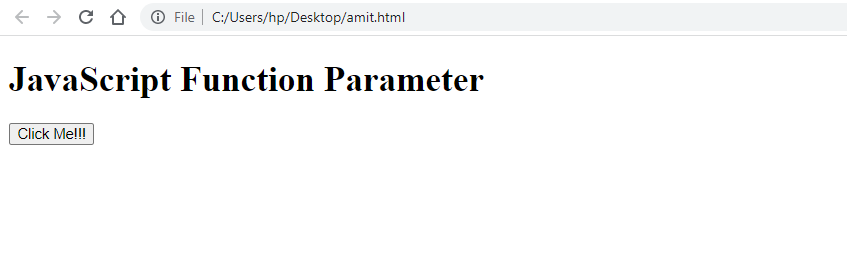
Click the Click Me!!! Button:


No Comments