

25 Feb JavaScript Date
The Date object in JavaScript is used to get the current date. We can also get the day, month, year, time, etc. The new keyword is used to create a Date object. Let us see how to create a Date object and work around the Date methods.
Create a Date object
In JavaScript, we can create a Date object using the new keyword. We use the new Date() constructor.
Display the current date and time
Let us see an example to display the current date and time:
<!DOCTYPE html>
<html>
<body>

<h1>JavaScript Dates</h1>
<p>Display the current date and time.</p>

<p id="test"></p>

<script>
const myDate = new Date();
document.getElementById("test").innerHTML = myDate;
</script>

</body>
</html>
Output

Display date and time from day, month, and year
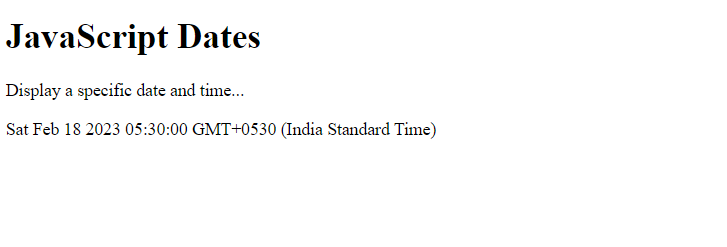
Let us see another example to display the complete date and time from a specific date. The input we have given is the day, month, and year:
<!DOCTYPE html>
<html>
<body>

<h1>JavaScript Dates</h1>
<p>Display a specific date and time...</p>

<p id="test"></p>

<script>
const myDate = new Date("2023-02-18");
document.getElementById("test").innerHTML = myDate;
</script>

</body>
</html>
Output
Date Methods
Different methods are provided by JavaScript to work on Date operations. Let’s see them one by one:

Let us see the methods with examples:
JavaScript getDate() method
The getDate() method returns the day of the month. The value range is from 1-31. Let us see an example:
<!DOCTYPE html>
<html>
<body>

<h1>JavaScript Dates</h1>
<p>Display the day...</p>

<p id="test"></p>

<script>
const myDate = new Date();
let myDay = myDate.getDate();

document.getElementById("test").innerHTML = myDay;
</script>

</body>
</html>
Output

JavaScript getDay() method
The getDay() method returns the day of the week. The value range is from 0-6. Let us see an example:
<!DOCTYPE html>
<html>
<body>

<h1>JavaScript Dates</h1>
<p>Display the day of the week...</p>

<p id="test"></p>

<script>
const myDate = new Date();

// Get the day of the week
let myDay = myDate.getDay();

document.getElementById("test").innerHTML = myDay;
</script>

</body>
</html>
Output

JavaScript getFullYear() method
The getFullYear() method in JavaScript returns the complete year, i.e. 2023, 2022, etc. Let us see an example:
<!DOCTYPE html>
<html>
<body>

<h1>JavaScript Dates</h1>
<p>Display the year...</p>

<p id="test"></p>

<script>
const myDate = new Date();

// Get the full year
let myYear = myDate.getFullYear();

document.getElementById("test").innerHTML = myYear;
</script>

</body>
</html>
Output

JavaScript getHours() method
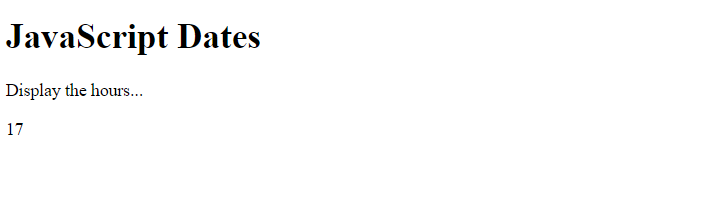
The getHours() method in JavaScript returns the hour. The value range is from 0-23. Let us see an example:
<!DOCTYPE html>
<html>
<body>

<h1>JavaScript Dates</h1>
<p>Display the hours...</p>

<p id="test"></p>

<script>
const myDate = new Date();

// Get the hours
let myHours = myDate.getHours();

document.getElementById("test").innerHTML = myHours;
</script>

</body>
</html>
Output
JavaScript getMilliseconds() method
The getMilliseconds() method in JavaScript returns the milliseconds. The value range is from 0-999. Let us see an example:
<!DOCTYPE html>
<html>
<body>

<h1>JavaScript Dates</h1>
<p>Display the milliseconds...</p>

<p id="test"></p>

<script>
const myDate = new Date();

// Get the milliseconds
let ms = myDate.getMilliseconds();

document.getElementById("test").innerHTML = ms;
</script>

</body>
</html>
Output

JavaScript getMinutes() method
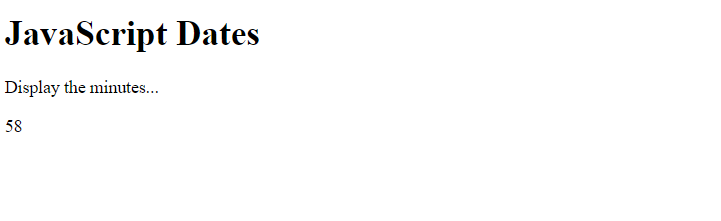
The getMinutes() method in JavaScript returns the minutes. The value range is from 0-59. Let us see an example:
<!DOCTYPE html>
<html>
<body>

<h1>JavaScript Dates</h1>
<p>Display the minutes...</p>

<p id="test"></p>

<script>
const myDate = new Date();

// Get the minutes
let mins = myDate.getMinutes();

document.getElementById("test").innerHTML = mins;
</script>

</body>
</html>
Output
JavaScript getMonth() method
The getMonth() method in JavaScript returns the month. The value range is from 0-11. Let us see an example:
<!DOCTYPE html>
<html>
<body>

<h1>JavaScript Dates</h1>
<p>Display the month (0 is January, 1 is February, etc.) ...</p>

<p id="test"></p>

<script>
const myDate = new Date();

// Get the month
let mnth = myDate.getMonth();

document.getElementById("test").innerHTML = mnth;
</script>

</body>
</html>
Output

JavaScript getSeconds() method
The getSeconds() method in JavaScript returns the seconds. The value range is from 0-59. Let us see an example:
<!DOCTYPE html>
<html>
<body>

<h1>JavaScript Dates</h1>
<p>Display the seconds ...</p>

<p id="test"></p>

<script>
const myDate = new Date();

// Get the seconds
let s = myDate.getSeconds();

document.getElementById("test").innerHTML = s;
</script>

</body>
</html>
Output

JavaScript setFullYear() method
The setFullYear() method in JavaScript sets the year of a date object. Let us see an example:
<!DOCTYPE html>
<html>
<body>

<h1>JavaScript Dates</h1>
<p>Set the year and display ...</p>

<p id="test"></p>

<script>
const myDate = new Date();

// Set the year
myDate.setFullYear(2023);

document.getElementById("test").innerHTML = myDate;
</script>

</body>
</html>
Output

JavaScript setHours() method
The setHours() method in JavaScript sets the hour of a date object. Let us see an example:
<!DOCTYPE html>
<html>
<body>

<h1>JavaScript Dates</h1>
<p>Set any hour from 0-23 and display ...</p>

<p id="test"></p>

<script>
const myDate = new Date();

// Set the hours
myDate.setHours(20);

document.getElementById("test").innerHTML = myDate;
</script>

</body>
</html>
Output

JavaScript setMilliseconds() method
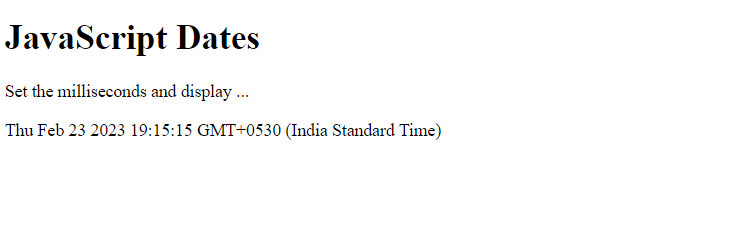
The setMilliseconds() method in JavaScript sets the milliseconds of a date object. Let us see an example:
<!DOCTYPE html>
<html>
<body>

<h1>JavaScript Dates</h1>
<p>Set the milliseconds and display ...</p>

<p id="test"></p>

<script>
const myDate = new Date();

// Set the milliseconds
myDate.setMilliseconds(49);

document.getElementById("test").innerHTML = myDate;
</script>

</body>
</html>
Output
JavaScript setMinutes() method
The setMinutes() method in JavaScript sets the minutes of a date object. Let us see an example:
<!DOCTYPE html>
<html>
<body>

<h1>JavaScript Dates</h1>
<p>Set the minutes and display ...</p>

<p id="test"></p>

<script>
const myDate = new Date();

// Set the minutes
myDate.setMinutes(28);

document.getElementById("test").innerHTML = myDate;
</script>

</body>
</html>
Output

JavaScript setMonth() method
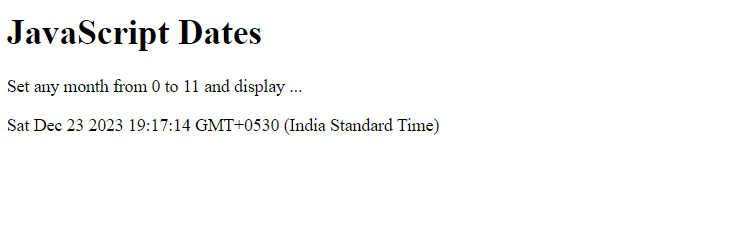
The setMonth() method in JavaScript sets the month of a date object. Let us see an example:
<!DOCTYPE html>
<html>
<body>

<h1>JavaScript Dates</h1>
<p>Set any month from 0 to 11 and display ...</p>

<p id="test"></p>

<script>
const myDate = new Date();

// Set the month
myDate.setMonth(11);

document.getElementById("test").innerHTML = myDate;
</script>

</body>
</html>
Output
JavaScript setSeconds() method
The setSeconds() method in JavaScript sets the seconds of a date object. Let us see an example:
<!DOCTYPE html>
<html>
<body>

<h1>JavaScript Dates</h1>
<p>Set seconds from 0 to 59 and display ...</p>

<p id="test"></p>

<script>
const myDate = new Date();

// Set the seconds
myDate.setSeconds(22);

document.getElementById("test").innerHTML = myDate;
</script>

</body>
</html>
Output

JavaScript toString() method
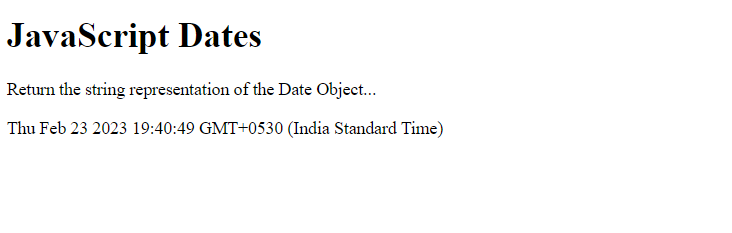
The toString() method in JavaScript is used to return the string representation of the date object. Let us see an example:
<!DOCTYPE html>
<html>
<body>

<h1>JavaScript Dates</h1>
<p>Return the string representation of the Date Object...</p>

<p id="test"></p>

<script>
const myDate = new Date();

// Convert to string
let res = myDate.toString();

document.getElementById("test").innerHTML = res;
</script>

</body>
</html>
Output

No Comments