

06 Aug Java Packages
A Package in Java, as the name suggests, groups related types i.e., it can be a group of related classes or related interfaces, etc. We already have built-in packages in Java, but we can also create our own packages to group related classes.
The following are some built-in Java packages:
java.util
java.io
java.lang
java.time
java.math
To import the entire package, use the import keyword:
import java.util.* ;
import java.io.* ;
import java.lang.* ;
import java.time.* ;
import java.math.* ;
User-defined Package
Let us now learn how to create a user-defined package in Java. Create a file in D: drive:
The package keyword will be used in our Java program to use the package:
package amitpackage;
Let us create Demo.java:
package amitpackage;

class Demo {
  public static void main(String[] args) {
    System.out.println("Our Demo class...");
  }
}
Now, compile the file Demo.java:
D:\ > javac Demo.java
Compile the package:
D:\ > javac -d . Demo.java
The screenshot displays the same command:

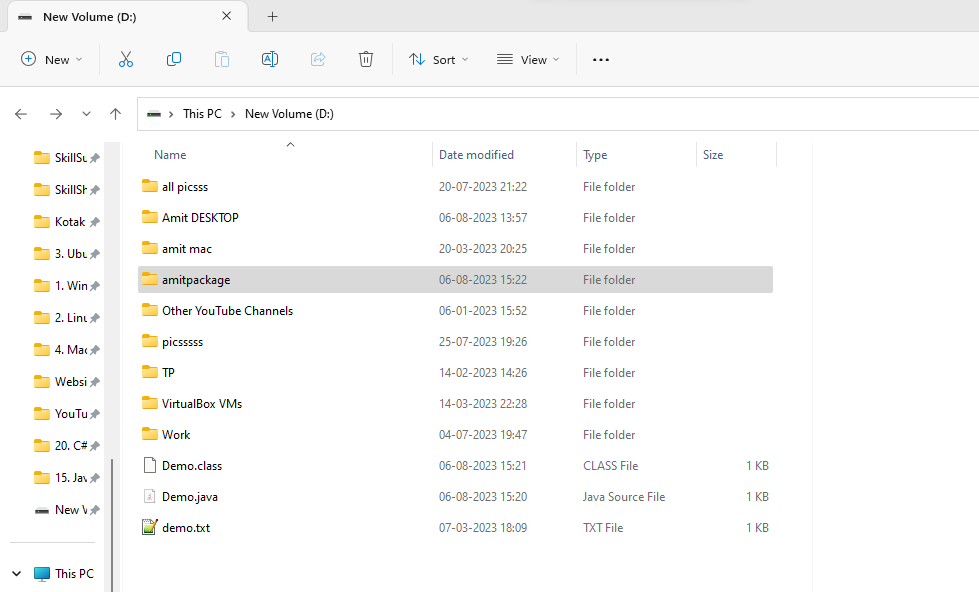
Now, a new folder amitpackage will get created. Here’s the screenshot:
Run the Demo.java:
D:\ > java amitpackage.Demo
The above file will run successfully and now a class file will be visible in the amitpackage:

Also, the output “Our Demo class” will be visible on cmd:

If you liked the tutorial, spread the word and share the link and our website Studyopedia with others.
For Videos, Join Our YouTube Channel: Join Now

No Comments