
Снимци екрана

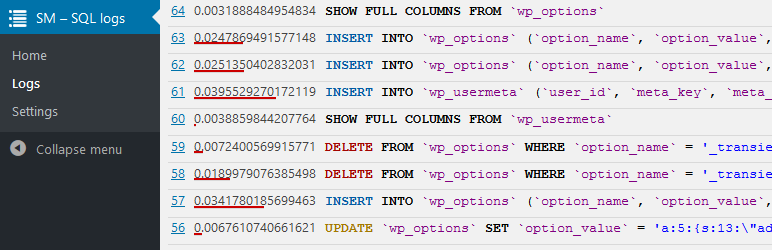
Latest logs 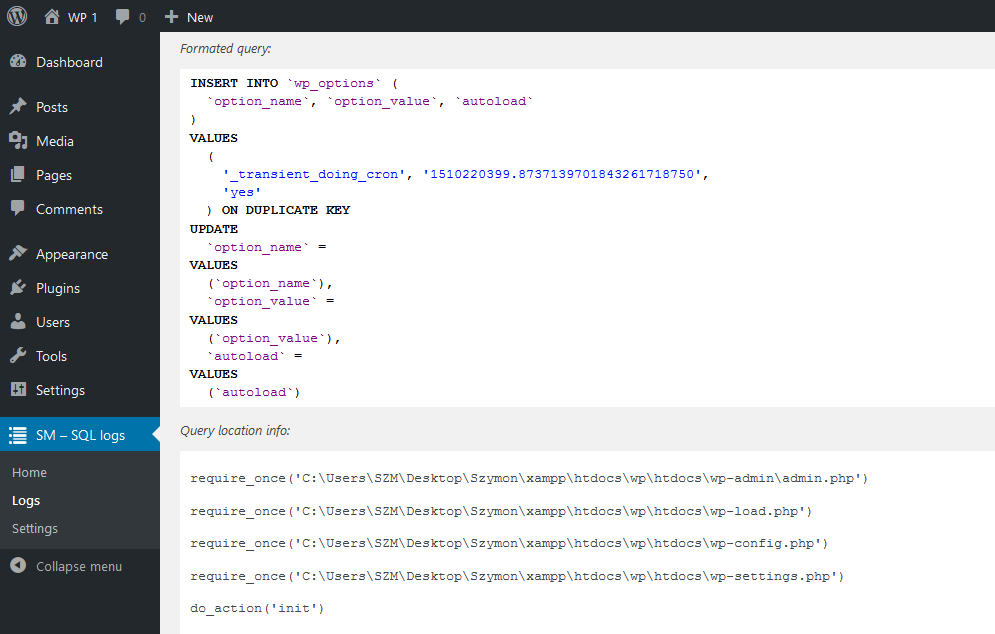
One log details 
Options page
Постављање
- Extract all files from the ZIP file, and then upload the plugin’s folder to /wp-content/plugins/.
- Activate the plugin through the ‘Plugins’ menu in WordPress.
ЧПП
- Installation Instructions
-
- Extract all files from the ZIP file, and then upload the plugin’s folder to /wp-content/plugins/.
- Activate the plugin through the ‘Plugins’ menu in WordPress.
- Page with Logs or detail of the Log don’t want to load.
-
The issue is in „SqlFormatter“. If too long and quirky queries are passed to „SqlFormatter“ it can kill requested page.
Don’t worry, if it happen it’s afecting only admin area and only with that specyfic query.How to fix it?
Well… For now, the only thing you can do, is turning „SqlFormatter“ Off in options.
Прегледи

10. новембар 2017.
Nice, quick, do what need to do.
BTW. Why homepage is so empty… You need to click Logs to see them. Better display logs directly on homepage.
Сарадници и градитељи

Преведите „SM – SQL logs“ на свој језик.
Заинтересовани сте за градњу?
Прегледајте код, проверите SVN складиште или се пријавите на белешку градње преко RSS-а.
Белешка о изменама
1.0.1
Minor changes
1.0.0
Initial plugin version