

Опис
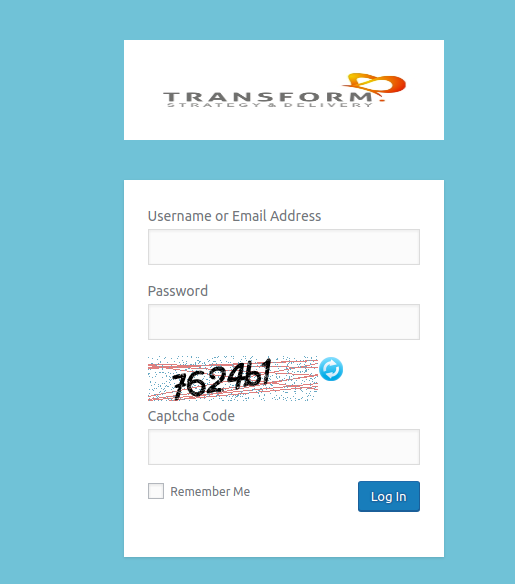
Create your own custom admin login page with google recaptcha and captcha code.
Plugin allows to change custom logo with replace with wordpress default logo, background color, background image, background slide show, form color, font size, login form position and many more features.
Supports full features.
- You can add Google Recaptcha in your wordpress admin form (Site Key & Secret Key are required).
- You can add Captcha Code in your wordpress admin form.
- You can add customer logo above wordpress admin form.
- You can add background color and background image to the wordpress admin form.
- You can add custom message/text above & bottom of your wordpress admin login form.
- Free support.
- Multi-lingual support.
- Translation ready (Gujarati, Hindi).
Main features.
- Google Recaptcha.
- Captcha Code.
- Login button hover color.
- Login button color.
- Admin form custom color.
- Admin form border custom style.
- Admin form label size.
- Admin form opacity.
- Admin form custom background image.
- Change label color.
- Change login form color.
- Set custom background image.
- Set background color.
- Add custom logo to admin login form.
- Logo width.
- Logo height.
- Logo link.
- Logo title.
Снимци екрана

Постављање
- Upload the plugin to your ‘wp-content/plugins’ directory, or download and install automatically through your wordpress admin panel.
- Activate the plugin through the ‘plugins’ menu in WordPress.
ЧПП
-
How to customizer?
-
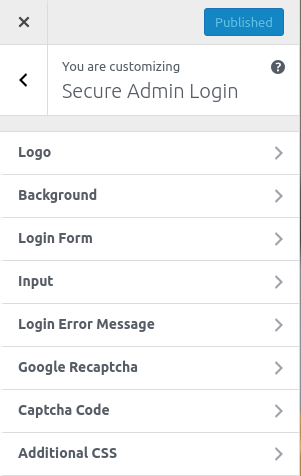
Go to WordPress dashboard, Navigate to Appearance > Customize > Customize secure login to get started.
-
How to get google reCpatch keys
-
Go to your google reCaptach dashboard and select the new/existing site with „Invisible reCAPTCHA“ label and enter your host where you want to add google recaptch and save it. After then you will get site and secret key from you have added site on google recaptcha
Прегледи
Нема рецензија за овај додатак.
Сарадници и градитељи
„Secure Admin Login With Customize“ је софтвер отвореног кода. Следећи људи су допринели овом додатку.
Сарадници


Преведите „Secure Admin Login With Customize“ на свој језик.
Заинтересовани сте за градњу?
Прегледајте код, проверите SVN складиште или се пријавите на белешку градње преко RSS-а.
Белешка о изменама
1.0
- Initial release.
1.1
- Multi-lingual support.
- Translation ready for Gujarati & Hindi.
1.2
- Security Update.
1.3
- Tested up to 5.0