

Опис
The „Reorder Multisite Sites Dropdown“ plugin empowers administrators of multisite WordPress installations with a simple yet powerful solution to customize the ordering of the „My Sites“ dropdown menu within the Admin Bar. Installing and setting up the plugin is straightforward. Once the plugin is added to your WordPress installation, navigate to the Network Admin area and locate the „Reorder My Sites“ option under Settings, rearrange the sites according to your preferences through the drag-and-drop interface. After customizing the order to your satisfaction, finalize the changes by clicking the „Save Changes“ button.
Снимци екрана
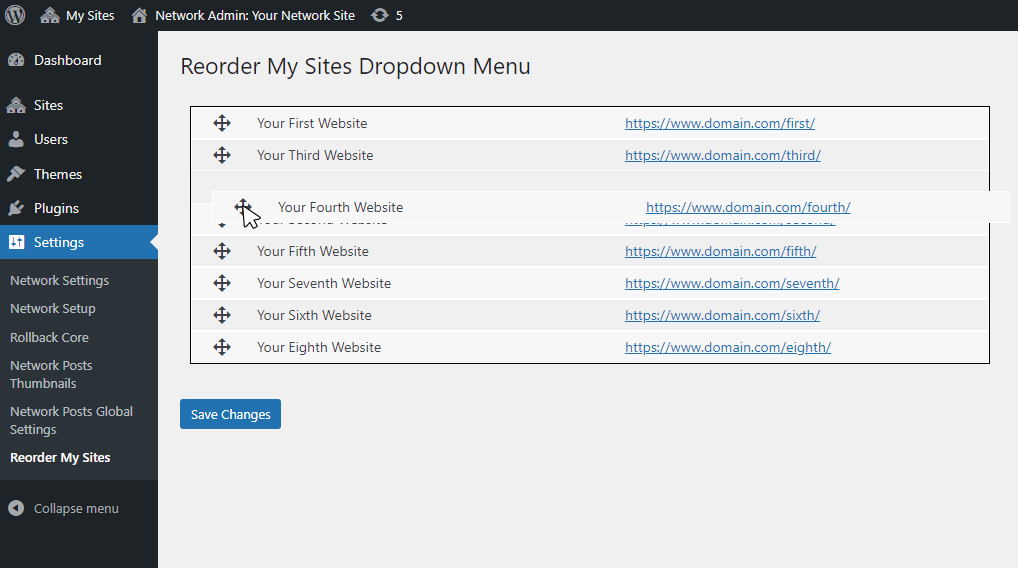

Постављање
- Upload the plugin folder to your WordPress installation’s plugin directory.
- Access the Network Admin area and navigate to Settings > Reorder My Sites.
- Reorder the sites using the simple drag-and-drop interface.
- Click Save Changes to apply your custom ordering.
Прегледи


Сарадници и градитељи
„Reorder Multisite Sites Dropdown“ је софтвер отвореног кода. Следећи људи су допринели овом додатку.
Сарадници
Преведите „Reorder Multisite Sites Dropdown“ на свој језик.
Заинтересовани сте за градњу?
Прегледајте код, проверите SVN складиште или се пријавите на белешку градње преко RSS-а.
Белешка о изменама
v1.0.3
Fixed deprecated get_bloginfo( ‘siteurl’ ) usage.
v1.0.2
Added functionality to allow manual ordering with input fields in addition to drag-and-drop reordering.
v1.0.1
Refactored the array access method to prevent fatal errors caused by the use of curly braces for offsets, a syntax that is no longer supported.
v1.0
The initial creation of the plugin.