
Опис
This plugin provides a way to embed a RAML Console on a WordPress page or post. The RAML Console is generated from the Root RAML URL that is created when you setup an API Portal in the Anypoint Platform.
Снимци екрана


Постављање
- Unzip and copy package to the
/wp-content/plugins/directory - Activate the plugin through the ‘Plugins’ menu in WordPress
- Edit or create a new page where you want to display the RAML Console
- Click on the ‘M’ button
- Paste the Root RAML URL and click OK
- Update or Publish page to see RAML Console.
ЧПП
- Installation Instructions
-
- Unzip and copy package to the
/wp-content/plugins/directory - Activate the plugin through the ‘Plugins’ menu in WordPress
- Edit or create a new page where you want to display the RAML Console
- Click on the ‘M’ button
- Paste the Root RAML URL and click OK
- Update or Publish page to see RAML Console.
- Unzip and copy package to the
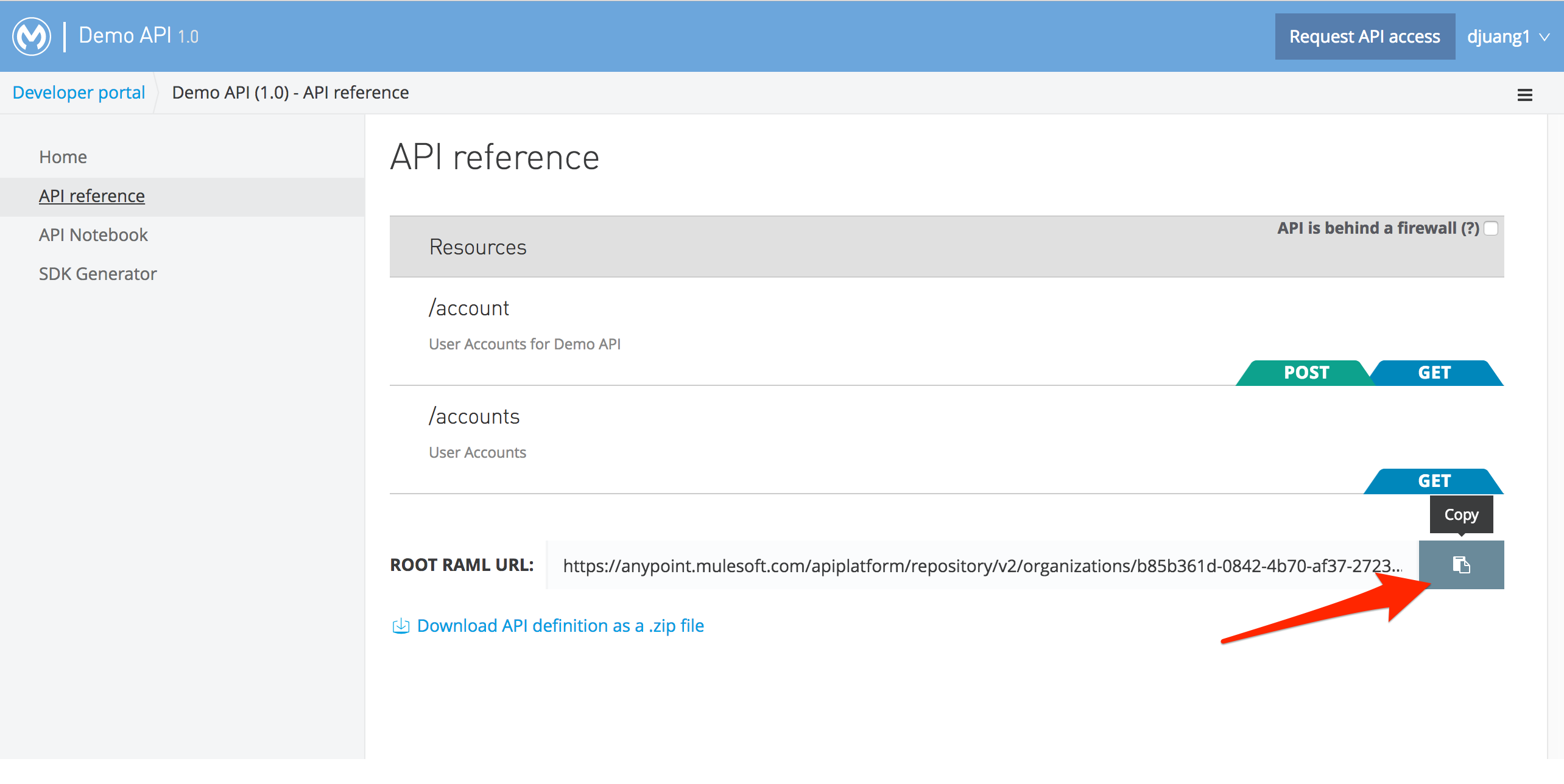
- Where do I get the Root RAML URL
-
You can get the Root RAML URL in the MuleSoft Anypoint Platform when you create an API with RAML and generate a Portal. You can copy the URL from the API Reference page.
Прегледи
Нема рецензија за овај додатак.
Сарадници и градитељи

Преведите „RAML Console“ на свој језик.
Заинтересовани сте за градњу?
Прегледајте код, проверите SVN складиште или се пријавите на белешку градње преко RSS-а.
Белешка о изменама
1.0
- First version.