

Опис
WordPress Export Import Menus lets you export and import your WordPress Menus. The WordPress Export Import Menus plugin also support the uber menu plugin. Import must be done on the same domain from where we have export the file.
Снимци екрана

Exporting a json file of menu 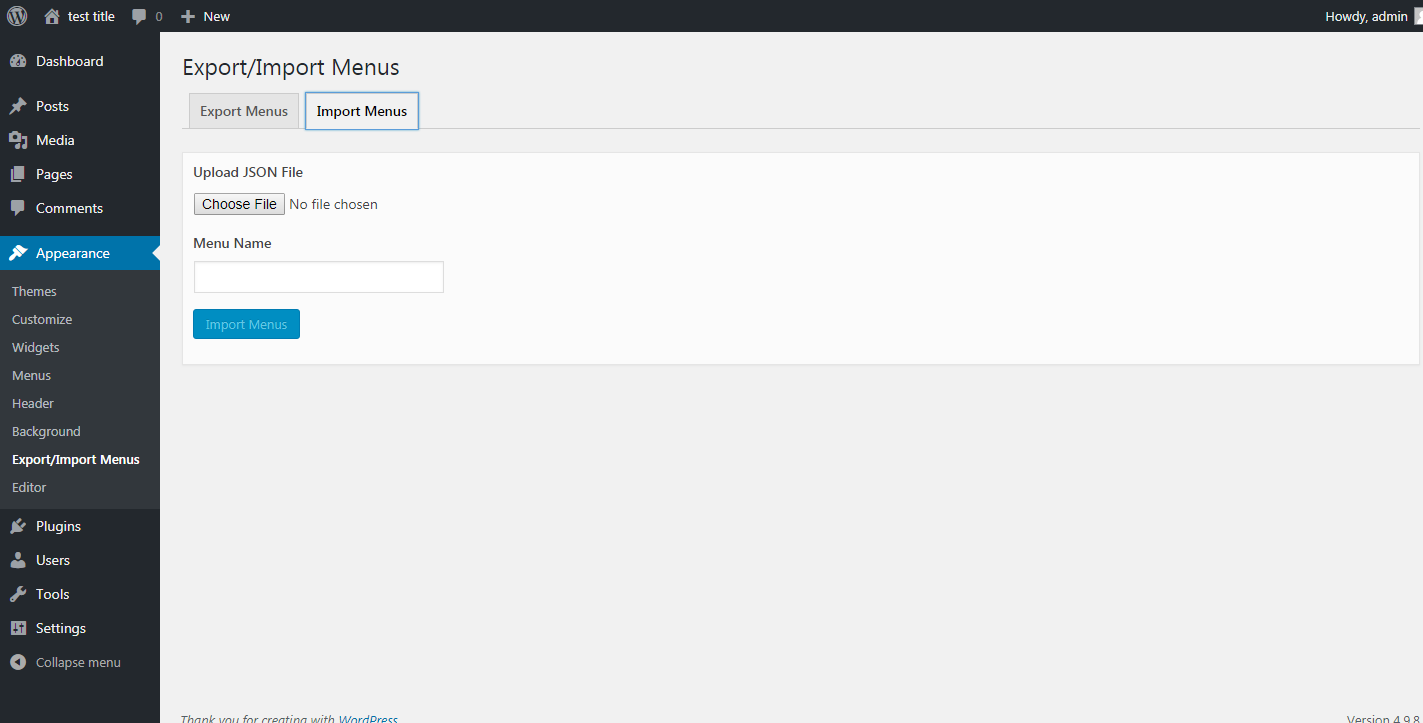
Importing a new backup menu from the exported json file
Постављање
- Download
dsp-menus-export-import.zip - Unzip
- Upload the
dsp-menus-export-importfolder to the/wp-content/plugins/directory - Activate the Export Import Menus plugin through the ‘Plugins’ menu in WordPress
- Export/Import your menus via Appearance -> Export/Import Menus in the WordPress admin
Прегледи

11. август 2025.
I’ve had 164 menu items with deep nested links. I’m very greatfull and happy.

2. јул 2025.
Wish I would have tried this one first; I’ve tried two others (WPS didn’t work at all)… Worked great! The only upgrades I’d want; one has already been mentioned in other reviews:
search/replace domain (though can just use Better Search Replace)
EDIT: it appears that it does match the domain of the destination site!
Bulk import/export
Replace existing menus

18. јун 2025.
Worked as described. Would be 5 stars if it provided functionality to rename domain (i.e. change staging.domain.com to domain.com) but simply doing a replace all inside json export file then importing worked flawlessly.

3. март 2025.
I will gladly change this review of problem is resolved
might not be compatible with PHP 8.2.x
error in processing import

6. јануар 2025.
Best plugin for Wordpress

6. јануар 2025.
Worked perfectly fine!
Сарадници и градитељи
„Export Import Menus“ је софтвер отвореног кода. Следећи људи су допринели овом додатку.
Сарадници
„Export Import Menus“ је преведен на 5 језика. Хвала преводиоцима за њихове доприносе.
Преведите „Export Import Menus“ на свој језик.
Заинтересовани сте за градњу?
Прегледајте код, проверите SVN складиште или се пријавите на белешку градње преко RSS-а.
Белешка о изменама
1.0.1
- Bug Fixes
1.0.2
- Compatibility with WordPress 5.0.1
1.1.0
- Compatibility with WordPress 5.0.2
1.2.0
- Compatibility with WordPress 5.1
- Mozilla Firefox JSON import issue
- Other bug fixes
1.3.0
- Compatibility with WordPress 5.2.1
1.4.0
- Bug fixes – Unable to delete Plugin files on delete
1.5.0
- Compatibility with WordPress 5.3.2
- Fix Custom menu CSS classes import issue
- Fix JSON illegal character issue
- Fix invalid JSON file issue
1.6.0
- Compatibility with WordPress 5.4.2
- Added menu description field in the menu import
- Fix plugin delete undefine constant issue
1.7.0
- Compatibility with WordPress 5.7
1.8.0
- Compatibility with WordPress 6.0
- Other Bug fixes
1.9.0
- Compatibility with WordPress 6.3.2
- Fixed file upload vulnerabilities issues
- Added file type check to only allow .json files upload and restricting other file types
- Other bug fixes
1.9.1
- Compatibility with WordPress 6.6.1
1.9.2
- Compatibility with WordPress 6.7.1
- Security fixes