

Përshkrim
Trusted Order Notifications on Ecommerce Site.
From within WordPress
- Visit ‘Plugins > Add New’
- Search for ‘Trusted Order Notifications’
- Activate Trusted Order Notifications from your Plugins page.
Manually
- Upload the
trusted-order-notificationsfolder to the/wp-content/plugins/directory - Activate the Trusted Order Notifications plugin through the ‘Plugins’ menu in WordPress
- Go to “after activation” below.
Foto ekrani
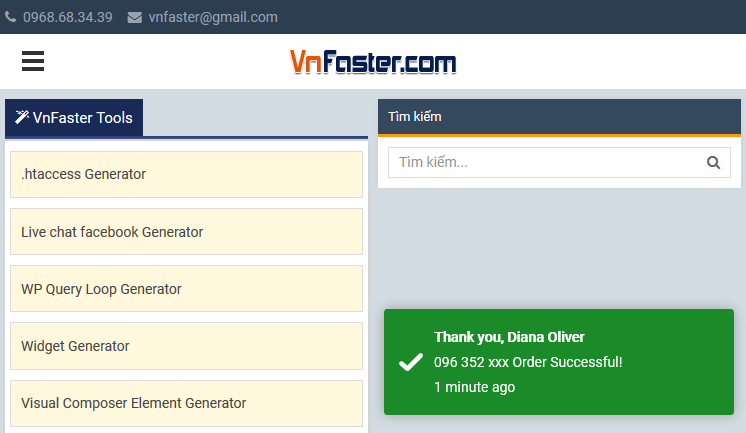
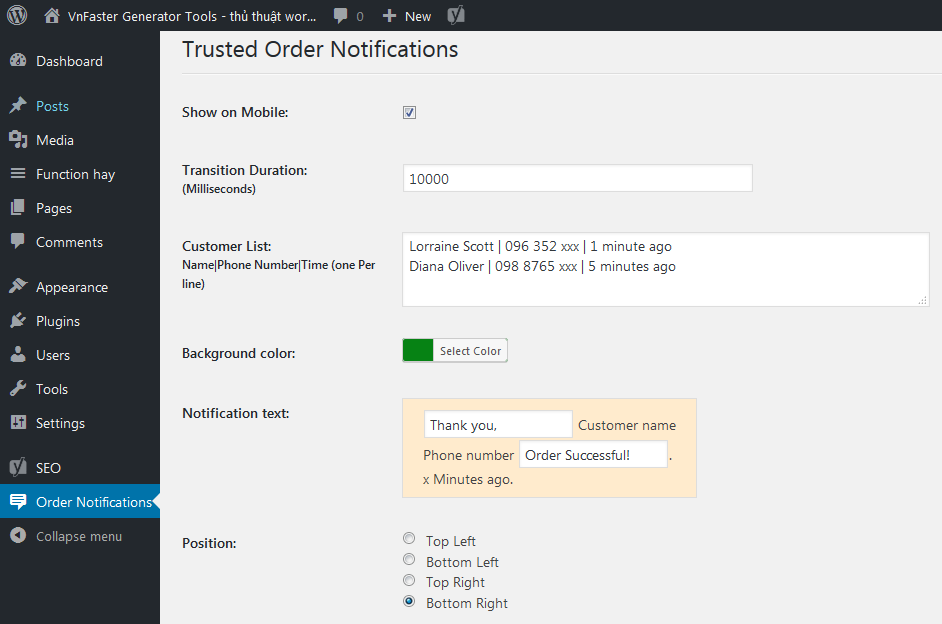
PBR
You’ll find answers to many of your questions on (https://vnfaster.com).
Shqyrtime

16 Tetor, 2021
Cảm ơn ! Đang cần giải pháp này !

26 Tetor, 2018
Fantastic plugin!
Kontribues & Zhvillues
“Trusted Order Notifications” është software me burim të hapur. Në këtë shtojcë kanë dhënë ndihmesë personat vijues.
Kontribues
Përkthejeni “Trusted Order Notifications” në gjuhën tuaj.
Ju intereson zhvillimi?
Shfletoni kodin, shkarkoni depon SVN, ose pajtohuni përmes RSS-je te regjistri i zhvillimeve.
Regjistër ndryshimesh
3.0.0
- Fixed Conflict with Minify HTML plugin.
1.0.0
- First release.