

Përshkrim
Analytics Code Option, you can add Google Analytic Code ID here. Also you can select where Analytic code will be inserted (header, footer).Fill value in Analytic code options fields and you can check on front end.
Foto ekrani
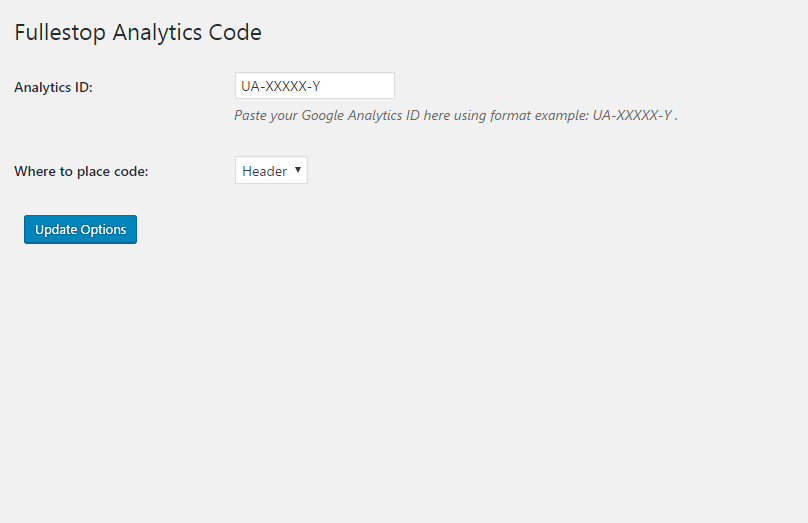
Analytic Code Option – just need to put the Google Analytics code in UA-XXXXX-Y format.
Instalim
From your WordPress dashboard
- Visit ‘Plugins > Add New’
- Search for ‘Analytics Code Option’
- Activate Fullestop Analytics Code Option from your Plugins page.
From WordPress.org
- Download Fullestop Analytics Code Option.
- Upload the ‘fullestop-trackingcode-option’ directory to your ‘/wp-content/plugins/’ directory, using your favorite method (ftp, sftp, scp, etc…)
- Activate Fullestop Analytics Code Option from your Plugins page.
Once Activated
- It creates an Analytics Option menu in admin menu.
- Analytics Code Option, you can add Google Analytic Code ID here. Also you can select where Analytic code will be inserted (header, footer).Fill value in Analytic code options fields and you can check on front end.
Once Configured
It will add the Google Analytic code to the sleeted position.
Shqyrtime
Për këtë shtojcë s’ka shqyrtime.
Kontribues & Zhvillues
“Analytics Code Option” është software me burim të hapur. Në këtë shtojcë kanë dhënë ndihmesë personat vijues.
Kontribues
Përkthejeni “Analytics Code Option” në gjuhën tuaj.
Ju intereson zhvillimi?
Shfletoni kodin, shkarkoni depon SVN, ose pajtohuni përmes RSS-je te regjistri i zhvillimeve.