

Përshkrim
Stop installing 10 separate plugins for basic WordPress features. DailyBuddy gives you content folders, post duplication, custom login URLs, maintenance mode, media replacement, a classic editor option, AI bot controls, language detection, dashboard widgets, and 10 Elementor extensions — completely free, in one lightweight plugin.
Why install 10 plugins when one does it all?
- Content Folders — Organize posts, pages, and media into drag-and-drop folders. No more scrolling through hundreds of files.
- Duplicate Posts — One-click duplication of any post or page, including all metadata.
- Custom Login URL — Change your default wp-login.php slug to anything you want.
- Maintenance Mode — Show a branded maintenance page to visitors while you work on your site.
- Media Replace — Swap out media files without breaking any links or references.
- Classic Editor — Switch back to the classic TinyMCE editor if Gutenberg isn’t for you.
- 10 Elementor Widgets — Advanced Accordion, Tabs, Timeline, Gallery, FlipBox, Logo Carousel, Process Steps, Product Card, Content Switcher, and Mega Menu.
All features are modular — enable only what you need, disable the rest. Zero bloat.
Key Features
Dashboard Widgets (6 modules)
Enhance your WordPress admin dashboard with helpful information and productivity tools:
- Quick Notes – Personal notes and to-do lists directly in the dashboard.
- Quick Stats – Basic site statistics: posts, users, comments, and media counts.
- Recent Activity – Recent content activity with timestamps and direct links.
- Security Monitor – General security status and system information.
- Server & Performance Check – PHP version, memory limit, database version, disk usage, and system health.
- User Activity – Recent user activity and currently active users in the admin area.
Elementor Extensions (10 modules)
Additional Elementor widgets and editor enhancements (Elementor required):
- Advanced Accordion – Multiple layouts, numbering, icons, and styling options.
- Advanced Tabs – Multiple design styles, icon support, scheduled tabs, and Elementor templates.
- Content Timeline – Horizontal or vertical timeline layout with dynamic posts and custom content.
- Filterable Gallery – Filterable image galleries with multiple layouts, search, and lightbox.
- FlipBox – Animated flip box widget for front/back content presentation.
- Logo Carousel – Responsive logo carousel/slider with configurable animation.
- Process Steps – Snake flow step-by-step widget with connectors, three layout variants, and responsive columns.
- Product Card – Product-style content widget with badges, countdowns, and CTAs.
- Content Switcher – Toggle between two content sections (e.g. pricing tables).
- Mega Menu – Full-featured mega menu with Elementor template support.
WordPress Tools (9 modules)
Small utilities to improve everyday WordPress workflows:
- AI Bot Signals – Robots.txt and meta directives for AI crawler guidance.
- Content Folders – Organize posts, pages, and media into drag-and-drop folders.
- Custom Login URL – Change the default login URL slug for better security.
- Dashboard Access Control – Control dashboard access based on user roles.
- Duplicate Posts/Pages – One-click post and page duplication.
- Media Replace – Replace media files while keeping existing URLs intact.
- Maintenance Mode – Temporary maintenance page for non-logged-in visitors.
- Classic Editor – Replace Gutenberg with the classic TinyMCE editor.
- TranslatePress Language Detection – Detect browser language and show a popup, hello bar, or redirect visitors to the matching language version. Works with TranslatePress.
Modular by Design
Every feature can be individually enabled or disabled, allowing you to use only what you need — keeping your site clean and efficient.
Foto ekrani
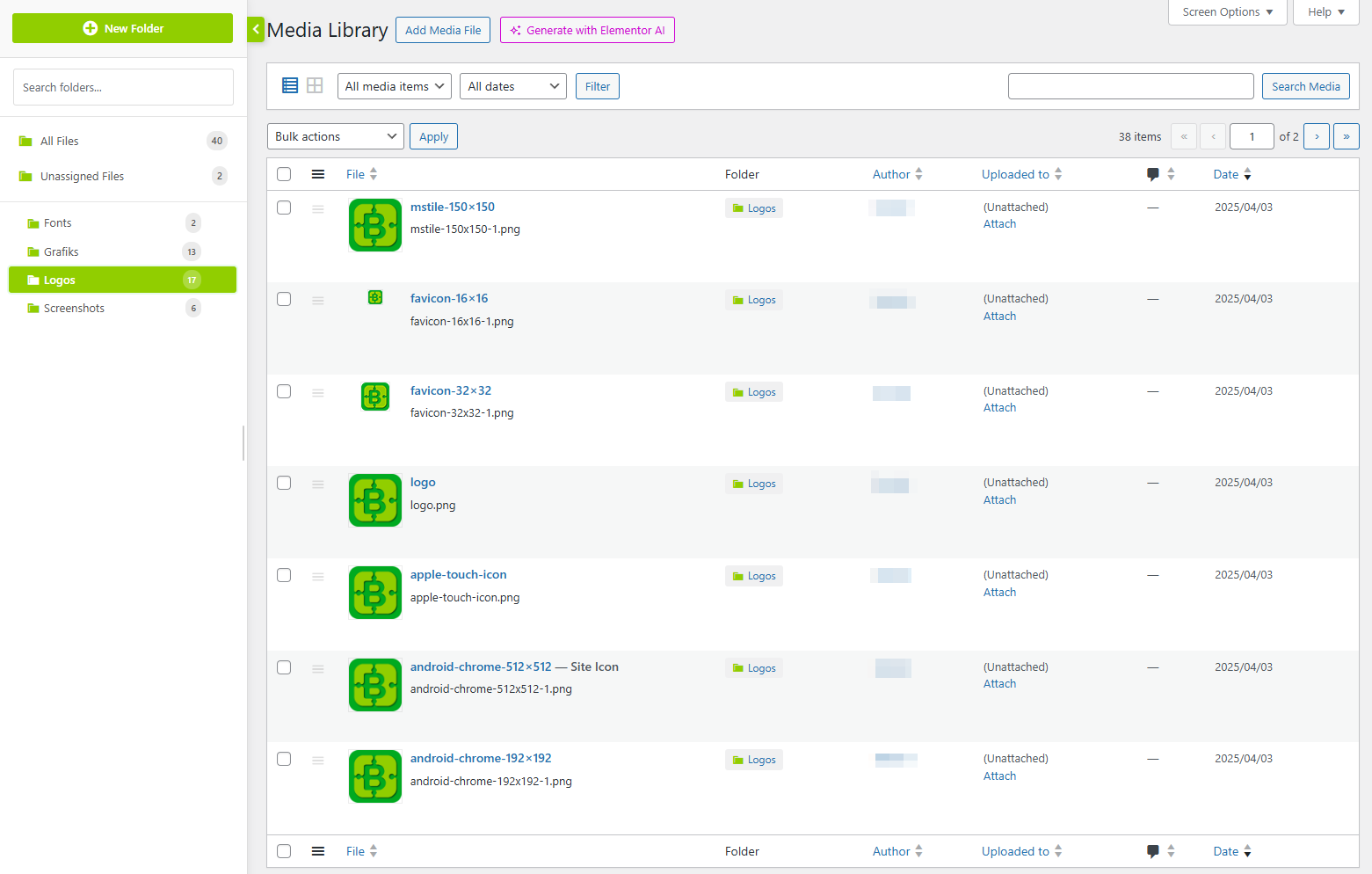
Content Folders — Organize posts, pages, and media into drag-and-drop folders for easy content management. 
Dashboard Widgets — Quick Notes, statistics, activities, security information, and more at a glance. 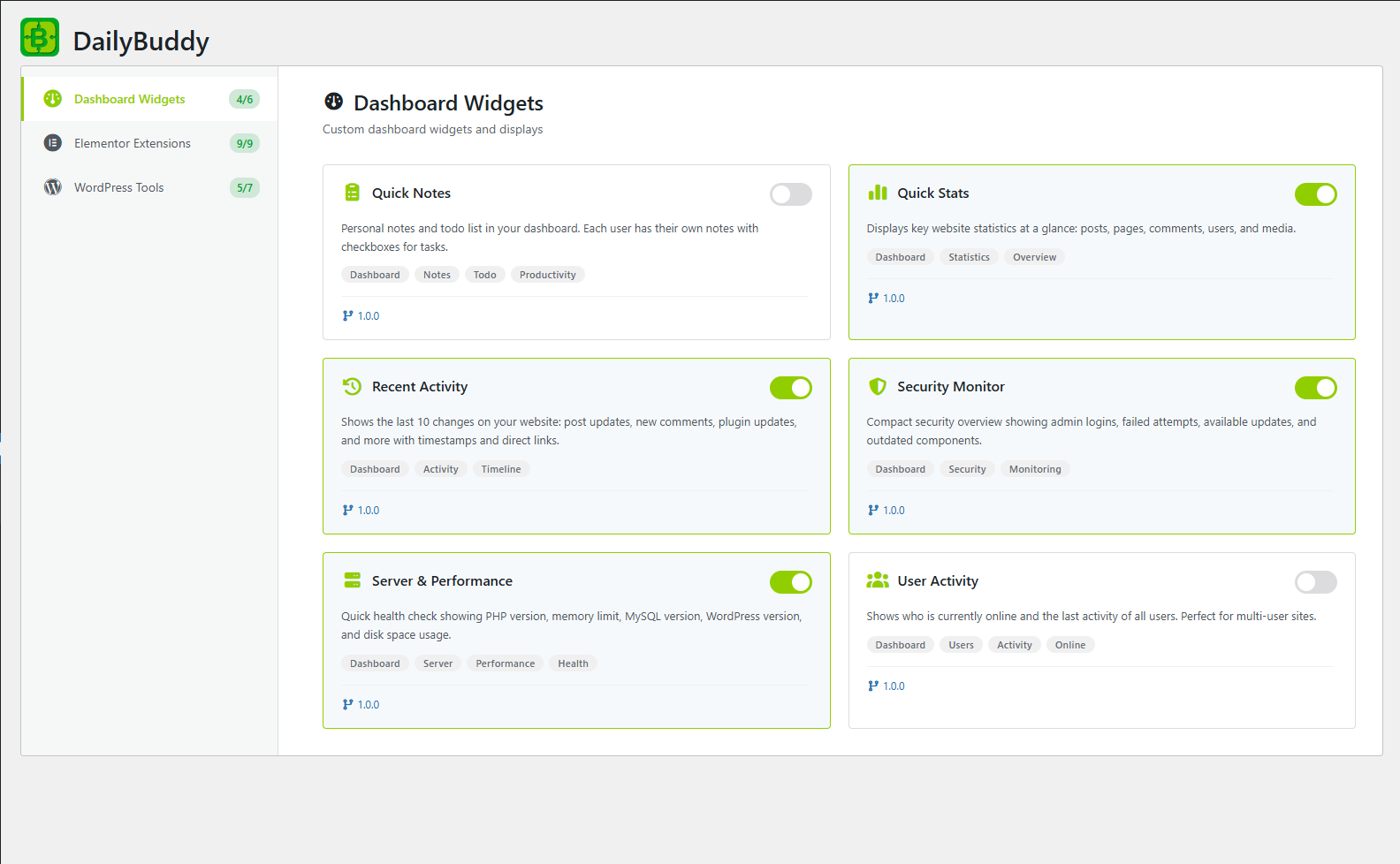
Dashboard Widgets Overview — All activated dashboard widgets providing quick access to essential insights. 
WordPress Modules Overview — Enable or disable individual modules with a simple toggle switch. 
Maintenance Mode — Show a branded maintenance page to visitors while you work on your site. 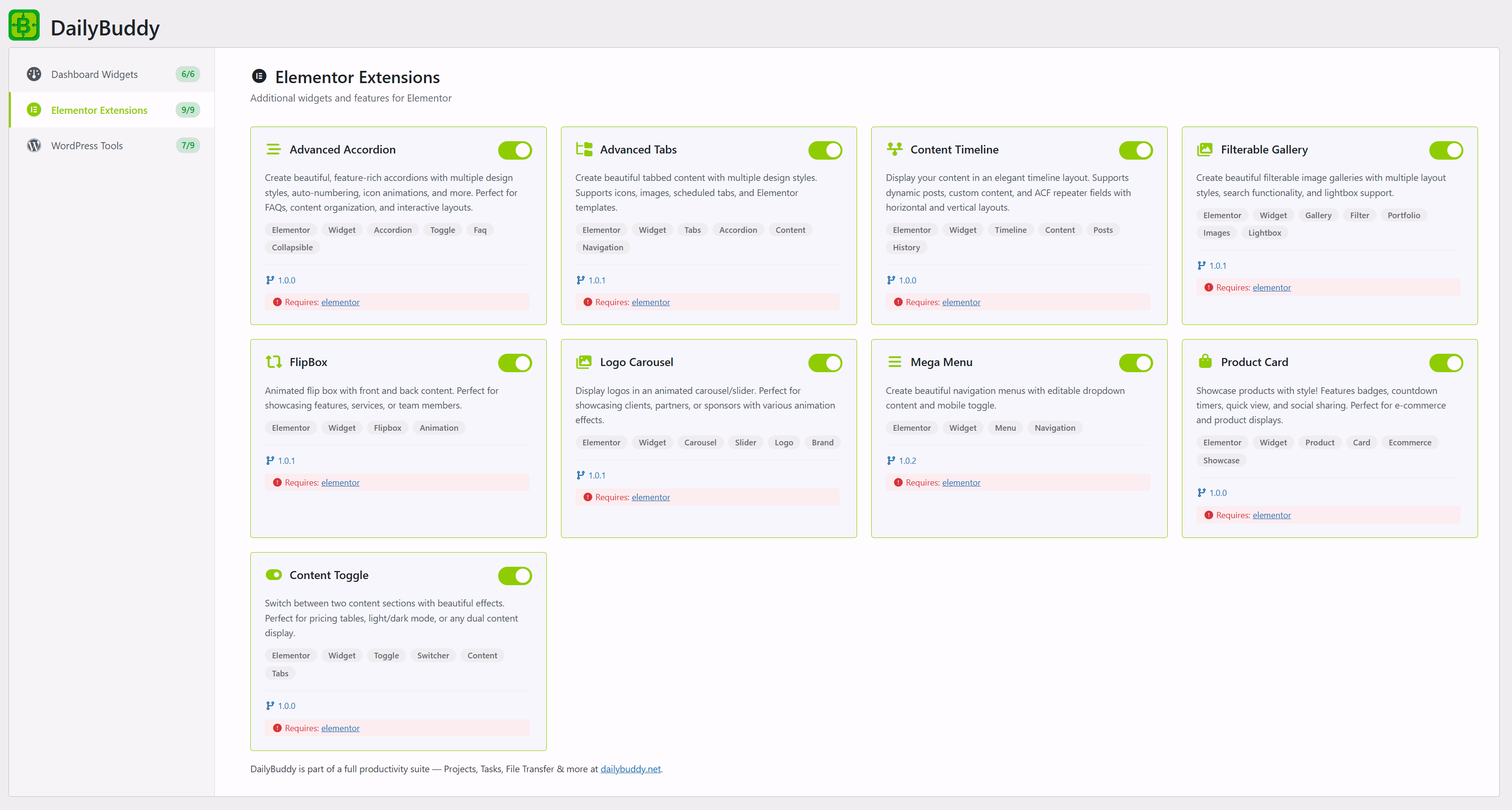
Elementor Extensions — 10 additional Elementor widgets including Mega Menu, Process Steps, Advanced Accordion, and more.
Instalim
- Upload the plugin files to the
/wp-content/plugins/dailybuddydirectory, or install the plugin through the WordPress Plugins screen. - Activate the plugin through the “Plugins” menu in WordPress.
- Go to DailyBuddy > Modules to enable or disable individual features.
PBR
-
How does the Content Folders module work?
-
Content Folders adds a drag-and-drop folder sidebar to your posts, pages, and media library. You can create, rename, and nest folders, then drag items into them. Folders are virtual — your actual content stays where it is.
-
Can I duplicate posts and pages with one click?
-
Yes. Once the Duplicate Posts module is enabled, a “Duplicate” link appears in the post/page row actions. Clicking it creates an exact copy including all metadata.
-
How do I change my WordPress login URL?
-
Enable the Custom Login URL module, then go to its settings to choose a new slug (e.g. /my-login). The default /wp-login.php will no longer be accessible.
-
Does the maintenance mode work with caching plugins?
-
Yes. The maintenance page is shown before WordPress fully loads, so it works with most caching plugins. Logged-in admins can always see the normal site.
-
Can I replace media files without breaking links?
-
Yes. The Media Replace module lets you upload a new file to replace an existing one. All links, embeds, and references keep working because the URL stays the same.
-
Which Elementor widgets are included?
-
DailyBuddy includes 10 Elementor widgets: Advanced Accordion, Advanced Tabs, Content Timeline, Filterable Gallery, FlipBox, Logo Carousel, Process Steps, Product Card, Content Switcher, and Mega Menu. All are free and included in the plugin.
-
Does DailyBuddy conflict with other plugins?
-
DailyBuddy is designed to be modular and lightweight. Each module only loads when enabled, minimizing conflicts. If you already use a plugin for one of these features, simply keep that module disabled.
-
Is DailyBuddy really completely free?
-
Yes. Every feature is free, with no premium tiers, locked modules, or upsells. All updates are free through wordpress.org.
-
Does this plugin require Elementor?
-
Only the Elementor Extensions modules require Elementor. All dashboard widgets and WordPress tools work without Elementor.
-
What is the TranslatePress Language Detection module?
-
It detects your visitors’ browser language and shows a popup, hello bar, or automatic redirect to the matching TranslatePress language version. Fully customizable appearance and GDPR-friendly (uses sessionStorage, no cookies).

Kontribues & Zhvillues
“DailyBuddy — Free All-in-One Toolkit” është software me burim të hapur. Në këtë shtojcë kanë dhënë ndihmesë personat vijues.
Kontribues
Përkthejeni “DailyBuddy — Free All-in-One Toolkit” në gjuhën tuaj.
Ju intereson zhvillimi?
Shfletoni kodin, shkarkoni depon SVN, ose pajtohuni përmes RSS-je te regjistri i zhvillimeve.
Regjistër ndryshimesh
1.2.3
- Fix Translate Widgets
1.2.2
- Fix TranslatePress Tools: Remove redirect action type due to SEO/indexing issues (causes redirect loops for crawlers). Existing settings auto-migrate to popup
- Fix Process Steps: Replace CSS Container Queries with Media Queries to prevent height calculation conflicts with Elementor’s flex layout
- Fix Process Steps: Reduce vertical spacing in mobile/vertical mode (smaller icons, shorter connectors)
- Add Category Post List Elementor widget: linked post navigation for category-based content (e.g. tool collections)
1.2.1
- Add Process Steps Elementor widget with snake flow layout, compact inline, and card stack variants
1.2.0
- Add TranslatePress Language Detection module with popup, hello bar, and redirect support
- Add customizable appearance settings for language detection (colors, border radius, overlay opacity)
- Update plugin description and tags for better wordpress.org discoverability
- Expand FAQ to 10 keyword-rich questions
- Update cross-promotion link to dailybuddy.net
1.1.18
- Fix click event for delete/rename folder in Content Folders
1.1.17
- Add custom width for mobile menu in Elementor Mega Menu
1.1.16
- Nested-elements user notification in Elementor Mega Menu
1.1.15
- Nested-elements fix for Elementor Mega Menu