
Todowing
Todowing adds focus sessions, estimates, notes and read-only Apple Calendar events to Todoist, with inline subtasks in Chrome views.
VisitPublished on:
October 28, 2026
Pricing:

About Todowing
Todowing adds day-planning features to Todoist without moving the task list elsewhere. In Chrome, its Today view can show a focus session for selected tasks, estimated durations and a total for the day's work. A notes area keeps brief non-task reminders close by, and published Apple Calendar events can appear above the task list.
The extension also surfaces subtasks across Today, Upcoming, boards, filters and labels. The basic subtask display and three weekly focus sessions are free; setting estimates, calendar display, notes and unlimited sessions are part of the lifetime unlock. Calendar events are read-only, and setup uses a published calendar link. Teams or individuals choosing it should also account for the browser constraint: it does not run in Todoist's downloaded desktop app.
Features of Todowing
- Focus bar totals selected tasks; the Today header totals the list.
- Notes pad supports a little Markdown and saves as you type.
- Published Apple Calendar events can appear for up to five calendars.
- Subtasks show in multiple Todoist views, with editing tools in the unlock.
Use Cases of Todowing
- Keep non-task reminders above the daily task list.
- See meetings while deciding what work fits into the day.
- Run a focus session on a subset of tasks and their subtasks.
- Use Todoist subtasks across board, filter and label views.
Frequently Asked Questions
Can Todowing edit Apple Calendar events?
No. It displays events from a published calendar and only reads them.
What happens if a task has no estimate but its subtasks do?
The source says the parent task can show the total of its open subtasks when it has no estimate of its own.
Does it require a Todoist subscription?
No. Todowing says it works with every Todoist plan, including the free plan.
Explore more in this category:
Similar to Todowing

Get Rid of AI Overview
A desktop Chrome tool that hides supported Google AI summaries and AI Mode, with optional filters for other search result blocks.

GridCraft
GridCraft is an open-source spreadsheet for editing XLSX files, exploring formulas, and building charts in a browser or desktop app.

CyberScore
CyberScore is a free outside-in security check for small businesses, covering public email, website, software and service exposure.

Kivloo
Kivloo helps teams complete and search daily workplace safety checks on a phone, with photos, readings and records across sites.

QSharpener
QSharpener helps users restore and decode blurry or damaged QR codes, then rebuilds a clean QR image for scanning.


ScreenOtter
ScreenOtter is a native Mac app for recording, editing, captioning and sharing screen videos, with automatic zooms and screenshot tools.
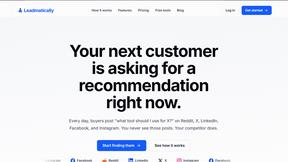
Leadmatically
Leadmatically helps small businesses spot buying signals across social platforms and manage first contact and replies from one inbox.