
SciDrawer AI
SciDrawer AI helps researchers make diagrams and graphical abstracts from text, sketches, or reference figures, with print-focused export options.
Visit
About SciDrawer AI
For design work in a research setting, SciDrawer AI turns a written brief, rough sketch, or visual reference into a draft scientific figure. The examples span mechanism pathways, lab methods, microscopic structures, and graphical abstracts, supported by templates in nine categories. Researchers can choose 1K, 2K, or 4K output and use the poster layouts to adapt manuscript or PDF figures for an A0 format.
Its main value is getting from a concept to an organized visual draft. That can be useful when a team has the science and story but needs help establishing a clean layout. A reference can carry a style across several panels, while a sketch captures a specific composition. Generated content should be checked by the authors: verify each arrow, label, scale, and claim against the data before it enters a manuscript or presentation.
Export resolution is only one part of production readiness. Confirm the target venue's requirements, including fonts, accessibility, and permissions.
Features of SciDrawer AI
- Prompt, sketch, and reference inputs for figure drafts
- Templates across nine scientific diagram categories
- 1K, 2K, and 4K export choices
- A0 poster layouts using manuscript or PDF figures
Use Cases of SciDrawer AI
- Draft a scientific visual for a journal submission
- Design a graphical abstract around the core finding
- Match the styling of panels in a multi-figure manuscript
- Create a poster from existing research figures
Frequently Asked Questions
Is this for general graphic design?
The described features focus on scientific diagrams, research figures, graphical abstracts, and conference posters.
Can I use a reference to set the style?
Yes. The site says reference figures can guide the palette, type weight, and label style of new panels.
What should I review before sharing a draft?
Check scientific accuracy, readability, resolution, and the destination's rules for fonts, accessibility, and permissions.
Pricing of SciDrawer AI
Monthly pricing is listed as $9 for Starter, $23 for Pro, or $48 for Lab, with credits and capabilities varying by tier.
Similar to SciDrawer AI

Flux3Max.io
Flux3Max.io creates short videos with sound from text, photos, or up to 10 keyframes, with 720p and 1080p options.

PosterSize
PosterSize combines a poster size catalogue with an AI generator for early designs across print, social, and presentation formats.
iWhiteScreen
iWhiteScreen provides a clean, full-screen white background for display checks, projection tests, monitor cleaning and other quick visual tasks.
MenuCapture
Edit photos of real restaurant dishes with text instructions, then export menu-ready images sized for delivery platforms and social media.
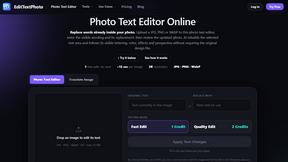
EditTextPhoto
EditTextPhoto uses AI to replace text in finished images, helping sellers and marketing teams update authorized graphics without source files.

AppScreenshots
Make App Store and Google Play listing screenshots from real app screens using templates, device frames, and PNG export.
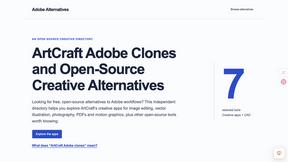
Adobe Alternatives
Browse open-source options for Adobe-associated workflows, with ArtCraft app links, platform details and development status.

ImageAgent
Generate or revise images through chat, with options to begin from a prompt or bring an existing image into the conversation.