
LivePoll
LivePoll helps teams and educators run QR code polls with phone voting and live results, without requiring voters to install an app.
VisitPublished on:
October 26, 2026
Pricing:

About LivePoll
LivePoll gives a host a quick way to ask a question and show the response as it builds. Publish a poll, display its QR code on a projector or shared screen, and let people scan and vote in their phone browser. The result bars update live, so the audience can follow the tally together.
Its broad use cases include classroom checks, meeting decisions, conference participation and party questions. The trade-off is that polling is built around a displayed prompt and results; it is not a substitute for a longer discussion when the group needs to explain its reasoning. Polls can be started without signup and accept up to 1,000 voters in that mode. A free account removes the voter limit and extends poll duration from 24 hours to seven days. Pro adds host controls for more structured use.
Features of LivePoll
- Live vote bars beside a scannable QR code
- Browser-based voting with no app or voter account
- Up to 1,000 voters without signup
- Pro options include passwords, scheduling and exports
Use Cases of LivePoll
- Run quick understanding checks in class
- Gather a team vote during a meeting
- Engage attendees during a conference talk
- Let guests vote on party questions
Frequently Asked Questions
Is LivePoll suitable for a large audience?
The official page reports a limit of up to 1,000 voters without an account and unlimited voters with a free account.
Can voters participate without an app?
Yes. They can scan the QR code and vote in their browser.
How long will a poll remain available?
It runs for 24 hours after the first vote, or seven days with a free account. Pro polls stay open until the host closes them.
Pricing of LivePoll
LivePoll offers free polls. Pro costs $5 per month or $39 per year; an Event Pass costs $9 once for seven days of Pro.
Similar to LivePoll

Kivloo
Kivloo helps teams complete and search daily workplace safety checks on a phone, with photos, readings and records across sites.

Drawcil
Drawcil guides paper drawing with four illustrated stages from a reference photo, with a free sample lesson to start.

QSharpener
QSharpener helps users restore and decode blurry or damaged QR codes, then rebuilds a clean QR image for scanning.

ScreenOtter
ScreenOtter is a native Mac app for recording, editing, captioning and sharing screen videos, with automatic zooms and screenshot tools.
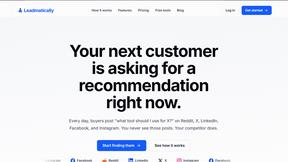
Leadmatically
Leadmatically helps small businesses spot buying signals across social platforms and manage first contact and replies from one inbox.
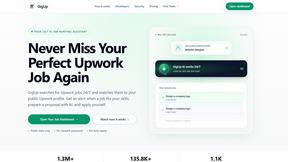
GigUp
GigUp scores new Upwork listings against your profile and preferences, helping freelancers understand why a job may fit before deciding to apply.
Greatooly
Greatooly is a directory of iPhone app picks, with topic and tag filters, recent sorting, and official-source discovery.

Safe Outreach
Review LinkedIn extension detection results and how tools handle sessions before deciding which browser tools fit your workflow.