
CADCraft
CADCraft is an open-source 2D drafting app with a free desktop editor, browser edition and command interfaces for scripted work.
Visit
About CADCraft
CADCraft combines a free desktop drafting editor with a browser edition, making it a candidate for teams that want to try a 2D workflow before standardizing on a tool. The interface centers on typed commands and coordinates, with object snaps, polar tracking and ortho for precise placement. Drawings can be organized with layers and annotated with dimensions, multileaders, tables and hatches before plotting from paper space.
The same command model can also support automation: CADCraft exposes JSON control, a headless CLI and an MCP server. That makes the product relevant to developers testing scriptable or agent-assisted drafting alongside hands-on editing. Its project is open source and actively developed. Treat DWG exchange as a point to evaluate: the official material describes unsupported objects as potentially omitted and notes that AutoCAD retains full-fidelity DWG support.
Features of CADCraft
- Command-driven 2D drafting with coordinate entry, snaps, ortho and polar tracking.
- Layers, dimensions, multileaders, tables, hatches and paper-space plotting.
- Browser and desktop editions, with common vector and image export formats.
- Automation through JSON control, CLI scripts and an MCP server.
Use Cases of CADCraft
- Evaluate an open-source alternative for basic 2D drafting tasks.
- Let users draw interactively while developers prototype scripted workflows.
- Batch-render or convert drawings for downstream documentation.
- Test browser-based access before installing desktop software across a team.
Frequently Asked Questions
Does CADCraft require an account to draw?
The source says the free editor can be used without an account.
What formats are listed?
The product lists DWG, DXF, PDF, SVG and PNG among its file workflows. Unsupported DWG objects may be omitted, so inspect exchanged drawings.
Can it be used by both people and scripts?
Yes. Users can draft through the command interface, while scripts or compatible MCP clients can send commands and inspect or render drawings.
Explore more in this category:
Similar to CADCraft

Flux3Max.io
Flux3Max.io creates short videos with sound from text, photos, or up to 10 keyframes, with 720p and 1080p options.

SciDrawer AI
SciDrawer AI helps researchers make diagrams and graphical abstracts from text, sketches, or reference figures, with print-focused export options.

PosterSize
PosterSize combines a poster size catalogue with an AI generator for early designs across print, social, and presentation formats.
iWhiteScreen
iWhiteScreen provides a clean, full-screen white background for display checks, projection tests, monitor cleaning and other quick visual tasks.
MenuCapture
Edit photos of real restaurant dishes with text instructions, then export menu-ready images sized for delivery platforms and social media.
GigUp
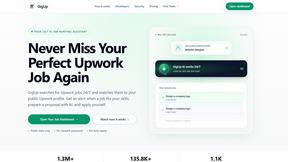
GigUp scores new Upwork listings against your profile and preferences, helping freelancers understand why a job may fit before deciding to apply.
EditTextPhoto
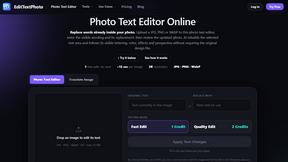
EditTextPhoto uses AI to replace text in finished images, helping sellers and marketing teams update authorized graphics without source files.

AppScreenshots
Make App Store and Google Play listing screenshots from real app screens using templates, device frames, and PNG export.