
AppScreenshots
Make App Store and Google Play listing screenshots from real app screens using templates, device frames, and PNG export.
Visit
About AppScreenshots
AppScreenshots helps turn real app screens into store artwork. Add captures to a template or blank canvas, arrange them with device frames and headlines, and export PNG files. Presets are available for several platforms, but a preset is only a starting point: check the resulting dimensions and store requirements before uploading.
This is useful when a developer needs to present several app benefits in a consistent visual set. The editor also supports project language versions, which can keep translated text organized alongside the design. Free use supports one watermark-free PNG download at a time without signing in. If the work depends on saving a project in the cloud, generating with AI, or exporting a batch, account and plan limits apply.
Review before release
Replace example screens with your own app UI. Check each headline, locale, font, and line break, then upload the finished files through the store console. Export alone does not submit or publish an app.
Features of AppScreenshots
- Compose images using real captures, templates, frames, headlines, and backgrounds
- Presets for target store platforms and devices
- Individual PNG downloads and plan-based ZIP export
- Multi-language project versions, with paid batch translation
Use Cases of AppScreenshots
- Create an image sequence that highlights app benefits
- Prepare store graphics for iOS and Android releases
- Maintain locale-specific text in a shared project
- Verify image dimensions and layout before store submission
Frequently Asked Questions
Can I use it without signing in?
Yes. The basic editor allows one watermark-free PNG download at a time. Cloud projects and AI features require sign-in.
Are translations automatic?
Manual locale editing is available; batch translation requires Pro or Lifetime. Review translated wording and layout before export.
Does the editor submit images to a store?
No. It exports image files for you to upload in the store console.
Pricing of AppScreenshots
Free plan available. Pro is $9.9 per month, Launch Pass is $4.99 one-time for 7 days, and Lifetime is $199 one-time.
Similar to AppScreenshots

Flux3Max.io
Flux3Max.io creates short videos with sound from text, photos, or up to 10 keyframes, with 720p and 1080p options.

SciDrawer AI
SciDrawer AI helps researchers make diagrams and graphical abstracts from text, sketches, or reference figures, with print-focused export options.

PosterSize
PosterSize combines a poster size catalogue with an AI generator for early designs across print, social, and presentation formats.
iWhiteScreen
iWhiteScreen provides a clean, full-screen white background for display checks, projection tests, monitor cleaning and other quick visual tasks.
MenuCapture
Edit photos of real restaurant dishes with text instructions, then export menu-ready images sized for delivery platforms and social media.
EditTextPhoto
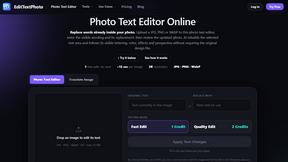
EditTextPhoto uses AI to replace text in finished images, helping sellers and marketing teams update authorized graphics without source files.
Adobe Alternatives
Browse open-source options for Adobe-associated workflows, with ArtCraft app links, platform details and development status.

ImageAgent
Generate or revise images through chat, with options to begin from a prompt or bring an existing image into the conversation.