

Sharraxaad
Subscribe students to your list upon enrollment
Are you looking to subscribe your students to your email list? It’s now possible with the MailChimp add-on for WP Courseware. Upon enrollment, you can subscribe your students to one of the following MailChimp elements:
- audience
- tags
Once you configure your MailChimp API Key and Secret you can begin configuring your courses.
How to integrate WP Courseware and MailChimp video tutorial
Check out Fly Plugins
For more tools and resources for selling online courses check out:
- WP Courseware – The leading learning management system for WordPress. Create and sell online courses with a drag and drop interface. It’s that easy!
- S3 Media Maestro – The most secure HTML 5 media player plugin for WordPress with full AWS (Amazon Web Services) S3 and CloudFront integration.
Follow Fly Plugins on social
Minimum Requirements
- PHP >= 5.6.2
- WordPress >= 4.8.0
- WP Courseware >= 4.8.1
Sawir-shaashado
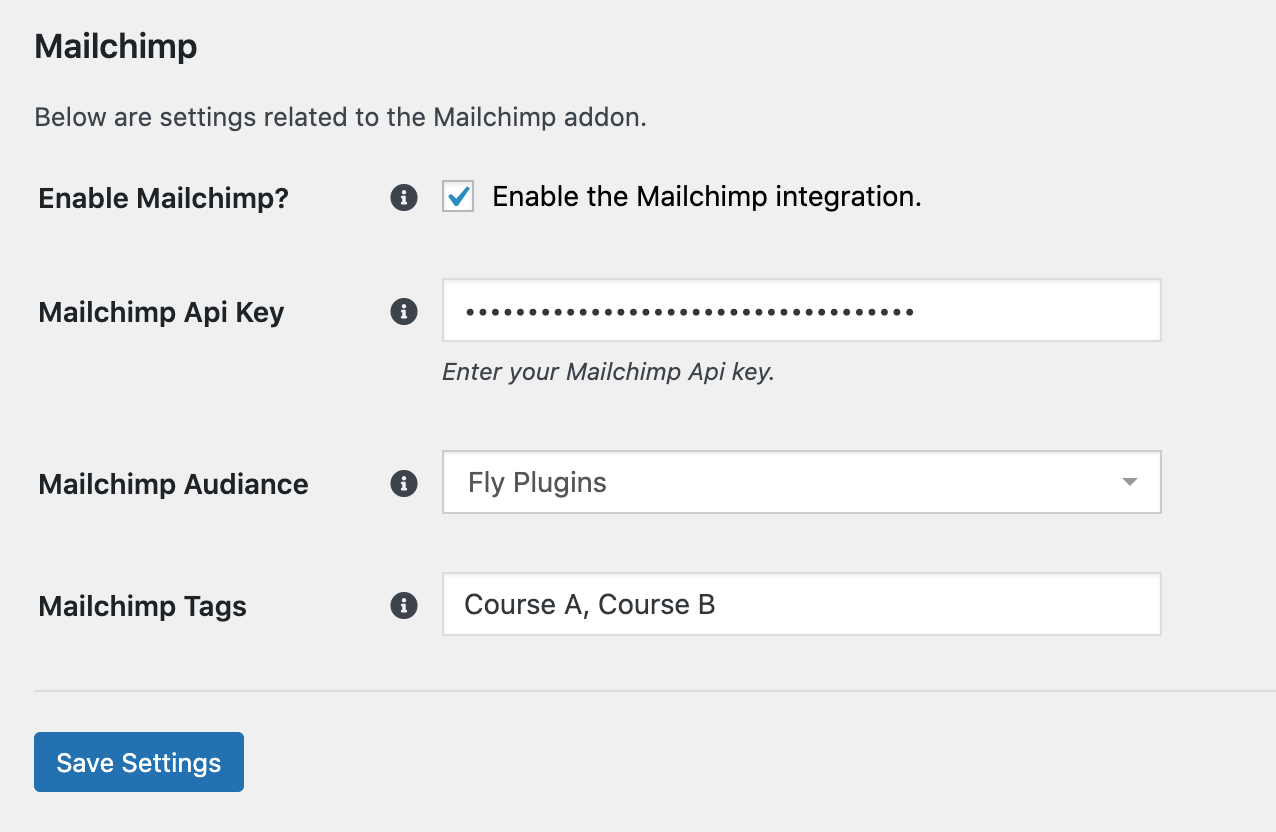
Configure MailChimp behavior from the course settings area of a course
Rakibaad
- Go in to your WordPress Admin Panel.
- Navigate to Plugins → Add New and click upload.
- Browse for the wp-courseware-mailchimp.zip file and click upload.
- Click Activate.
Dibu-eegisyo
Ma jiraan wax dibu-eegis ah oo ku saabsan kaabahan.
Ka-qaybgalayaasha & Horumariyayaasha
“WP Courseware – Mailchimp Addon” waa softiweer il furan. Dadka soo socda ayaa wax ku biiriyay kaabahan.
Ka-qaybgalayaasha
Ku tarjun “WP Courseware – Mailchimp Addon” luqaddaada.
Ma xiisaynaysaa horumarinta?
Baadh koodka, fiiri bakhaarka SVN, ama iska qor diiwaanka horumarinta adigoo adeegsanaya RSS.
Isbeddellada
1.0.1
- Fixed issue where adding API key wouldn’t retrieve audience(s).
1.0.0
- Initial Version.