

Sharraxaad
Delayed Orders for WooCommerce will help you manage any delayed orders. You can choose the period after an order should be considered “delayed”.
NOTE: This plugin requires WooCommerce to be installed and activated.
After Installation
If you already have active orders you need to go to the settings page and update orders or click on “Save changes”.
Filtering
- Click on “Delayed Orders” to display only the delayed orders.
- Type on “Filter by number of days delayed” to display delayed orders older than a specific period.
Features
- Easy to use
- Customizable
- Delayed orders status
- Delayed orders filtering
Sawir-shaashado

Orders list (admin) 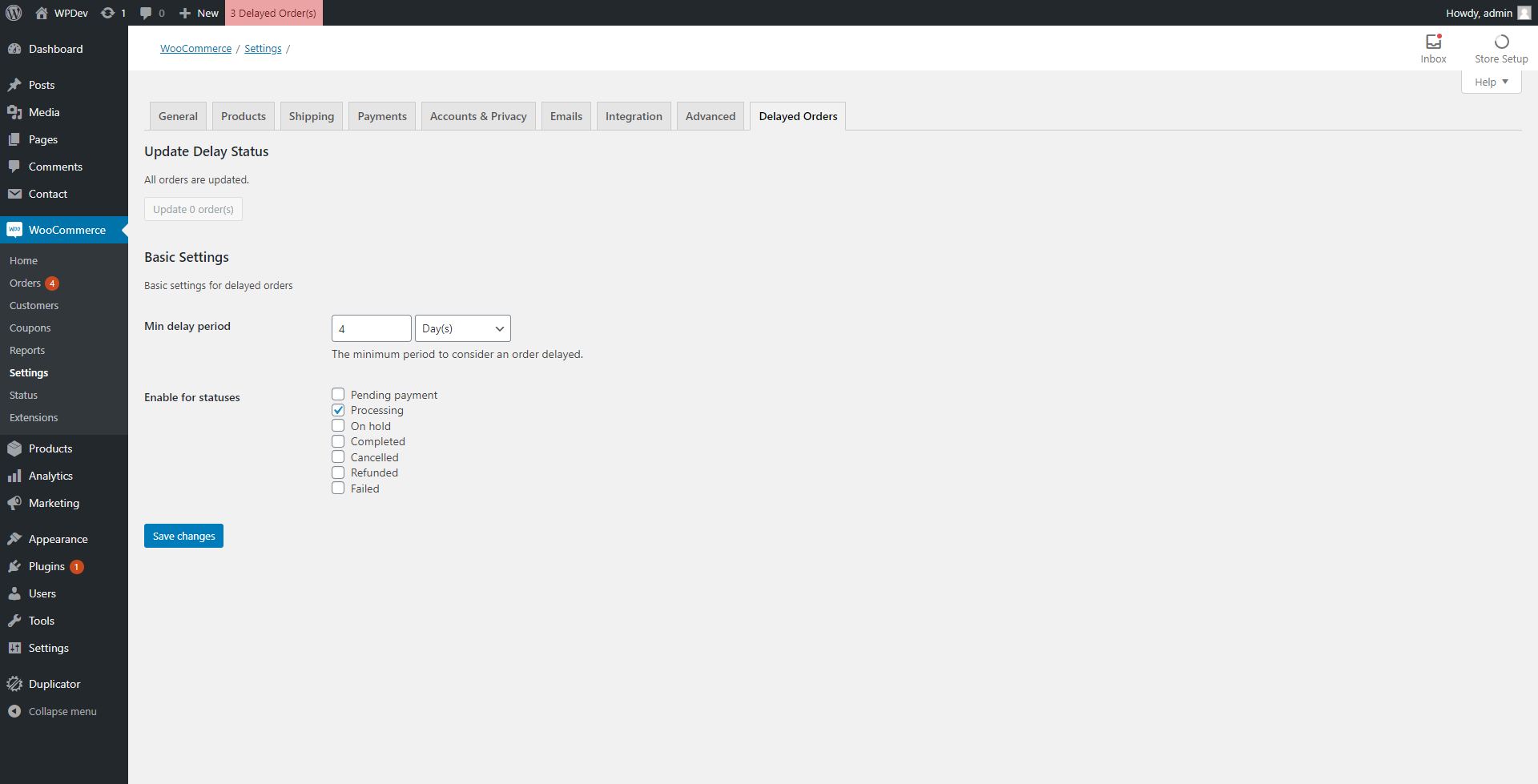
Settings page
Rakibaad
Go to the Plugins admin page and click “Add New” > “Upload Plugin”, select the zip file and click “Install Now”. Once the installation is done you can click “Activate Plugin”.
Dibu-eegisyo
Ma jiraan wax dibu-eegis ah oo ku saabsan kaabahan.
Ka-qaybgalayaasha & Horumariyayaasha
“Delayed Orders for WooCommerce” waa softiweer il furan. Dadka soo socda ayaa wax ku biiriyay kaabahan.
Ka-qaybgalayaasha
Ku tarjun “Delayed Orders for WooCommerce” luqaddaada.
Ma xiisaynaysaa horumarinta?
Baadh koodka, fiiri bakhaarka SVN, ama iska qor diiwaanka horumarinta adigoo adeegsanaya RSS.
Isbeddellada
1.0.1
- Small under-the-hood fixes & improvements
- Restricted delayed-orders update & table badge just for post_statuses enabled on settings tab
