
Sharraxaad
For use with a Meetup.com group.
This plugin creates two widgets: one a list of events from a meetup group (by ID or URL name, for multiple groups use IDs); the other shows details about single event (by ID) with a link to RSVP – using OAuth if keys are specified, otherwise just a link to the event on meetup.com. Does require at least an API key (which it asks for on the settings page).
Sawir-shaashado

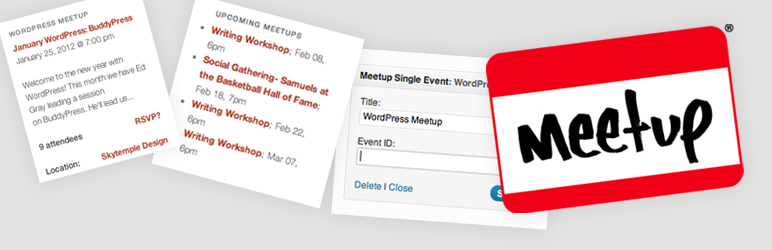
Example of the single event detail widget, shows title, date, an excerpt of the description, number of currently-rsvp’d attendees, a link to RSVP (through OAuth if configured), and the location (linking to a google map). 
Example of the upcoming event list widget. Lists a set number of events from the group you specify, title & date.
Rakibaad
- Extract
meetup-widgets.ziptomeetup-widgets& Upload that folder to the/wp-content/plugins/directory - Activate the plugin through the ‘Plugins’ menu in WordPress
- Set up your API key (and optional OAuth key & secret) in your General Settings screen.
- Use your new widgets!
SBI
- How do I find my API key?
-
Log in to your Meetup.com account, then visit the Getting an API Key page.
- How do I find my OAuth key & secret?
-
You’ll need to create an OAuth consumer for your website. Visit Your OAuth Consumers for more information & to get started.
- How do I find my event ID?
-
It’s in the event page’s URL: http://www.meetup.com/
[group ID]/events/[event ID]/ - How do I find my group ID?
-
If your meetup group is set up at meetup.com/
[group URL name], the part aftermeetup.com/is one of your group identifiers (the URL name). The other possible identifier is your group’s ID number.
Dibu-eegisyo


Ka-qaybgalayaasha & Horumariyayaasha
“Meetup Widgets” waa softiweer il furan. Dadka soo socda ayaa wax ku biiriyay kaabahan.
Ka-qaybgalayaasha
Ku tarjun “Meetup Widgets” luqaddaada.
Ma xiisaynaysaa horumarinta?
Baadh koodka, fiiri bakhaarka SVN, ama iska qor diiwaanka horumarinta adigoo adeegsanaya RSS.