

Sharraxaad
CS Google Analytics is the simple plugin which enables you to place your analytics code and verify your website from the admin panel.
You will find following option with plugins:
- Place your google UA code (UA-XXXXXXXX-X)
Sawir-shaashado
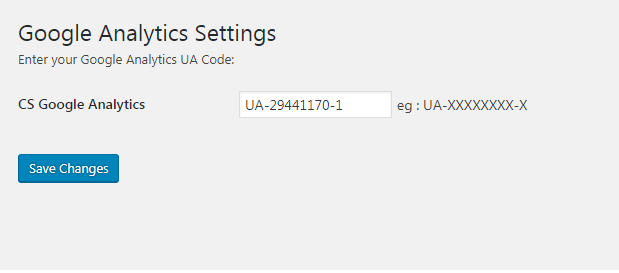
1 Backend Setting
Rakibaad
- Put the plug-in folder
cs-google-analyticsinto [wordpress_dir]/wp-content/plugins/ - Go into the WordPress admin interface and activate the plugin
- Search for Google Analytics menu link
- Enter your UA code
- Click
Savebutton
Have fun!!!
Dibu-eegisyo

20 Luulyo, 2017
This plugin works very well and very easy to use and configure.
thank you…
Ka-qaybgalayaasha & Horumariyayaasha
“CS Google Analytics” waa softiweer il furan. Dadka soo socda ayaa wax ku biiriyay kaabahan.
Ka-qaybgalayaasha
Ku tarjun “CS Google Analytics” luqaddaada.
Ma xiisaynaysaa horumarinta?
Baadh koodka, fiiri bakhaarka SVN, ama iska qor diiwaanka horumarinta adigoo adeegsanaya RSS.
Isbeddellada
1.0.2
Test upto lastet WordPress version
1.0.1
Icon Url Fixed
1.0
Initial version