
Sharraxaad
Absolute 2fa For WooCommerce plugin seamlessly integrates into your WooCommerce login page implementing a two-factor authentication process! This will help you to prevent brute force attack for your WooCommerce shop. The plugin will provide you a straightforward usages experience as there in no configuration required.
Sawir-shaashado
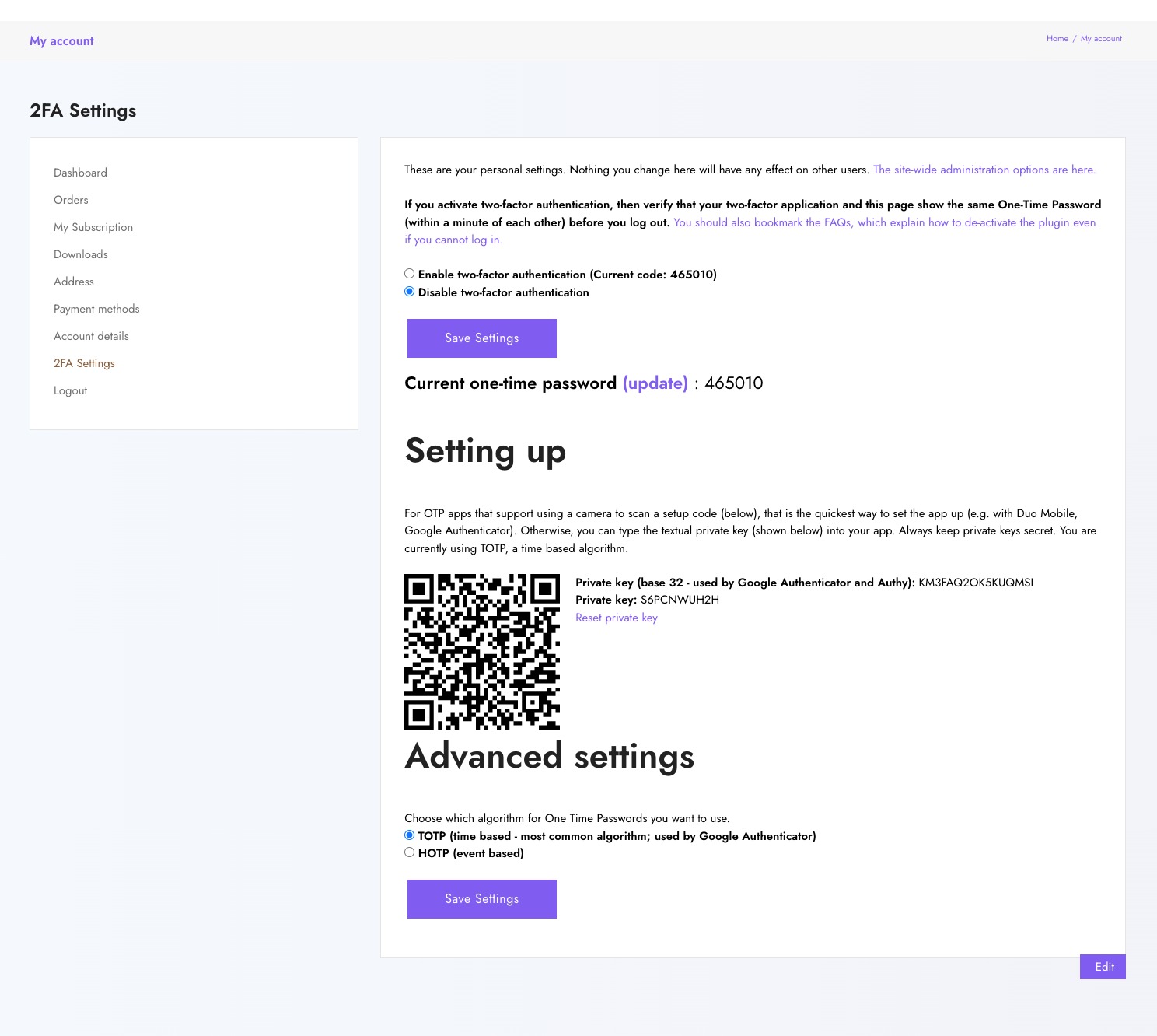
2FA Settings Page
Rakibaad
If not installed, install Two Factor Authentication first.
Automatic Installation (Recommended)
- Search for ‘Absolute 2fa For Woocommerce’ in the ‘Plugins » Add New’ menu in WordPress.
- Click the ‘Install’ button. (Make sure you pick the right one).
- Activate the plugin through the ‘Plugins’ menu in WordPress.
- Check
My Account » 2FA Settings, if it’s 404 then flash permalink.
Manual Installation
- Upload
absolute-2fa-for-woocommerceand it’s contents to the/wp-content/plugins/directory - Activate the plugin through the ‘Plugins’ menu in WordPress
- Check
My Account » 2FA Settings, if it’s 404 then flash permalink.
SBI
-
2 FA Settings Page not found (404)!
-
Please flush the permalink settings.
Dibu-eegisyo
Ma jiraan wax dibu-eegis ah oo ku saabsan kaabahan.
Ka-qaybgalayaasha & Horumariyayaasha
“Absolute 2fa For Woocommerce” waa softiweer il furan. Dadka soo socda ayaa wax ku biiriyay kaabahan.
Ka-qaybgalayaasha


Ku tarjun “Absolute 2fa For Woocommerce” luqaddaada.
Ma xiisaynaysaa horumarinta?
Baadh koodka, fiiri bakhaarka SVN, ama iska qor diiwaanka horumarinta adigoo adeegsanaya RSS.
Isbeddellada
1.0.1 – 2022-02-17
- Tested with the latest WordPress & WooCommerce available
- Update dependency notice.
1.0.0
- Initial Release.