
وضاحت
Reckoning provides a nice overview of a blog’s content sorted by user. It provides a page in the Admin Dashboard page (“Users->User Summary”) that lists the users’ post titles and dates underneath their names with a total count, and it does the same for the comments. If you click on an author’s name, then you’ll see an overview page for the author with the same information, but the content of the posts and the comments will be listed there too.
This plugin creates no database tables, and it does not store or alter any data; it simply displays data in a convenient fashion.
The initial use-case for Reckoning was for professors who use class blogs to assess their students’ work at the end of the semester (read: The Reckoning). It basically gives a birds-eye-view of who has posted and commented.
Note: WordPress Multisite only.
Developed for Blogs@Baruch with support from CUNY: Baruch College’s Bernard L. Schwartz Communications Institute and the Center for Teaching and Learning.
Github Repo
Please report any issues with the plugin via the Github repository.
تصوير

The overview page 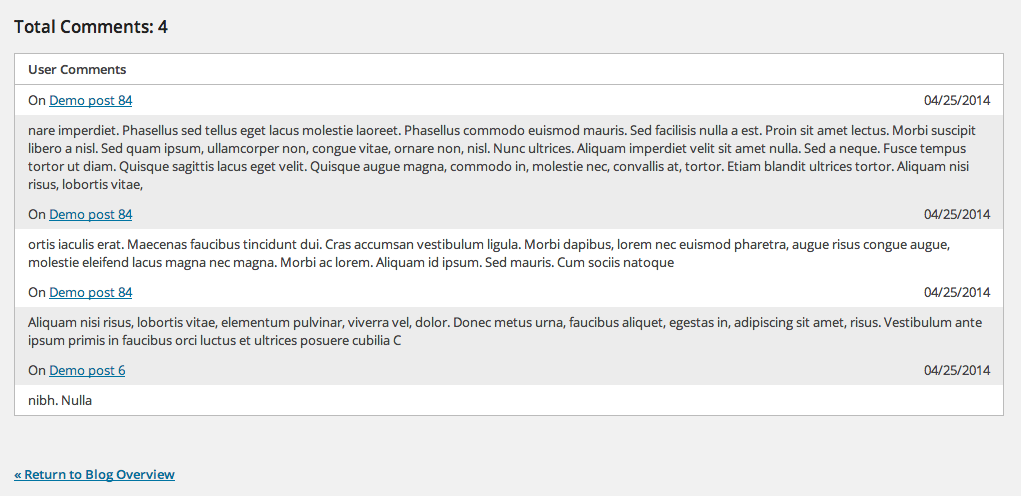
Comments on a single author page 
A non-prolific single author page 
The menu item (called “User Summary”)
انسٽاليشن
Just install like you would regularly. This plugin does not create any table or data; it simply displays some data nicely.
Using The WordPress Dashboard
- Navigate to the ‘Add New’ in the plugins dashboard
- Search for ‘reckoning’
- Click ‘Install Now’
- Activate the plugin on the Plugin dashboard
Uploading in WordPress Dashboard
- Navigate to the ‘Add New’ in the plugins dashboard
- Navigate to the ‘Upload’ area
- Select
reckoning.zipfrom your computer - Click ‘Install Now’
- Activate the plugin in the Plugin dashboard
Using FTP
- Download
reckoning.zip - Extract the
reckoningdirectory to your computer - Upload the
reckoningdirectory to the/wp-content/plugins/directory - Activate the plugin in the Plugin dashboard
جائزا
ھن پلگ ان لاءِ ڪي به رايا ناھن.
تعاون ڪندڙ & ڊولپرز
“Reckoning” اوپن سورس سافٽ ويئر آهي. ھيٺين ماڻھن ھن پلگ ان ۾ حصو ورتو آھي.
تعاون ڪندڙ
ترجمو ڪريو “Reckoning” توهان جي ٻولي ۾.
ڊولپمينٽ ۾ دلچسپي؟
ڪوڊ براؤز ڪريو، چيڪ ڪريو SVN مخزن، يا رڪنيت حاصل ڪريو ڊولپمينٽ لاگ پاران RSS.
لاگ تبدیل ڪريو
2.0.1
- Rollback array declarations to be compatible with PHP < 5.4
2.0.0
- Include private posts (breaking change) PR @boonebgorges
- Fix coding standards
- Better sanitization
1.0.1
- Added headers to tables for clarity.
1.0.0
- Initial Commit.