

وضاحت
GS Projects Plugin is a flexible WordPress plugin for displaying projects in clean, responsive portfolio layouts. It helps you present project items in an organized manner without requiring a custom code.
The plugin is designed to work with standard WordPress structures and offers multiple layout options suitable for agencies, freelancers, developers, and creative portfolios. You can control how projects appear, how much information is displayed, and how they are grouped, which makes it easier to highlight important work across your site.
The GS Projects Plugin focuses on simplicity and performance. It integrates smoothly with most WordPress themes and page builders, allowing you to create structured project showcases that adapt well to different screen sizes. Whether you want to display recent projects, featured work, or categorized portfolios, the plugin provides a practical way to manage project presentations.
🎬 Live Demo ⬆️ Upgrade to PRO 📚 Documentation 🙋♂️ Support
Why do well-organized project layouts make a difference?
As a portfolio grows, managing and presenting projects in a clear way becomes more important. A structured layout helps visitors explore your work more easily and understand each project at a glance.
- Help visitors scan projects quickly and discover relevant work.
- Keep multiple projects visually organized and easy to browse.
- Highlight important or featured projects naturally.
- Improve consistency across desktop and mobile devices.
- Reduce clutter compared to long, unstructured project lists.
What makes the GS Projects Plugin practical to use?
- Simple and familiar setup: GS Projects Plugin works smoothly within WordPress, making it easy to showcase projects without changing your workflow. Manage project displays using simple settings while keeping full control over your portfolio.
- Flexible display options: Display projects on any page or post using layouts that adapt to different portfolio needs, such as recent projects or category based work.
- Clean and responsive layouts: Projects appear in organized layouts that adjust smoothly across desktop, tablet, and mobile screens.
- Better project organization: Group and structure projects visually so visitors can browse your work easily without clutter.
The GS Projects Plugin offers a practical way to present projects while keeping your portfolio clean, organized, and easy to manage.
Core features of GS Projects Plugin
The GS Projects Plugin provides a focused set of tools to organize, manage, and display projects in structured portfolio layouts while keeping setup and management simple.
- Project portfolio display in organized layouts.
- Multiple layout variations for project showcases.
- Project category grouping and filtering.
- Control number of projects displayed.
- Project ordering by date, title, ID, or custom order.
- Featured image support for project thumbnails.
- Toggle display of title, description, and project details.
- Responsive column controls for all devices.
- Theme compatible and consistent layouts.
- Shortcode based project placement.
- Widget support for displaying projects.
- Page builder and theme compatibility.
- Lightweight structure with optimized assets.
- Custom CSS support for layout styling.
- Standard WordPress structure compatibility.
- Localization ready.
- Developer-friendly and standards-compliant markup.
- No code setup required.
There are numerous additional options available to support different project showcase needs.
Who is the GS Projects Plugin best suited for?
The GS Projects Plugin is ideal for users who need a structured and flexible way to showcase projects or portfolio items without custom development.
- Freelancers who want to present their projects in clean, organized layouts
- Agencies showcasing client work or case studies
- Developers displaying completed projects or technical work
- Designers and creatives building a professional portfolio website
- Website owners who prefer shortcode or widget based project management
GS Projects Plugin works especially well when clarity, organization, and professional project presentation are more important than complex design effects.
Available fields to add info
- Project Name
- Project Details
- Skill
- Project URL
- Client Review
- Client Rating
- Project Group / Category
- Project Image
- Youtube Video ID
- Vimeo Video ID
- Image Gallery
- Project Image (default) / Youtube / Vimeo / Gallery
General Settings
Go to GS Projects Shortcode to create or edit a shortcode. The General Settings tab allows you to control the basic layout, structure, and content display of your project showcase.
Set a Shortcode Name to identify your shortcode easily. Choose a Theme and View Type to define how your projects will appear on the frontend.
Control how project items behave using the Link Type and Link Target options. Select appropriate Image Sizes to keep project thumbnails consistent across your layout.
You can enable or disable elements such as Project Title, Project Subtitle, and Project Details, while Title Limit helps control the length of project titles for cleaner layouts.
The Control Details option allows you to decide which project information should be displayed within each project item.
These settings help you configure how projects are structured and displayed while keeping the setup simple and flexible.
Style Settings
The Style Settings tab allows you to control the visual layout and typography of your project’s showcase.
Adjust the number of projects displayed per row using Desktop, Tablet, Portrait Mobile, and Mobile Items to ensure the layout adapts properly across different screen sizes.
Typography options such as Title Typography, Subtitle Typography, and Details Typography lets you customize the appearance of project titles, subtitles, and project details for better readability and visual consistency.
Query Settings
The Query Settings tab allows you to control which projects are displayed and how they are organized in the showcase.
Set the number of projects to display using the Projects option. Use Order By and Order to define how projects are sorted, such as by date, title, or custom order.
For filter navigation, Filter Order By and Filter Order help control how project filters are arranged.
You can also refine the results using Exclude/Include options for Project Category and Project Tag, allowing you to display only specific groups of projects or hide selected ones from the layout.
Page Builder Support
- Gutenberg.
- Elementor.
- WPBakery.
- Divi Builders.
- Beaver Builder.
- Oxygen Builder.
- UX Builder.
- TagDiv.
- Genesis.
GS Projects shortcode usage
Select a theme, view type & other parameters. Shortcode will generate with id like:
[gsprojects id=1]
Shortcode PHP Usage
<?php echo do_shortcode( '[gsprojects id=3]' ); ?>
Documentation
If you have any questions regarding the GS Projects Plugin and how to work with it, we recommend referring to our comprehensive online documentation. It provides detailed information and instructions to help you navigate and use the plugin effectively. You can find the Documentation here.
Quick Support & Bug Reporting
If you encounter any problems or discover bugs, please post them in our Support channel. We aim to respond as soon as possible (excluding holidays).
Pro users are requested to contact our support channel for dedicated assistance.
🙋♂️ Alternatively, you can reach out to us through our Support or WordPress.org support forum.
Development Team
Crafted and Developed with Passion by GS Plugins
Confused?
🎬 View live Demos »
📚 Documentation »
🔥 You may like other plugins from GS Plugins
Testimonial Slider – Testimonials slider displays rotating customer endorsements and recommendations, helping to build trust and credibility for a business or product.
Logo Slider – Logo slider displays rotating logos of partners, clients, or sponsors, showcasing a business’s relationships and endorsements.
Portfolio – Filterable Portfolio plugin for WordPress allows you to easily display and showcase your projects, highlighting your skills and abilities.
Team Members – Build a Stunning Team Page or Section and Show off Your Team’s Talents!
Books Showcase – Books showcase displays detailed information including author, published date, reviews, ratings, and gallery, allowing users to easily find and explore books.
Coaches – Coaches plugin displays coaches’ experience, skills, reviews, ratings, and certifications, helping users find the right coach for their needs.
Posts Grid – WordPress Posts Grid plugin displays the latest posts in an elegant grid format, allowing for easy navigation and quick access to new content on a website.
Posts Widget – WordPress Posts Widget plugin displays the latest posts in an elegant format on the sidebar or any widget area, allowing for easy navigation and quick access to new content on a website.
🎯 WooCommerce Plugins
WooCommerce Products Slider – WooCommerce Product Slider plugin displays products in a visually pleasing, sliding manner, making it easy for customers to browse and find the products they want on an online store.
WooCommerce Variation Swatches – WooCommerce Variation Swatches plugin replaces the default dropdown fields for variable products with visually appealing swatches, making it easier for customers to select product options and improve the overall shopping experience.
WooCommerce Brands – WooCommerce Brands taxonomy plugin allows for easy cataloging of products by adding a brand taxonomy, making it simple to organize and filter products on an online store.
📣 Social Plugins
Dribbble Portfolio – Dribbble Portfolio WP plugin enables you to display your Dribbble shots on your website in a portfolio layout, allowing you to showcase your design work to a wider audience.
Behance Portfolio – Behance Portfolio WordPress plugin allows you to display your Behance projects on your website in a visually appealing layout, making it easy for your audience to view and appreciate your work.
Pinterest Portfolio – Pinterest plugin for WordPress allows you to display your Pinterest pins on your website, giving your audience a chance to view and interact with your boards, and potentially drive more traffic to your Pinterest profile.
Portfolio – Envato – Envato Portfolio Plugin allows you to display your Themeforest and Codecanyon items on your website, showcasing your digital products and making them easily accessible for potential customers.
Youtube Gallery – YouTube Gallery plugin allows you to display videos from a YouTube channel or playlist on your website, creating a visually appealing gallery and making it easy for visitors to access and watch your videos.
🏆 Branding Plugin
Custom Login – GS Custom Login allows you to customize the WordPress login screen, providing an easy way to create a unique and visually appealing login experience for your website users.
PowerUp – Enhance Your WordPress Experience with the Ultimate Security & Convenience Solution – Hide Admin Bar, Login & Logout Redirection, Disable Comments & Restrict WP-Admin Module.
تصوير

Grid View – Style 01: GS Projects 
Grid View – Style 05: GS Projects 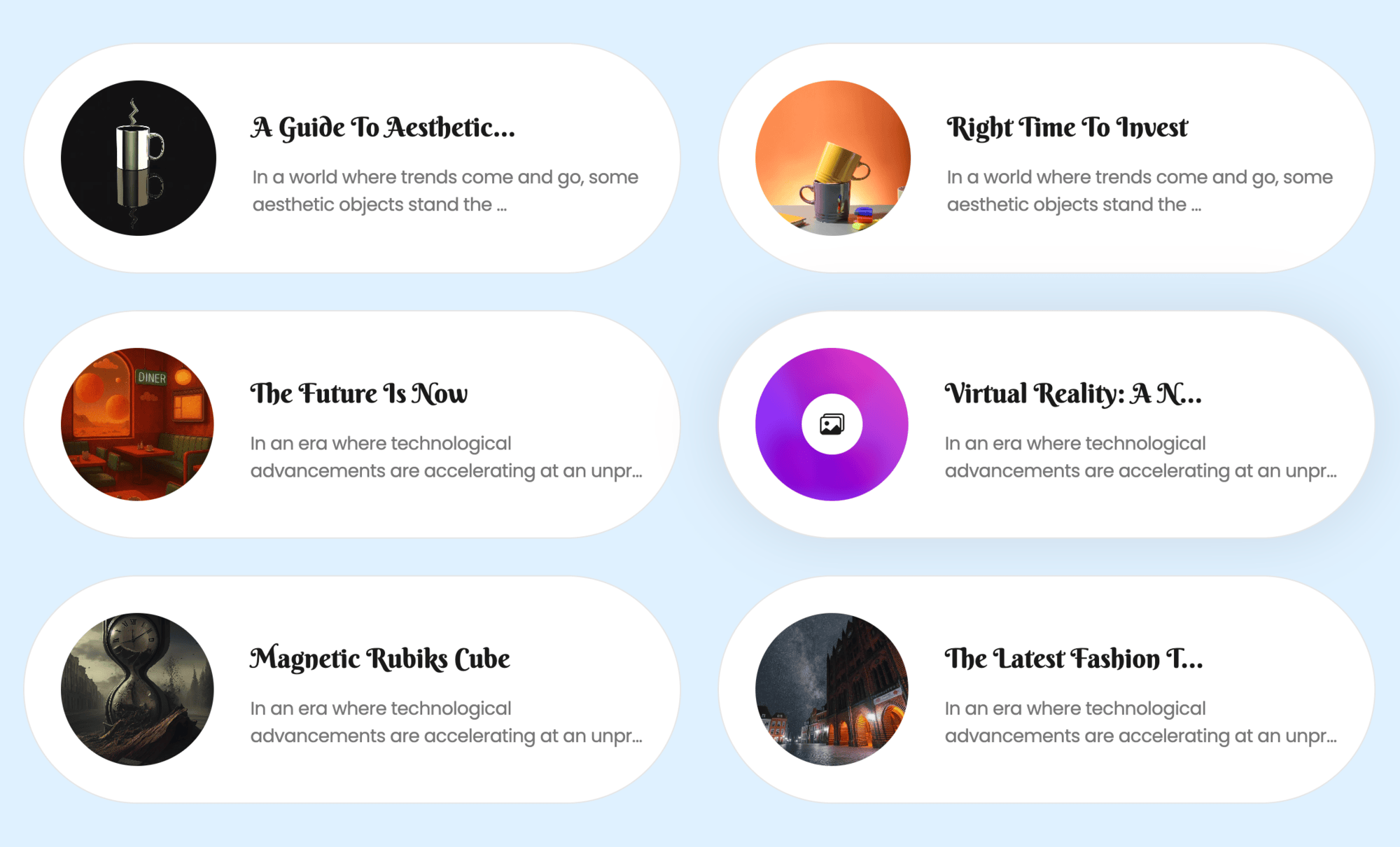
Horizontal View – Style 03: GS Projects 
Horizontal View – Style 06: GS Projects 
Slider Style: GS Projects 
Timeline Style: GS Projects 
Masonry Style: GS Projects 
Metro Style: GS Projects 
Justified Style: GS Projects 
Filter & Popup View: GS Projects 
All created Shortcodes for the GS Projects Plugin 
General Settings 
Style Settings – Typography 
Query Settings – GS Projects 
Preference [Global Settings] 
Drag & Drop Custom Order for GS Projects
بلاڪس
واحد: هي پلگ ان 1 بلاڪ مهيا ڪري ٿو.
- Gsproject Shortcodes
انسٽاليشن
Install GS Project plugin as a regular WordPress plugin. Here is different ways to install GS Projects plugin :
Install by Search Plugin
- In your Admin, go to menu Plugins > Add New
- Search GS Projects
- Click to install
- Activate the plugin
- GS Projects post type will show below POSTS
Install by Upload Plugin
- Download the latest version of GS Projects (.zip file)
- In your Admin, go to menu Plugins > Add New
- Select Upload Plugin
- Click on Choose File
- Select downloaded gs-projects-pro.zip & click on Install Now button
- Activate the plugin
- GS Projects post type will show below Posts / Pages
Install Plugin using FTP
- Upload gs-projects-pro folder inside the /wp-content/plugins/ directory
- Go to WordPress dashboard > Plugins > Activate the GS Projects plugin
-
GS Projects post type will show below Posts / Pages
-
Put [gsprojects id=1] shortcode or select another theme, where you need to show the Projects.
FAQ
-
How do I add a new project?
-
Go to GS Projects Add New Project from your WordPress dashboard. Enter the project title, description, featured image, and additional project details. Now you are ready to Publish.
-
How do I display projects on my website?
-
Create a shortcode from GS Projects Shortcode and place the generated shortcode inside any page, post, or widget area.
-
What image size should I use for project thumbnails?
-
For the best results, use images that are at least 500 px X 500 px wide to ensure excellent quality across layouts.
-
How to use shortcode inside page templates?
-
WordPress has a great function, do_shortcode(), that will allow you to use shortcodes inside your theme files. For example, to output Projects in a Theme file, you would do this:
<?php echo do_shortcode('[gsprojects id=1]'); ?> -
Can I display projects in different layouts?
-
Yes. GS Projects includes multiple layouts, such as grids, sliders, filters, popups, and other project themes.
-
Can I filter projects by category?
-
Yes. You can display projects in specific categories or enable category filters so visitors can browse them easily.
-
Can I control how many projects are displayed?
-
Yes. You can set the number of projects displayed using the Projects option in Query Settings.
-
Is custom project ordering available?
-
Yes. Projects can be ordered by date, title, ID, or custom order.
-
How do I display projects in alphabetical order?
-
Set Order By: Title and Order: Ascending in Query Settings.
-
How do I set the project order to ascending or descending?
-
In Query Settings, choose Ascending or Descending in the Order option.
-
Do I need to regenerate thumbnails for existing images?
-
Usually no. If images appear incorrectly sized, you can regenerate them using a plugin such as Regenerate Thumbnails.
-
Is there a limit to the number of projects I can add?
-
No. GS Projects allows you to add unlimited projects.
-
Can I display projects using widgets?
-
Yes. GS Projects includes a widget for displaying projects in sidebars or other widget areas.
-
Can I add videos to my projects?
-
Yes. You can include embedded videos along with project images.
-
Can I display project galleries?
-
Yes. Each project can include an image gallery to showcase visuals.
-
Can I link projects to external URLs?
-
Yes. You can add a project URL that links to the live website or case study.
-
Is GS Projects responsive?
-
Yes. All layouts are fully responsive and mobile friendly.
-
Is GS Projects compatible with most WordPress themes?
-
Yes. The plugin works with most modern WordPress themes and page builders.
-
Why is my single project page showing a 404 error?
-
This usually happens when WordPress permalinks need refreshing. Go to Settings Permalinks. Visting this page will flush URL to display the single project page correctly.
-
Where can I get help if I need support?
-
You can contact the GS Plugins support team, read the documentation, or post in the plugin support forum.
جائزا


تعاون ڪندڙ & ڊولپرز
“Project Showcase – A WordPress Plugin to Display Projects in Various Layouts” اوپن سورس سافٽ ويئر آهي. ھيٺين ماڻھن ھن پلگ ان ۾ حصو ورتو آھي.
تعاون ڪندڙ


ڊولپمينٽ ۾ دلچسپي؟
ڪوڊ براؤز ڪريو، چيڪ ڪريو SVN مخزن، يا رڪنيت حاصل ڪريو ڊولپمينٽ لاگ پاران RSS.
لاگ تبدیل ڪريو
Version 3.0.0 [5th Mar 2026]
- [Updated]: Rewritten the plugin.
Version 1.1.2 [4th Nov 2024]
- [Updated]: Shortcode Attributes.
- [Updated]: Security Issue.
Version 1.1.1 [25th Jan 2023]
- [Updated]: Free, Pro Plugins Pages & Help Page.
- [Removed]: All Admin Notices From Projects Post Type.
version 1.1.0 [23rd May 2021]
- [Fixed]: PHP 7.3 Compatibility.
- [Fixed]: Deprecated Function Warning.
version 1.0.9 [19th May 2021]
- [Fixed]: AppSero conflicts with other plugins.
version 1.0.8 [19th Dec 2020]
- [Updated]: AppSero Client.
- [Updated]: With WordPress version 5.6
Version 1.0.7 [13th Aug 20]
- [Updated]: With WordPress latest version.
version 1.0.6 [24th Jun 2020]
- [Updated]: Appsero Client.
version 1.0.5 [21st Jun 20]
- [Updated]: strip_tags() on get_the_content
version 1.0.4 [3rd Apr 20]
- [Updated]: Bootstrap 3 to Bootstrap 4.
version 1.0.3 [23rd Nov 19]
- [Fixed]: Domain name with www & fixed all urls.
- [Updated]: With WordPress latest version.
Version 1.0.2 [21st Oct 19]
- [Fixed]: Domain name changed & fixed all urls.
- [Added]: New Contributors.
version 1.0.1
- Initial release