
وضاحت
English:
This plugin to select blocks of code takes advantage of JavaScript-library ‘google-code-prettify’. If it is for his work simply insert frame <pre> tag with class ‘prettyprint’.
*** Tip: In order to optimize the use of resources, try to use only one option – ‘Automatically replace the tags <pre> to <pre class=”prettyprint linenums”> before saving post.’
Russian:
Данный плагин для выделения блоков кода использует возможности JavaScript-библиотеки ‘google-code-prettify’. При это для его работы достаточно просто обрамлять вставки тегом <pre> с классом ‘prettyprint’.
***Совет: в целях оптимизации потребления ресурсов старайтесь использовать только 1 флажок – ‘Автоматически заменять <pre> на <pre class=”prettyprint linenums”> перед сохранением записи.’
تصوير
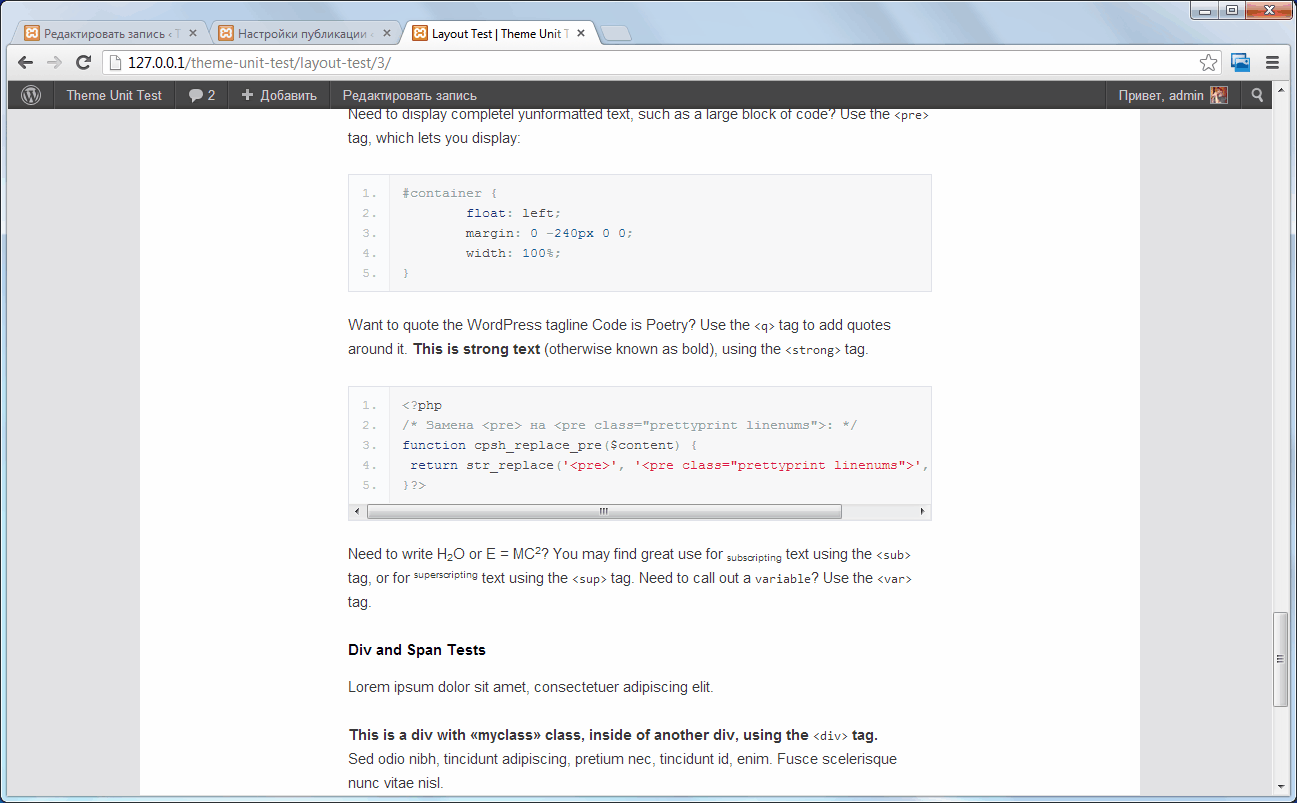
This frontend. 
This administration page. 
This post editing page.
انسٽاليشن
- Unzip files.
- Upload ‘cpsh’ to the ‘/wp-content/plugins/’ directory.
- Activate the plugin through the ‘Plugins’ menu in WordPress.
- Go to your ‘Writing’.
- Go to your ‘Highlighting code with «google-code-prettify»’.
FAQ
- Syntax highlighting is not working?
Try disabling JQuery in your theme. Or comment the 33rd line of code plugin: wp_enqueue_script (‘jquery’);
- How do I block a themed code?
Specify the path to an arbitrary CSS file in the plugin settings. Examples of these, see the catalog ‘http://example.com/wordpress/wp-content/plugins/cpsh/google-code-prettify/prettify.css’.
جائزا
ھن پلگ ان لاءِ ڪي به رايا ناھن.
تعاون ڪندڙ & ڊولپرز
“Code Prettify Syntax Highlighter” اوپن سورس سافٽ ويئر آهي. ھيٺين ماڻھن ھن پلگ ان ۾ حصو ورتو آھي.
تعاون ڪندڙ
ترجمو ڪريو “Code Prettify Syntax Highlighter” توهان جي ٻولي ۾.
ڊولپمينٽ ۾ دلچسپي؟
ڪوڊ براؤز ڪريو، چيڪ ڪريو SVN مخزن، يا رڪنيت حاصل ڪريو ڊولپمينٽ لاگ پاران RSS.
لاگ تبدیل ڪريو
1.0
- The first version of the plugin.