

Description
Plugiva ClientGuard helps site owners and administrators prevent accidental or unwanted changes in the WordPress admin area.
Instead of blocking access aggressively, ClientGuard focuses on guardrails — reducing risk while keeping the admin experience calm and predictable.
This plugin is ideal for:
– Client-managed websites
– Multi-admin teams
– Sites where stability matters more than frequent changes
Key Features
- Guard plugin installation, deletion, and activation
- Prevent theme switching
- Hide selected admin menus to reduce clutter
- Protect important pages from editing or deletion
- Safe defaults — nothing is locked on activation
- Direct URLs remain accessible (no hard lockouts)
- Clean uninstall with no leftover data
What This Plugin Is NOT
- Not a security or firewall plugin
- Not a role or permission editor
- Not designed to block administrators entirely
Plugiva ClientGuard focuses on preventing mistakes, not enforcing restrictions.
Developer Hooks
Plugiva ClientGuard provides filter hooks that allow developers to customize certain behaviors, including admin notice messages, without modifying plugin code.
Screenshots
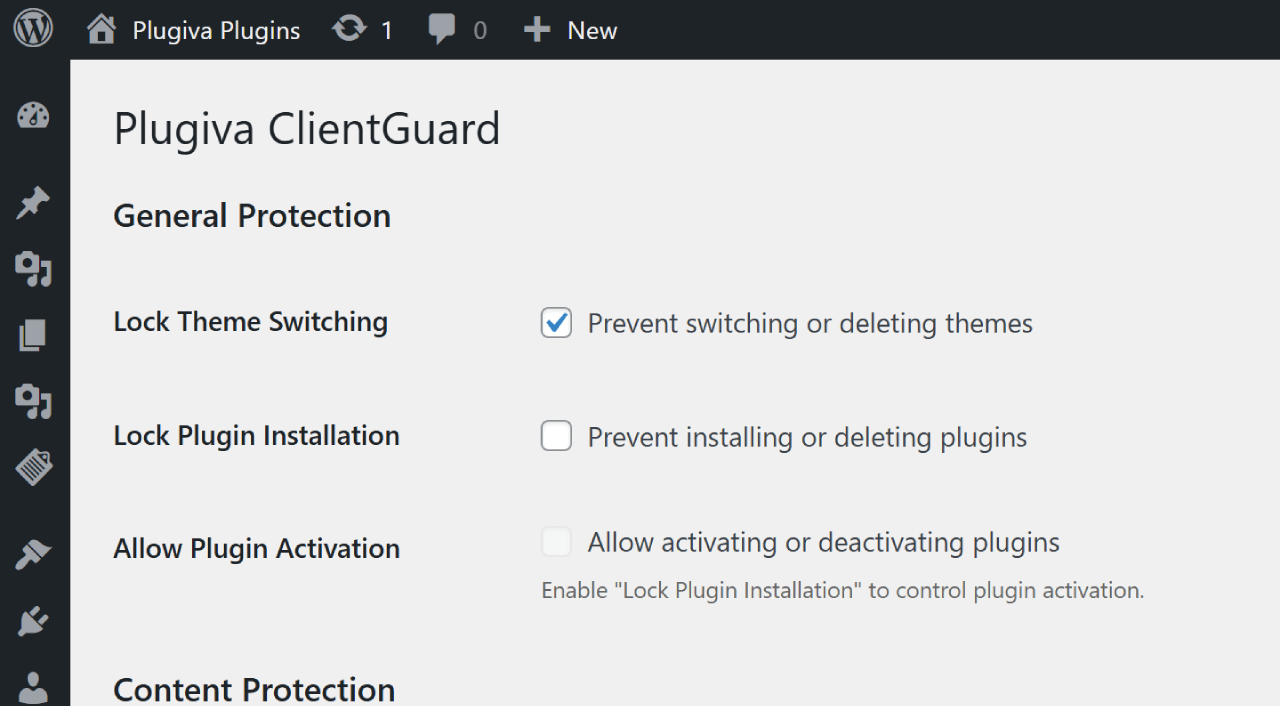
ClientGuard settings page. 
Content Protection interface. 
Menu Visibility options.
Installation
- Upload the
plugiva-clientguardfolder to/wp-content/plugins/ - Activate the plugin through the Plugins menu
- Go to Settings ClientGuard
- Enable only the guards you need
FAQ
-
Does this plugin completely block access?
-
No. ClientGuard hides menus and guards actions, but direct URLs remain accessible unless explicitly guarded.
-
Is this a security plugin?
-
No. This plugin is designed to prevent accidental changes, not to secure WordPress from attacks.
-
Yes. Menu hiding is for visibility only. Action blocking is handled separately where needed.
-
What happens on uninstall?
-
All plugin settings are removed cleanly when the plugin is uninstalled.
Reviews
There are no reviews for this plugin.
Contributors & Developers
“Plugiva ClientGuard” is open source software. The following people have contributed to this plugin.
Contributors
Translate “Plugiva ClientGuard” into your language.
Interested in development?
Browse the code, check out the SVN repository, or subscribe to the development log by RSS.
Changelog
1.0.0
- Initial release.